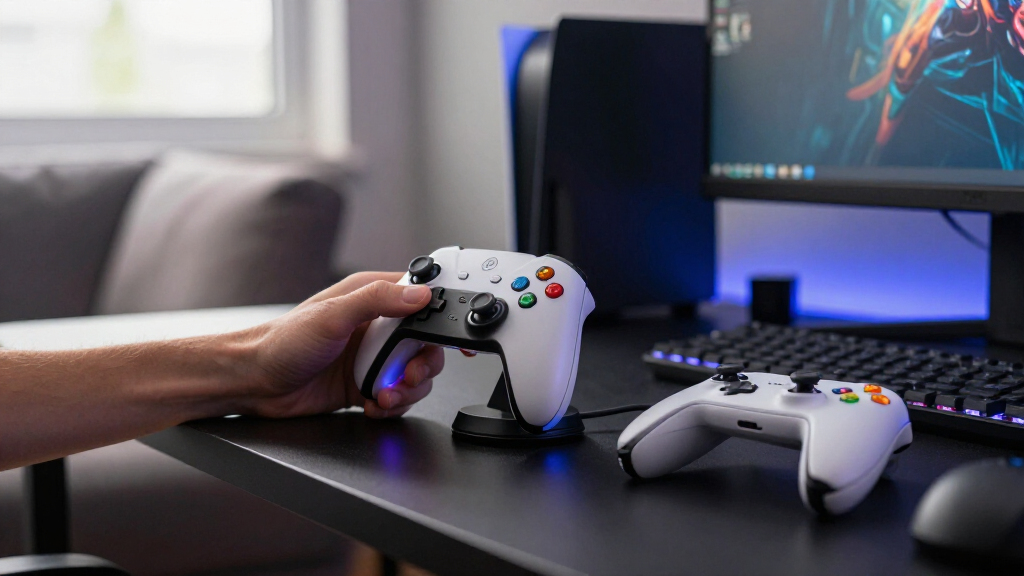

Gaming controller charging docks vary most in what they fit: my best overall pick is the PURBHE Charging Dock for its support across Joy-Con, Switch Pro, and PS5 controllers. The PowerA Twin Charging Station is a focused choice for two DualSense controllers, while the KDD Multi-Device Charging Station adds a headset stand for a more organized desk. The tradeoff is between broad compatibility, a simple fit for one console, and extra space for accessories. Check your exact controller model and how many you need to charge before choosing. Read on for the full comparison and recommendations by setup.

Play games on Amazon Luna for your game nights, included with Prime
- A rotating selection of games, no download needed
- Play on TV, laptop or phone
- Fast, free delivery for your gear, too
Complete the kit



Key Takeaways
- PURBHE stands out for cross-console flexibility: it supports Joy-Con, Switch Pro, and PS5 controllers, which suits households with more than one system.
- Dedicated docks favor a cleaner fit: PowerA‘s twin station is built around two PS5 DualSense controllers, while multi-format docks may take more checking to match your exact controllers.
- Capacity changes the shape of the setup: the FASTSNAIL 4-in-1 and several 6-in-1 Switch docks target multiple controllers, while two-port designs keep the footprint more focused.
- Charging and storage are separate needs: KDD and KAFRI add headset or desk organization, but their extra features take more room than a controller-only dock.
- Battery approach matters on Xbox: the Xbox station includes rechargeable battery packs, while the 8BitDo dock uses a magnetic charging design for compatible Xbox controllers.
| PURBHE Charging Dock for Nintendo Switch Joy-Con, Switch Pro, and PS5 Controllers |  | Best for Mixed Controller Collections | Compatible controllers: Nintendo Switch Joy-Con, Switch Pro Controller, PS5 DualSense | Maximum simultaneous charging: 4 Joy-Con controllers and 2 Switch Pro or PS5 controllers | Connector: USB Type-C | VIEW LATEST PRICE | See Our Full Breakdown |
| ECHTPower EP01 Wireless Gaming Controller with Hall-Effect Joysticks and Charging Dock |  | Best Controller-and-Dock Bundle | Model: EP01 | Compatible devices: PC, Nintendo Switch, iOS, Android | Connectivity: Bluetooth, 2.4 GHz RF, USB, USB-C | VIEW LATEST PRICE | See Our Full Breakdown |
| Xbox Controller Charging Station with Two Rechargeable Battery Packs |  | Best for Xbox Battery Swaps | Compatibility: Official Xbox One, One X, One S, One Elite, Series X, and Series S wireless controllers | Not compatible with: Xbox 360, Xbox Elite Series 2, or third-party controllers | Battery packs included: 2 | VIEW LATEST PRICE | See Our Full Breakdown |
| KDD Multi-Device Charging Station with Controller and Headset Stand |  | Best for Desk Organization | Model: KDD-795 | USB ports: 4 total: 3 USB-A and 1 USB-C | Maximum charging current: Up to 2.4 A per port | VIEW LATEST PRICE | See Our Full Breakdown |
| OIVO PS5 DualSense and Edge Controller Charging Station |  | Best for a PS5 Pair | Model: IV-P5211B | Controller compatibility: PS5 DualSense and Edge | Charging capacity: 2 controllers | VIEW LATEST PRICE | See Our Full Breakdown |
| FASTSNAIL 4-in-1 Joy-Con Charging Dock for Nintendo Switch |  | Best for Charging Multiple Joy-Cons | Brand: FASTSNAIL | Model: TNS-875 | Compatibility: Nintendo Switch, Nintendo Switch OLED | VIEW LATEST PRICE | See Our Full Breakdown |
| NBGame PS4 Controller Charging Dock with LED Indicator |  | Best for a Straightforward PS4 Setup | Brand: NBGame | Compatibility: PS4, PS4 Slim, and PS4 Pro controllers | Connector: USB Type-A | VIEW LATEST PRICE | See Our Full Breakdown |
| OIVO PS4 Controller Charging Dock |  | Best for Faster PS4 Charging | Brand: OIVO | Model: TP4-889-01-us31 | Compatibility: Sony PS4 controllers | VIEW LATEST PRICE | See Our Full Breakdown |
| 8BitDo Charging Dock for Xbox Wireless Controllers, Xbox Charging Station with Magnetic Secure Charging for Xbox Series X|S and Xbox One Controller – Officially Licensed (Black) |  | Best Licensed Xbox Charging Dock | Compatibility: Xbox Series X|S and Xbox One wireless controllers | Battery capacity: 1100 mAh | Connector: USB Type-C | VIEW LATEST PRICE | See Our Full Breakdown |
| 6-in-1 Charging Dock for Nintendo Switch Joy-Con, Pro, and PS5 Controllers |  | Best Multi-Console Charging Hub | Compatibility: Nintendo Switch, Nintendo Switch OLED, Switch Pro Controller, PS5 Controller | Charging capacity: Up to 4 Joy-Con controllers and 2 Pro or PS5 controllers | Charging connector: USB Type-C | VIEW LATEST PRICE | See Our Full Breakdown |
| HEATFUN 6-in-1 Nintendo Switch Controller Charging Dock |  | Best for Large Switch Controller Collections | Charging capacity: Up to 4 Joy-Con and 2 compatible Pro Controllers | Input: 5V/2A | Output: 5V, 1.5A | VIEW LATEST PRICE | See Our Full Breakdown |
| PowerA Twin Charging Station for PS5 DualSense Controllers |  | Best Officially Licensed PS5 Display Dock | Compatible devices: PS5 | Capacity: 2 DualSense controllers | Power source: AC adapter, corded electric | VIEW LATEST PRICE | See Our Full Breakdown |
| HEATFUN 2-Port Controller Charging Dock for Switch Pro, PS5, and Xbox Controllers |  | Best for Mixed-Console Controller Owners | Compatible controllers: Switch Pro, Switch 2 Pro, PS5, Xbox Series X|S, Xbox Elite Series 2 | Charging capacity: 2 controllers at once | Adapters: 2 removable USB-C adapters included | VIEW LATEST PRICE | See Our Full Breakdown |
| KAFRI RGB Gaming Headphone Stand and Controller Holder with Retractable Cable, 2 AC Outlets, and 4 USB-C Ports |  | Best Desk Organizer with Charging Access | Capacity: Up to 4 controllers and 1 headset | Lighting: 8 RGB modes | Power outlets: 2 AC outlets | VIEW LATEST PRICE | See Our Full Breakdown |
| OIVO PS5 Controller Charging Station with AC Adapter |  | Best for Fast, Ready-to-Use PS5 Charging | Compatible controllers: PS5 DualSense and Edge | Capacity: 2 controllers | Charging time: About 2 hours | VIEW LATEST PRICE | See Our Full Breakdown |
| gaming controller charging dock | Connector |
|---|---|
| PURBHE Charging Dock for Ninte | USB Type-C |
| ECHTPower EP01 Wireless Gaming | — |
| Xbox Controller Charging Stati | USB Type-C |
| KDD Multi-Device Charging Stat | — |
| OIVO PS5 DualSense and Edge Co | USB Type-C |
| FASTSNAIL 4-in-1 Joy-Con Charg | USB Type-C |
| NBGame PS4 Controller Charging | USB Type-A |
| OIVO PS4 Controller Charging D | — |
| 8BitDo Charging Dock for Xbox | USB Type-C |
| 6-in-1 Charging Dock for Ninte | — |
| HEATFUN 6-in-1 Nintendo Switch | USB Type-C |
| PowerA Twin Charging Station f | 2-pin |
| HEATFUN 2-Port Controller Char | — |
| KAFRI RGB Gaming Headphone Sta | — |
| OIVO PS5 Controller Charging S | USB Type-C |
More Details on Our Top Picks
PURBHE Charging Dock for Nintendo Switch Joy-Con, Switch Pro, and PS5 Controllers
The PURBHE dock suits households that keep both Nintendo and PlayStation controllers ready in one place. It can charge up to four Joy-Con controllers plus two Switch Pro or PS5 controllers at once, giving it broader capacity than the OIVO PS5 DualSense and Edge Charging Station, which is limited to two PS5 pads. That flexibility is useful when several players share a console or the controller lineup changes between game nights. The tradeoff is that this is a charging base, not a storage stand for other gear, and its 80 cm cable may constrain placement near a power source. Controllers are not included, so buyers need to supply their own compatible pads. I’d choose it for mixed collections, while PS5-only owners may prefer a more focused dock.
Pros:- Charges up to six compatible controllers across Nintendo and PS5 formats
- LED indicator shows charging status
- Includes overcharge, overvoltage, overcurrent, and short-circuit protection
- Can draw power from a console, USB hub, or wall charger
Cons:- Controllers are not included
- The 80 cm cable can limit placement
- Does not provide storage for a headset or other gaming accessories
Best for: Households that own Joy-Con controllers and at least one Switch Pro or PS5 controller and want to charge several together
Not ideal for: PS5-only owners who want a dedicated two-controller dock or buyers who need controllers included
- Compatible controllers:Nintendo Switch Joy-Con, Switch Pro Controller, PS5 DualSense
- Maximum simultaneous charging:4 Joy-Con controllers and 2 Switch Pro or PS5 controllers
- Connector:USB Type-C
- USB ports:1
- Output:5 V, 3.6 A, 5 W
- Cable length:80 cm
- Protection:Overcharge, overvoltage, overcurrent, and short-circuit protection
- Warranty:1 year
Our verdict“Choose the PURBHE if your household rotates between Joy-Con, Switch Pro, and PS5 controllers and needs one dock for the group.”
ECHTPower EP01 Wireless Gaming Controller with Hall-Effect Joysticks and Charging Dock
Unlike the standalone charging bases elsewhere in this roundup, the ECHTPower EP01 includes the gamepad itself, so it makes sense for someone buying a controller and charging dock together. Its Hall-effect joysticks are designed to reduce stick drift, while the 800 mAh battery is rated for up to 15 hours of play. The dock is a convenience for keeping this controller charged; it does not solve charging for a collection of existing pads the way the PURBHE dock can. The EP01 also spans PC, Switch, iOS, and Android, but buyers must select the right platform mode before connecting. Its 1000 Hz polling rate applies to 2.4 GHz or wired play, so wireless Bluetooth use does not get that stated rate. This is a bundled controller pick, not a universal charging station.
Pros:- Includes both a wireless gamepad and charging dock
- Hall-effect joysticks are designed to reduce stick drift
- Works with PC, Nintendo Switch, iOS, and Android
- Offers turbo, vibration, and RGB settings
Cons:- 1000 Hz polling rate is specified only for 2.4 GHz or wired connections
- Requires selecting the appropriate platform mode before connecting
- Up to 15 hours of playtime may require frequent charging for long daily sessions
Best for: PC or Switch players who need a new multi-platform controller and want its charging dock included
Not ideal for: Gamers who already own several controllers and want a dock to charge them together
- Model:EP01
- Compatible devices:PC, Nintendo Switch, iOS, Android
- Connectivity:Bluetooth, 2.4 GHz RF, USB, USB-C
- Joystick type:Hall effect
- Polling rate:1000 Hz over 2.4 GHz or wired connection
- Battery capacity:800 mAh
- Stated playtime:Up to 15 hours
- Weight:280 g
- Included accessory:Charging dock
Our verdict“Pick the EP01 if you need a new multi-platform gamepad with its own dock, rather than a station for several controllers you already own.”
Xbox Controller Charging Station with Two Rechargeable Battery Packs
The Xbox Controller Charging Station is a practical choice for players who want rechargeable packs ready without buying separate batteries. It includes two 6200 mWh packs and four battery covers, with stated playtime of 18–25 hours per charge and recharge times of 4–5 hours. That gives it a different purpose from the OIVO PS5 DualSense and Edge Charging Station: this dock is tied to compatible official Xbox controllers and depends on battery packs, rather than simply seating PS5 pads on a charging base. Its compatibility spans several Xbox One and Series generations, but excludes third-party controllers and the Elite Series 2. Controllers are not included, and the pack system will not help owners who want to charge their existing controller batteries directly. I’d favor it for official Xbox pads and a spare-pack routine.
Pros:- Includes two rechargeable battery packs and four battery covers
- Stated 18–25 hours of playtime per pack
- LED indicators show charging status
- Includes protection against overcharging, excess current, overheating, and short circuits
Cons:- Does not support Xbox Elite Series 2 or third-party controllers
- Controllers are not included
- Recharge time is stated as 4–5 hours
Best for: Xbox One and Series players with official wireless controllers who want two rechargeable packs to rotate
Not ideal for: Owners of Xbox Elite Series 2 or third-party controllers, and players who want a dock for included controllers
- Compatibility:Official Xbox One, One X, One S, One Elite, Series X, and Series S wireless controllers
- Not compatible with:Xbox 360, Xbox Elite Series 2, or third-party controllers
- Battery packs included:2
- Battery capacity:6200 mWh per pack
- Stated playtime:18–25 hours
- Charging time:4–5 hours
- Recharge cycles:Over 2000
- Connector:USB Type-C
- Safety features:Overcharge, over-current, overheating, and short-circuit protection
Our verdict“Choose this station if you use compatible official Xbox controllers and want two rechargeable packs ready to swap.”
KDD Multi-Device Charging Station with Controller and Headset Stand
The KDD Multi-Device Charging Station is the roundup’s desk organizer: its four USB ports can charge controllers and other devices while a detachable holder and 360° rotating headset hanger keep accessories together. Compared with the controller-specific PURBHE dock, it gives up a defined multi-controller layout in favor of flexible USB charging and storage. That suits a desk shared by a gamepad, headphones, phone, or smartwatch, but the listed specs do not identify console-specific charging contacts or a dedicated battery system. Its power details also call for care when planning a setup: no power plug is included, and the warranty is 180 days. The rubber base pads and overload and short-circuit protection help with everyday placement, though this is more of a charging hub and stand than a purpose-built controller dock.
Pros:- Combines USB charging with controller and headset storage
- Provides three USB-A ports and one USB-C port
- Detachable controller holder and rotating headset hanger allow flexible arrangement
- Includes overload and short-circuit protection
Cons:- Power plug is not included
- Does not specify controller-specific charging contacts or battery packs
- Warranty is 180 days
Best for: Desk-based gamers who want one USB charging station with a controller holder and movable headset hanger
Not ideal for: Players seeking a console-specific dock with dedicated charging contacts or a complete power adapter included
- Model:KDD-795
- USB ports:4 total: 3 USB-A and 1 USB-C
- Maximum charging current:Up to 2.4 A per port
- Wattage:48 watts
- Compatible devices:Controllers, headphones, smartphones, smartwatches, and tablets
- Features:Detachable controller holder, 360° rotating headset hanger, on/off button
- Protection:Overload and short-circuit protection
- Warranty:180 days
Our verdict“Pick the KDD if desk organization and charging several kinds of USB devices matter more than a dedicated controller charging cradle.”
OIVO PS5 DualSense and Edge Controller Charging Station
For PS5 owners who mainly want two controllers parked and charging together, the OIVO DualSense and Edge station keeps the job focused. It supports two pads and lists a charge time of about two hours, with red and blue indicators to show status. Compared with the broader PURBHE dock, it serves a narrower controller family and has less capacity, but that focused fit may be preferable when a household uses only DualSense or Edge controllers. It connects directly to the PS5 console using one of the included cable types, which avoids an extra adapter but ties placement to the console. The light switch turns off the indicators only; it does not stop charging. This is a tidy pair-charging option, though it offers no battery packs or extra accessory storage.
Pros:- Charges two DualSense or Edge controllers simultaneously
- Lists an approximately two-hour charging time
- Includes charging indicators and anti-slip pads
- Includes two cable types for connection to the console
Cons:- Connects directly to the PS5 console, limiting placement by cable reach
- Light switch controls indicators only, not charging
- Does not include rechargeable battery packs or accessory storage
Best for: PS5 households with two DualSense or Edge controllers that want a compact tabletop charging spot near the console
Not ideal for: Players with mixed console controllers, more than two pads to charge, or a setup that needs a separate power adapter
- Model:IV-P5211B
- Controller compatibility:PS5 DualSense and Edge
- Charging capacity:2 controllers
- Charging time:About 2 hours
- Connector:USB Type-C
- Input and output voltage:5 V input; 5 V output
- Output current:3 A
- Power:12 watts
- Warranty:3 years
Our verdict“Choose the OIVO if you have two PS5 DualSense or Edge controllers and want a dedicated charging base beside the console.”
FASTSNAIL 4-in-1 Joy-Con Charging Dock for Nintendo Switch
The FASTSNAIL is the clearest fit for Switch households that keep several Joy-Cons in rotation: its four slide-in slots charge controllers together and give them a dedicated place between sessions. Individual LED indicators make it easier to see which controllers are still charging, while the stand keeps the setup tidier than charging loose controllers by cable. Compared with the 6-in-1 Charging Dock for Nintendo Switch Joy-Con, Pro, and PS5 Controllers, this model focuses on Joy-Cons rather than adding slots for Pro or PS5 controllers. That narrower scope means fewer ways to charge different pads, but a simpler fit if Joy-Cons are all you need. The dock connects by USB and the controllers are sold separately, so buyers need both a suitable USB power source and their own Joy-Cons.
Pros:- Charges up to four Joy-Con controllers at once
- Individual LEDs show charging status
- Doubles as a storage and display stand
- Slide-in setup connects to a USB port
Cons:- Does not charge Pro or PS5 controllers
- Joy-Con controllers are not included
Best for: Nintendo Switch owners with several Joy-Cons who want to charge and store up to four together.
Not ideal for: Players who also need a charging spot for a Pro or PS5 controller, or who expect the dock to include controllers.
- Brand:FASTSNAIL
- Model:TNS-875
- Compatibility:Nintendo Switch, Nintendo Switch OLED
- Capacity:Up to 4 Joy-Con controllers
- Connector:USB Type-C
- Output:5 V, 0.5 A
- Weight:0.16 kg
- Materials:Metal, plastic
- Warranty:180 days
Our verdict“Choose the FASTSNAIL if your priority is charging and organizing several Joy-Cons in one compact stand.”
NBGame PS4 Controller Charging Dock with LED Indicator
For a PS4 owner who wants a simple place to charge and park controllers, the NBGame dock keeps the essentials visible: red while charging, blue when full, with a stated charging time of about two hours. Its USB connection can draw power from a PS4 console or PC, which suits a setup where those devices are already nearby. The OIVO PS4 Controller Charging Dock lists a slightly shorter charge time and supports a wall USB source too, but its wall adapter is not included. NBGame similarly requires a USB power connection, and it is limited to PS4 controllers, so it will not serve a mixed-console collection. Multiple electrical protections are included, though the plastic dock and single-platform compatibility make this a practical basic station rather than a flexible charging hub.
Pros:- LED changes from red during charging to blue when full
- Stated charging time is about 2 hours
- Can draw power from a PS4 console or PC
- Includes overcharge, temperature, voltage, and current protections
Cons:- Compatible with PS4 controllers only
- Requires a USB power connection
Best for: PS4, PS4 Slim, or PS4 Pro owners who want a dedicated dock powered by their console or PC.
Not ideal for: Gamers with PS5, Xbox, or Switch controllers who want one station for multiple controller types.
- Brand:NBGame
- Compatibility:PS4, PS4 Slim, and PS4 Pro controllers
- Connector:USB Type-A
- Input:5 V, 1 A
- Output:5 V, 1 A
- Charging time:About 2 hours
- LED indicator:Red while charging; blue when fully charged
- Material:Plastic
- Warranty:1 year
Our verdict“Pick NBGame for a simple PS4-only charging spot with clear status lights and console or PC power options.”
OIVO PS4 Controller Charging Dock
The OIVO gives PS4 owners a compact tabletop station with a stated 1.8-hour charging time and front LEDs that show charging status. It can take power from a PS4, PC, or USB wall source, giving it more placement options than the NBGame PS4 Controller Charging Dock, which lists console and PC power. The wall adapter is not included, however, so the extra flexibility depends on already having one. OIVO also includes a USB cable and lists protection against overcharging, overheating, and electrical faults. That makes it a sensible dedicated dock for DualShock 4 users, but its PS4-only compatibility limits its usefulness if the household also charges newer PlayStation or other console controllers. Its plastic construction keeps the setup straightforward, without the broader controller coverage of the 6-in-1 dock.
Pros:- Stated charging time is about 1.8 hours
- Front LEDs show charging status
- Can draw USB power from a PS4, PC, or wall source
- Includes USB cable and electrical and temperature protections
Cons:- Wall adapter is not included
- Compatible with PS4 controllers only
Best for: DualShock 4 owners who want a tabletop charger with status lights and the option to use a USB wall source.
Not ideal for: Players who need to charge PS5, Xbox, or Switch controllers, or need a wall adapter included.
- Brand:OIVO
- Model:TP4-889-01-us31
- Compatibility:Sony PS4 controllers
- Charging time:About 1.8 hours
- Input and output:5 V, 1 A
- Power source:USB
- Mounting type:Tabletop
- Material:Plastic
- Included:Charging station, USB cable, user manual
Our verdict“Choose OIVO for a dedicated DualShock 4 dock when its USB power flexibility and shorter stated charge time suit your setup.”
8BitDo Charging Dock for Xbox Wireless Controllers, Xbox Charging Station with Magnetic Secure Charging for Xbox Series X|S and Xbox One Controller – Officially Licensed (Black)
Xbox owners who prefer a rechargeable pack to swapping disposable batteries get a neatly matched setup here: the 8BitDo includes an 1100 mAh battery pack and two battery doors, with magnetic alignment intended to keep charging secure. Its amber-to-white LED gives a quick status check, and a storage compartment helps keep the small accessories with the dock. Compared with the 6-in-1 Charging Dock for Nintendo Switch Joy-Con, Pro, and PS5 Controllers, this is far more focused: it supports Xbox Series X|S and Xbox One wireless controllers, but charges only one controller at a time. It is a better match for an Xbox-only desk than a shared multi-platform setup. The USB-C cable is not included, so buyers need to provide one to power the station.
Pros:- Officially licensed by Xbox
- Magnetic secure charging
- Includes an 1100 mAh rechargeable battery pack and two battery doors
- LED indicates charging and full status
Cons:- Charges only one controller at a time
- USB-C cable is not included
Best for: Xbox Series X|S or Xbox One players who want a licensed single-controller dock with a rechargeable pack included.
Not ideal for: Households that need to charge multiple controllers together or use a dock across different console families.
- Compatibility:Xbox Series X|S and Xbox One wireless controllers
- Battery capacity:1100 mAh
- Connector:USB Type-C
- Input voltage:3.4 V
- Output:3.4 V, 1100 mA
- Wattage:3.74 W
- Mounting type:Tabletop
- Weight:0.24 kg
- Material:Plastic
Our verdict“Choose 8BitDo if you want a purpose-built Xbox dock with a battery pack and magnetic alignment for one controller.”
6-in-1 Charging Dock for Nintendo Switch Joy-Con, Pro, and PS5 Controllers
This dock has the broadest stated controller capacity in this batch: it can charge four Joy-Cons plus two Pro or PS5 controllers at once. That makes it a stronger fit for a mixed Switch and PS5 setup than the FASTSNAIL 4-in-1 Joy-Con Charging Dock, which is built around Joy-Cons alone. Charging times are listed as 2.5 hours for Joy-Cons and 3.5 hours for Pro and PS5 controllers, so filling every position calls for planning ahead rather than a quick top-up. Indicator lights, electrical protections, and a non-slip base also help keep a busy controller area orderly. Its main constraint is compatibility: it does not support PowerA controllers. The ABS plastic body and USB-C power connection suit a practical desk station, but this is more dock than a single-console player may need.
Pros:- Charges up to four Joy-Cons and two Pro or PS5 controllers
- Indicator lights show charging status
- Includes over-temperature, over-current, and over-voltage protection
- Non-slip base also organizes controllers
Cons:- Does not support PowerA controllers
- Listed charging times are 2.5 hours for Joy-Cons and 3.5 hours for Pro or PS5 controllers
Best for: Households with Nintendo Switch and PS5 controllers that want to charge several pads at the same time.
Not ideal for: PowerA controller owners or players who only need a compact charger for one controller type.
- Compatibility:Nintendo Switch, Nintendo Switch OLED, Switch Pro Controller, PS5 Controller
- Charging capacity:Up to 4 Joy-Con controllers and 2 Pro or PS5 controllers
- Charging connector:USB Type-C
- Charging times:Joy-Con: 2.5 hours; Pro and PS5: 3.5 hours
- Output:5 V, 2 A
- Material:ABS plastic
- Included:Charging dock, USB-C cable
- Warranty:1 year
Our verdict“Pick this 6-in-1 dock if you need one station for a large Switch and PS5 controller collection and its listed compatibility fits.”
HEATFUN 6-in-1 Nintendo Switch Controller Charging Dock
The HEATFUN 6-in-1 is the lineup’s capacity pick: it charges up to four Joy-Con and two compatible Switch Pro Controllers at once, keeping a larger play group’s controllers together. Its red and green status lights make it easy to check charging at a glance, while the included USB-C cable means one dock cable is supplied. Compared with the FASTSNAIL 4-in-1 Joy-Con Charging Dock, this model accommodates more controllers and adds room for two Pro Controllers. That capacity comes with a narrow compatibility window: it does not support Switch 2, PowerA, HORI, or other third-party controllers. I’d choose it for a collection built around supported Nintendo controllers, but skip it if the household mixes brands or needs a bundled power adapter; a separate 5V/2A adapter is required.
Pros:- Charges up to four Joy-Con and two compatible Pro Controllers simultaneously
- Red and green LEDs show charging status
- Keeps multiple controllers gathered on one tabletop dock
- USB-C cable is included
Cons:- Does not support Switch 2 or several third-party controller brands
- Requires a separate 5V/2A power adapter
Best for: Nintendo Switch households with several Joy-Con pairs and up to two compatible Pro Controllers to charge together
Not ideal for: Players using Switch 2, PowerA, HORI, or other third-party controllers, or buyers who need a power adapter included
- Charging capacity:Up to 4 Joy-Con and 2 compatible Pro Controllers
- Input:5V/2A
- Output:5V, 1.5A
- Connector:USB Type-C
- USB ports:3
- Mounting type:Tabletop
- Weight:5.5 ounces
- Included:Charging dock and USB Type-C cable
Our verdict“Choose this dock if you have a large collection of supported Switch controllers and want to charge up to six together.”
PowerA Twin Charging Station for PS5 DualSense Controllers
The PowerA Twin Charging Station pairs a simple two-controller setup with an official PS5 license, making it a straightforward choice for players who want their DualSense controllers displayed between sessions. Set each controller on the tabletop station to charge, then use the controller LEDs to check when charging is complete. Compared with the OIVO PS5 Controller Charging Station with AC Adapter, PowerA emphasizes the licensed display setup and a two-year limited warranty; OIVO lists a charging time and includes an adapter. The PowerA’s focused design is a good fit if presentation and brand authorization matter more than broader use. Its tradeoffs are clear: it supports only two PS5 DualSense controllers and needs an AC connection, so it cannot serve a mixed-console charging station.
Pros:- Charges and displays two DualSense controllers at once
- Officially licensed for PlayStation 5
- Controller LEDs indicate when charging is complete
- Includes a two-year limited warranty
Cons:- Compatible with PS5 DualSense controllers only
- Requires an AC power connection
Best for: PS5 owners who want a licensed tabletop stand to charge and display two DualSense controllers
Not ideal for: Multi-console households, or players looking for a dock that charges other controller models
- Compatible devices:PS5
- Capacity:2 DualSense controllers
- Power source:AC adapter, corded electric
- Connector:2-pin
- Wattage:10 watts
- Output current:1.5 A
- Mounting type:Tabletop
- Warranty:Two-year limited warranty
Our verdict“Pick the PowerA if you want a licensed PS5 display dock with warranty coverage for two DualSense controllers.”
HEATFUN 2-Port Controller Charging Dock for Switch Pro, PS5, and Xbox Controllers
Among these five picks, the HEATFUN 2-Port has the broadest stated console-controller compatibility: it supports specified Switch Pro, PS5, Xbox Series X|S, and Xbox Elite Series 2 controllers. That makes it more useful to a mixed-console household than the PS5-only PowerA Twin Charging Station. It charges two controllers at once, with removable USB-C adapters and red and green lights that show whether charging is underway or complete. Built-in short-circuit protection adds a practical safeguard. The flexibility has limits: the dock excludes PowerA, Luna, and other third-party Pro controllers, and thick cases may need to come off. A 5V/2A wall adapter is recommended but not supplied, so I’d favor this model for compatible controller owners who already have suitable power and want one shared dock.
Pros:- Supports specified Switch Pro, PS5, and Xbox controller models
- Charges two compatible controllers simultaneously
- Removable USB-C adapters and status LEDs are included
- Built-in short-circuit protection
Cons:- Does not support PowerA, Luna, or other third-party Pro controllers
- Recommended 5V/2A USB adapter is not included
- Thick controller cases may need to be removed
Best for: Households with compatible Switch Pro, PS5, or Xbox controllers that want one dock for more than one console family
Not ideal for: Owners of PowerA, Luna, or other unsupported third-party Pro controllers, or players who need to charge controllers in thick cases
- Compatible controllers:Switch Pro, Switch 2 Pro, PS5, Xbox Series X|S, Xbox Elite Series 2
- Charging capacity:2 controllers at once
- Adapters:2 removable USB-C adapters included
- Recommended input:5V/2A USB wall adapter, not included
- Output current:1.5A
- Wattage:10W
- Indicator:Red = charging; green = full
- Protection:Short-circuit protection
Our verdict“Choose this HEATFUN dock if your two controllers are among its supported models and you want a shared charging station across console families.”
KAFRI RGB Gaming Headphone Stand and Controller Holder with Retractable Cable, 2 AC Outlets, and 4 USB-C Ports
The KAFRI RGB Gaming Headphone Stand is the desk-organizing pick: it holds up to four controllers and a headset, while its retractable cable, four USB-C ports, and two AC outlets put several power connections within reach. Eight RGB modes and a non-slip base also give it more of a display-stand role than the dedicated charging docks in this batch. Compared with the HEATFUN 6-in-1, KAFRI offers space for a headset and outlets for other gear, but HEATFUN gives clearer controller-specific charging capacity and supported models. KAFRI’s charging details are less defined: the supplied description does not specify port compatibility or power ratings. I’d pick it to tidy a gaming desk, but buyers who need confirmed charging support for particular controllers should choose a model with explicit compatibility instead.
Pros:- Holds up to four controllers and one headset
- Combines four USB-C ports with two AC outlets
- Retractable cable helps reduce loose cable clutter
- Offers eight RGB lighting modes and a non-slip base
Cons:- Charging port compatibility is not specified
- Power ratings and dimensions are not provided
Best for: Desk-focused players who want to store several controllers and a headset alongside general-purpose charging ports and AC outlets
Not ideal for: Buyers who need confirmed compatibility or power ratings for charging specific controller models
- Capacity:Up to 4 controllers and 1 headset
- Lighting:8 RGB modes
- Power outlets:2 AC outlets
- Charging ports:4 USB-C ports
- Cable:Retractable charging cable
- Form factor:Tabletop
- Enclosure material:Plastic
- Base:Non-slip
Our verdict“Choose KAFRI for a combined headset and controller organizer with desk power access, provided its unspecified charging details meet your needs.”
OIVO PS5 Controller Charging Station with AC Adapter
The OIVO PS5 Controller Charging Station is the practical PS5 pick for players who want the power adapter in the box and a stated charging time of about two hours. It stores and charges up to two DualSense or Edge controllers, with an on/off switch and LED indicators to show charging status. That broader named PS5 compatibility gives it an edge over the PowerA Twin Charging Station, which is described for DualSense controllers only; PowerA, in turn, offers an official license and a two-year limited warranty. OIVO’s straightforward setup still depends on a corded connection, and its compatibility remains within the PS5 family. I’d choose it when adapter inclusion and Edge support matter more than a wider multi-console dock or licensed display branding.
Pros:- Charges and stores two DualSense or Edge controllers
- Includes an AC power adapter
- Lists a charging time of about two hours
- On/off switch and LED indicators are included
Cons:- Requires a corded power connection
- Compatibility is limited to PS5 DualSense and Edge controllers
Best for: PS5 owners with DualSense or Edge controllers who want an included adapter and a stated charging time
Not ideal for: Players with Xbox or Nintendo controllers, or anyone seeking a multi-console charging dock
- Compatible controllers:PS5 DualSense and Edge
- Capacity:2 controllers
- Charging time:About 2 hours
- Connector:USB Type-C
- Input:5V, 3A
- Output:5V, 3A
- Wattage:12W
- Included:AC power adapter and user manual
Our verdict“Pick the OIVO if you want a two-controller PS5 dock with Edge support and an AC adapter included.”
How We Picked
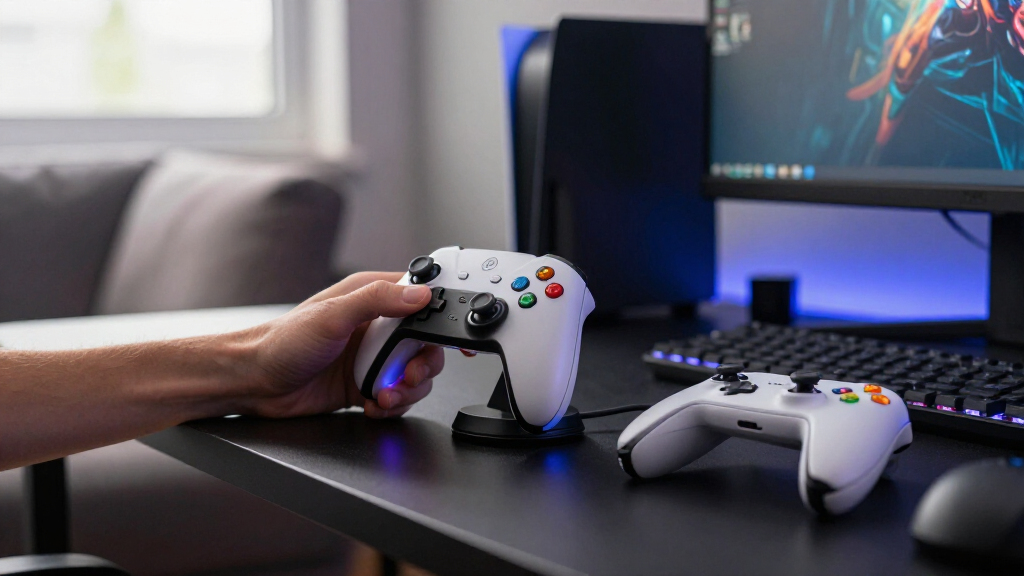
I compared these docks by controller compatibility, charging capacity, ease of placement, and the job each one does beyond charging. A dock that names several controller families can simplify a mixed-console setup, but buyers still need to confirm the fit for their specific model. For a single-console household, a dedicated station may be easier to match and use.
The ranking favors options that make a clear case for their space and setup needs. I put the PURBHE first for its range across Nintendo Switch and PS5 controllers, then distinguish focused picks such as PowerA’s two-controller PS5 station, multi-device organizers, and Xbox battery-pack or magnetic systems. Products with broader accessory features rank for buyers who will use those features; a controller-only dock may suit someone who wants less on the desk. Since the lineup includes different console families and charging methods, compatibility and fit matter more than a single universal order of features.
Factors to Consider When Choosing Gaming Controller Charging Docks
Before choosing a dock, I would start with the controllers you own and how they are powered. A larger capacity or extra USB ports can look useful, but they only help if the dock fits your models and works with your routine.
Match the Dock to Your Exact Controller
Controller names can hide meaningful differences between generations and special editions. Check the dock’s supported models against the label or product details for your controller, including whether it is a standard or pro model. A broad compatibility claim does not always mean every controller can charge at once, so check the listed combinations too. For a household with one console, a dedicated dock can reduce uncertainty. For a mixed setup, prioritize explicit compatibility over a long list of device types. This check can prevent a stand that stores a controller but cannot charge it.
Choose Capacity for Your Rotation
Count the controllers that need charging between sessions, not every controller you own. A multi-slot dock can help when players swap controllers often, but it also claims more desk or shelf space. Two charging positions may be enough for a solo player who keeps one spare ready. If you share the system, think about whether all players need a charged controller at the same time. Avoid treating the largest capacity as automatically best: unused slots add bulk without improving your routine. Leave room around the dock for easy removal and placement.
Understand the Power and Battery Method
Charging docks can use different approaches, including a controller’s built-in battery, replaceable rechargeable packs, or a dedicated magnetic contact. Confirm what comes in the box and what you may need to supply separately. Battery packs can be convenient for controllers designed around swappable batteries, while contact-based docks require the controller to sit correctly on its charging points. A cable connection may be less elegant but can be familiar and direct. Check whether the dock’s power adapter is included and whether the cable reaches your intended outlet. These details affect daily convenience more than the dock’s appearance.
Budget Desk Space for the Whole Setup
A controller dock is also a piece of desk furniture, so measure its footprint and height against the space you have. Headset stands and lighting can consolidate accessories, but they may be awkward if your desk is already crowded. A compact controller-only unit can be easier to move or place beside a console. Think about cable routing as well: a dock near an outlet may leave cords crossing the play area. If you plan to charge controllers out of sight, check that the dock remains easy to reach. The neatest arrangement is the one that fits your habits, not the one with the most attachments.
Decide Whether Extra Features Earn Their Space
USB ports, headset holders, and lighting can make a dock part of a broader gaming station. They also create more features to place, power, and keep tidy. Ask whether you will use the extra ports for devices that stay near the dock, rather than assuming they replace a charger or hub you already own. A retractable cable or AC outlets may help at a compact desk, while lighting adds little if the setup sits out of view. Look for clear details about what each connection can power. Choose add-ons for a specific use you have, not simply because they appear on the feature list.
Frequently Asked Questions
Will a charging dock for one console work with my other controllers?
Only if the dock explicitly lists those controller models as compatible. Shared branding or a similar shape does not confirm that the charging contacts and fit will match. Cross-console options in this roundup include the PURBHE and several multi-format docks, but you should check the exact controller combinations they support. Also confirm whether the dock can charge those devices at the same time. When compatibility details are vague, a dedicated dock for your controller family is the safer fit.
Should I get a dock with rechargeable battery packs for Xbox controllers?
A pack-based station can suit you if your Xbox controller uses swappable batteries and you want a charged set ready between sessions. Check that the packs match your controller generation and that the station includes the pieces you need. A magnetic dock, such as the 8BitDo option in this lineup, follows a different charging setup and is aimed at compatible controllers. Compare the ongoing routine: swapping packs, placing the controller on contacts, or charging through a cable. The right approach depends on which one you will reliably use.
Is a multi-controller dock worth the extra desk space?
It can be useful if several players share controllers or you rotate between a main controller and spares. For one player with a single controller, a large dock may occupy space without making charging easier. Count how many devices you want ready at once, then compare that with the dock’s actual charging capacity. Some multi-device stands also reserve room for headsets or other accessories, which can be helpful if those items currently clutter your desk. Measure the placement area before deciding.
Do I need a dock that also holds a headset?
A combined stand makes sense when you want a single place to store both a headset and controllers. The KDD and KAFRI options in this roundup offer broader setup organization than a controller-only station. That convenience comes with a larger footprint and, depending on the model, additional cables or powered features to manage. If your headset already has a dedicated stand or lives elsewhere, the extra structure may not help. Choose a combined stand when it solves a real storage problem on your desk.
What should I check before buying a dock for a PS5 DualSense Edge?
Look for the Edge model by name in the dock’s compatibility details instead of assuming a standard DualSense dock will fit it. Check how the controller sits on the charging contacts and whether the dock supports charging one or two controllers. A dedicated PS5 station may provide a more direct match, but its stated compatibility still needs to include your exact controller. Review what power accessories come with the dock and how it connects to your setup. These checks help avoid a stand that holds the controller poorly or does not charge it as expected.
Conclusion
For a mixed Nintendo Switch and PS5 setup, I would start with the PURBHE Charging Dock as the best overall fit in this lineup. Buyers seeking a simpler PS5 option can choose the PowerA Twin Charging Station, while the included battery packs make the Xbox Controller Charging Station a practical value pick for compatible Xbox controllers. For beginners, a dedicated dock matched to one controller family is the easiest place to start; check the exact model support before ordering. The KDD Multi-Device Charging Station suits buyers who want a controller and headset organizer, and the KAFRI fits a desk where extra ports and a headphone stand serve a clear purpose. Choose by controller fit first, then let capacity and desk features settle the decision.
Halloween Picks
halloween
As an affiliate, we earn on qualifying purchases.