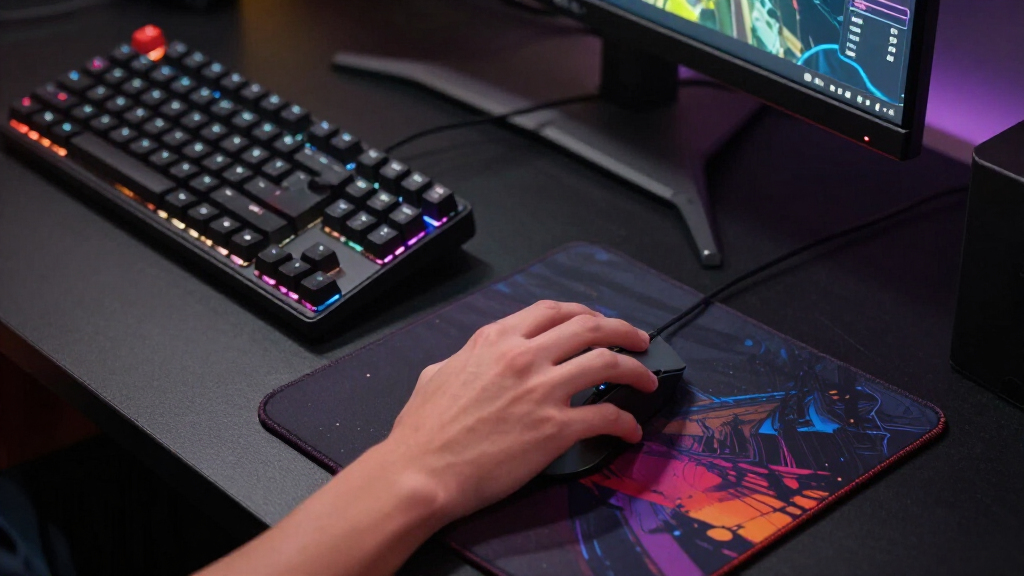

If you’re searching for the best gaming mice, you’re likely balancing performance, comfort, and price. The top overall pick, the Logitech G PRO X Superlight 2, excels in lightweight design and precision for competitive gaming. The Razer Basilisk V3 Pro offers extensive customization and high-end features for serious gamers, but at a premium price. Many options compromise on weight, battery life, or customization to hit different price points. Continue reading for a detailed breakdown of these 15 gaming mice, so you can find the best fit for your gaming style and budget.
Complete the kit



Key Takeaways
- Lightweight mice dominate for fast, precise movements, especially in competitive esports.
- Customization options, like programmable buttons and adjustable DPI, are key for tailored gameplay.
- Wireless mice often match wired performance, but battery life remains a critical factor.
- Premium models offer extensive features but may be overkill for casual gamers.
- Price varies widely, with the best value often found in mid-range options that balance features and cost.





| gaming mice | Battery Life | Connectivity | Sensor | DPI |
|---|---|---|---|---|
| Razer Basilisk V3 X HyperSpeed | Up to 285 hours (Wireless), Up to 535 hours (Bluetooth) | HyperSpeed Wireless, Bluetooth | Razer 5G Advanced 18K Optical Sensor | — |
| Logitech G PRO X Superlight 2 | 95 hours | Wireless, USB-C | HERO 2 | 44,000 |
| Razer Viper V3 HyperSpeed Wire | Up to 280 hours | — | Focus Pro 30K Optical Sensor | 30,000 |
| ASUS ROG Spatha X Wireless Gam | Up to 67 hours | Dual-Mode (Wired/2.4GHz wireless) | — | 19,000 |
| Razer Naga V2 HyperSpeed Wirel | Up to 400 hours Bluetooth, 250 hours Wireless | HyperSpeed Wireless, Bluetooth | Focus Pro 30K Optical Sensor | — |
| Logitech G502 X Plus Wireless | <130 hours | Wireless (LIGHTSPEED), USB-C | HERO 25K | — |
| Razer Viper V3 Pro Wireless Es | Up to 95 hours | Wireless (HyperSpeed Wireless) | — | 35,000 |
| Logitech G703 Lightspeed Wirel | Up to 35 hours | Lightspeed Wireless | HERO 25K | 100-25,600 |
| Logitech G305 Lightspeed Wirel | Up to 250 hours | — | HERO 12K optical sensor | 200-12,000 |
| Logitech G502 Hero Wired Gamin | — | Wired | — | 25,600 |
| Razer Basilisk V3 Pro 35K Wire | Up to 140 hours (2.4 GHz), 210 hours (Bluetooth) | Wireless (2.4 GHz, Bluetooth), Wired USB-C | Razer Focus Pro 35K Optical Sensor Gen-2 | 35,000 |
| Razer Cobra Pro Wireless Gamin | Up to 170 hours | 2.4 GHz, Bluetooth, USB Type C | Focus Pro 30K Optical Sensor | — |
| Razer Viper V4 Pro Wireless Es | Up to 180 hours at 1000 Hz | — | Focus Pro 50K Optical Sensor Gen-3 | 50,000 |
More Details on Our Top Picks
Razer Basilisk V3 X HyperSpeed Wireless Gaming Mouse, Black
The Razer Basilisk V3 X HyperSpeed stands out for its blend of customization, battery life, and seamless wireless connectivity. With 9 programmable controls and a high-precision 18K optical sensor, it offers gamers the flexibility to tailor their experience, making it ideal for both casual and competitive players. Compared to the Logitech G PRO X Superlight 2, which focuses on lightweight speed, the Basilisk prioritizes versatility at the expense of weight. Its long battery life, up to 285 hours wireless, outperforms many rivals, but the absence of a wired mode could be a drawback for those who prefer latency-free gaming. The RGB lighting adds flair but impacts battery longevity. Overall, this mouse suits players who want a customizable, long-lasting wireless solution without sacrificing precision.
Pros:- Highly customizable with 9 programmable controls
- Long battery life supports extended gaming sessions
- Responsive 18K optical sensor for precise tracking
- Seamless multi-device connectivity with HyperSpeed and Bluetooth
Cons:- No wired connection option, limiting flexibility
- RGB lighting may reduce battery life
- Complex setup for new users unfamiliar with customization
Best for: Gamers who value extensive customization and long battery life in a wireless mouse
Not ideal for: Players seeking a lightweight, minimalist mouse for ultra-fast FPS gameplay
- Connectivity:HyperSpeed Wireless, Bluetooth
- Sensor:Razer 5G Advanced 18K Optical Sensor
- Switches:Mechanical Switches Gen-2
- Battery Life:Up to 285 hours (Wireless), Up to 535 hours (Bluetooth)
- Controls:9 Programmable Controls
- Lighting:Chroma RGB with 16.8 million colors
Our verdict“This mouse is ideal for gamers who want a feature-rich, versatile wireless mouse with excellent battery longevity.”
Logitech G PRO X Superlight 2 Wireless Gaming Mouse – Black
The Logitech G PRO X Superlight 2 is designed for speed and agility, especially in esports settings. Weighing only 60 grams, it allows for effortless flicks and quick reactions, making it a top choice for competitive players. Its 44,000 DPI HERO 2 sensor delivers stunning accuracy, easily surpassing many rivals like the Razer Viper V3 in sensor quality. The 8 kHz polling rate ensures smooth responsiveness, while the 95-hour battery life supports long tournament days. However, its minimal button count—just 5—may limit customization for complex game styles. The premium price reflects its high-end build and performance, but casual gamers might find it slightly overkill. For those prioritizing speed, weight, and precision, this mouse excels, especially in fast-paced games.
Pros:- Extremely lightweight at 60 grams for fast movements
- High DPI sensor with customizable sensitivity
- Long battery life with PowerPlay wireless charging support
- Ultra-smooth glide on PTFE feet
Cons:- Premium price may be prohibitive for some
- Limited buttons may restrict complex control schemes
Best for: Esports professionals and speed-focused gamers seeking a lightweight, high-precision mouse
Not ideal for: Casual players or those who need many programmable buttons for MMO or RPG games
- Weight:60 g
- DPI:44,000
- Polling Rate:8 kHz
- Battery Life:95 hours
- Connectivity:Wireless, USB-C
- Sensor:HERO 2
Our verdict“This mouse is perfect for competitive players prioritizing speed, lightweight design, and high accuracy.”
Razer Viper V3 HyperSpeed Wireless PC Gaming Mouse, 82g, Black, 30K DPI, Up to 280 Hr Battery, Mechanical Switches Gen-2, 6 Programmable Buttons, AA Battery Included
The Razer Viper V3 HyperSpeed excels as a lightweight, high-performance choice for competitive players. Weighing just 82 grams, it offers agility similar to the Logitech G PRO X Superlight 2 but adds a 30K DPI sensor for unmatched precision. Its 280-hour battery life with a single AA battery makes it suitable for long gaming sessions, though it requires battery replacements or additional power solutions. The low-latency HyperSpeed wireless connection keeps responsiveness sharp, while the mechanical switches rated for 60 million clicks ensure durability. Unlike heavier, feature-rich options like the ASUS ROG Spatha X, this mouse focuses on simplicity and speed, making it ideal for esports. However, its right-handed design and reliance on batteries could be limiting for some users.
Pros:- Very lightweight at 82 grams for rapid movements
- High-precision 30K DPI sensor
- Long battery life with AA battery support
- Low-latency HyperSpeed wireless connection
Cons:- Requires AA batteries or external power for extended use
- Limited to right-handed grip styles
Best for: Competitive gamers who want a lightweight, precise wireless mouse for fast-paced gameplay
Not ideal for: Users who prefer wired mice or need extensive programmable buttons for complex controls
- Weight:82 g
- Sensor:Focus Pro 30K Optical Sensor
- DPI:30,000
- Battery Life:Up to 280 hours
- Switches:Mechanical Switches Gen-2
- Wireless Technology:HyperSpeed Wireless
Our verdict“This mouse is best suited for esports athletes seeking a lightweight, reliable, and precise wireless device.”
The ASUS ROG Spatha X caters to MMO and MOBA gamers with its extensive 12 programmable buttons and ergonomic right-handed design. Its 19K DPI sensor offers accuracy across large maps and intricate control schemes. The dual-mode connectivity—wired or wireless—gives flexibility during long sessions, with a magnetic charging dock ensuring quick power-ups. While its 168g weight might feel heavy compared to ultra-light mice like the Logitech G PRO X Superlight 2, it compensates with a comfortable grip and customizable switches. The complex setup, including programmable macros and multiple profiles, could overwhelm casual players. Nonetheless, for dedicated MMO players, the Spatha X delivers comprehensive features for intense, long-duration gaming.
Pros:- 12 programmable buttons for complex macro setups
- High-precision 19K DPI sensor
- Long battery life with fast magnetic charging
- Dual wired/wireless connectivity for flexibility
Cons:- Relatively heavy at 168 grams, which may reduce agility
- Complex customization options could be intimidating for new users
Best for: MMO and MOBA players who need extensive button customizations and long-lasting wireless performance
Not ideal for: Players seeking a lightweight, minimal mouse for fast FPS action or casual gaming
- Connectivity:Dual-Mode (Wired/2.4GHz wireless)
- Buttons:12 programmable
- DPI:19,000
- Battery Life:Up to 67 hours
- Weight:168 g
- Charging:Magnetic dock, USB-C
Our verdict“This mouse is well-suited for MMO and MOBA players who prioritize extensive control and long endurance in a wireless format.”
Razer Naga V2 HyperSpeed Wireless MMO Gaming Mouse, 19 Programmable Buttons, 30K Optical Sensor, Mechanical Switches, Black
The Razer Naga V2 HyperSpeed is designed for players who need a high number of customizable controls, making it a standout for MMO enthusiasts. Its 19 programmable buttons and 30K optical sensor deliver both extensive control and precise tracking on diverse surfaces. Compared with the ASUS ROG Spatha X, which emphasizes macro complexity and ergonomics, the Naga V2 offers more buttons but is slightly heavier, at 125 grams, which could affect quick flicks. Its battery life is exceptional, with up to 400 hours via Bluetooth, and 250 hours over HyperSpeed wireless. The mechanical switches ensure durability, but the setup process may be complex for those unfamiliar with advanced configurations. For dedicated MMO players, this mouse delivers a high degree of customization and longevity, albeit with a heavier build.
Pros:- High number of programmable buttons for complex macros
- Extended battery life for marathon gaming sessions
- Precise 30K optical sensor for accurate tracking
- Durable mechanical switches with long lifespan
Cons:- Relatively heavy for quick reaction gameplay
- Complex setup process for optimal use
Best for: MMO gamers seeking maximum button customization and long-lasting wireless performance
Not ideal for: Players who prefer lightweight mice or focus on fast FPS reactions
- Number of Buttons:19
- Battery Life:Up to 400 hours Bluetooth, 250 hours Wireless
- Sensor:Focus Pro 30K Optical Sensor
- Switches:Mechanical Switches
- Connectivity:HyperSpeed Wireless, Bluetooth
- Color:Black
Our verdict“Best suited for MMO players who need extensive button control and long battery endurance in a wireless mouse.”
Logitech G502 X Plus Wireless RGB Gaming Mouse – Black
The Logitech G502 X Plus stands out for its combination of high-end features and versatile performance, making it a top choice for gamers who want both precision and customization. Its HERO 25K sensor offers exceptional accuracy, surpassing many competitors like the G703 in tracking fidelity. The mouse’s hybrid optical-mechanical switches provide satisfying feedback, though the complex feature set can be overwhelming for casual players. The wireless connection is reliable thanks to Lightspeed technology, and wireless charging support adds to its convenience—however, this requires a separate PowerPlay pad, adding to the cost. Compared to wired options like the G502 Hero, this model sacrifices some simplicity for wireless freedom and flashy RGB, making it ideal for serious gamers who value performance and aesthetics but are willing to pay a premium.
Pros:- Exceptional accuracy with HERO 25K sensor
- Customizable RGB lighting with dynamic effects
- Fast, reliable LIGHTSPEED wireless connection
- Wireless charging compatible with PowerPlay
Cons:- Wireless charging requires a separate PowerPlay pad
- Price is higher compared to simpler wired mice
- Complex features may be overwhelming for casual users
Best for: Gamers seeking a high-performance, feature-rich wireless mouse with customizable lighting and charging capabilities
Not ideal for: Casual players or budget-conscious users who prefer straightforward wired mice without extra features
- Switch Type:LIGHTFORCE hybrid optical-mechanical
- Lighting:RGB, 8-LED customizable
- Buttons:13
- Battery Life:<130 hours
- Connectivity:Wireless (LIGHTSPEED), USB-C
- Sensor:HERO 25K
- Scroll Wheel:Dual-mode (hyper-fast and ratcheting)
Our verdict“This mouse is best suited for gamers who want top-tier wireless performance with extensive customization, despite the higher cost and complexity.”
Razer Viper V3 Pro Wireless Esports Gaming Mouse, 54g Lightweight, Black
The Razer Viper V3 Pro excels in delivering ultra-lightweight agility combined with a high-precision sensor, making it ideal for competitive gamers who prioritize speed. Its 35K DPI optical sensor surpasses the G703 and G502 models in raw sensitivity, allowing for pinpoint accuracy. The 8000 Hz polling rate ensures minimal latency, a feature that serious esports players will appreciate. Unlike heavier mice such as the G502 Hero, this model’s 54g weight promotes swift, effortless movements, though its lack of adjustable weights might be a drawback for those who prefer a more tailored feel. The complex customization options suit experienced users, but may intimidate beginners. For players who need speed over weight, this mouse offers an unbeatable edge, though at a premium price.
Pros:- Extremely lightweight at 54g for fast, effortless movements
- High-performance 35K DPI sensor for accuracy
- 8000 Hz polling rate for ultra-low latency
- Long battery life of up to 95 hours
Cons:- Premium price may be prohibitive for some
- Complex customization options might be overwhelming for beginners
- Lacks adjustable weights for personalized feel
Best for: Esports professionals or competitive gamers who need a lightweight, highly responsive mouse with maximum speed and precision
Not ideal for: Casual players or users who prefer heavier mice with adjustable weights and simpler customization
- Weight:54g
- DPI:35,000
- Switches:Gen3 Optical
- Battery Life:Up to 95 hours
- Polling Rate:8000 Hz
- Connectivity:Wireless (HyperSpeed Wireless)
Our verdict“This mouse is perfect for speed-focused gamers who need lightweight agility and high responsiveness, despite its higher cost and complexity.”
Logitech G703 Lightspeed Wireless Gaming Mouse – Black
The Logitech G703 Lightspeed offers a balanced mix of high-end features and everyday usability, making it a versatile choice for gamers who want wireless performance without sacrificing precision. Its HERO 25K sensor rivals wired mice like the G502 Hero in tracking accuracy, and the wireless connection is notably stable and low latency—comparable with wired options. The mouse’s lightweight design with optional weights caters to those who prefer a lighter feel, though some may find it too light for extended use. The need to purchase the Powerplay wireless charging system separately adds to the total cost. The six programmable buttons and comfortable grip make it suitable for mixed gaming styles, but casual users might find its feature set too elaborate and the price on the higher side.
Pros:- High-precision HERO 25K sensor for accurate tracking
- Wireless connectivity with low latency
- Long battery life and wireless charging support
- Comfortable design with rubber side grips
Cons:- Wireless charging system sold separately
- Weight may be too light for some players
- Requires software for full customization
Best for: Gamers who want a reliable, high-precision wireless mouse with customization options and wireless charging compatibility
Not ideal for: Budget-conscious users or casual gamers who prefer simpler wired mice with fewer features
- Sensor:HERO 25K
- DPI:100-25,600
- Weight:95 g
- Battery Life:Up to 35 hours
- Lighting:RGB LIGHTSYNC
- Connectivity:Lightspeed Wireless
Our verdict“This mouse suits gamers seeking a wireless, precise, and customizable device with charging convenience, at a higher price point.”
Logitech G305 Lightspeed Wireless Gaming Mouse – Black
The Logitech G305 Lightspeed offers impressive value for gamers who need a reliable wireless mouse without breaking the bank. Its HERO 12K sensor provides accurate tracking up to 12,000 DPI, enough for most competitive scenarios. The 1 ms wireless response makes it suitable for fast-paced gaming, comparable to higher-priced models like the G703. Weighing only 99 grams, it’s highly portable, but the reliance on a single AA battery can lead to frequent replacements for extended gaming sessions. The limited number of six programmable buttons might restrict some players, but for casual to competitive gamers, this model delivers a solid performance at a compelling price point, especially for those who don’t need extensive customization.
Pros:- High-precision HERO sensor with adjustable DPI
- Ultra-fast 1 ms wireless response
- Long battery life of up to 250 hours on one AA battery
- Lightweight and portable at 99 grams
Cons:- Requires one AA battery which may need frequent replacements
- Limited to 6 programmable buttons
- Basic feature set might not suit advanced customization needs
Best for: Budget-conscious gamers seeking a portable, reliable wireless mouse with competitive response times
Not ideal for: Players who want many programmable buttons or heavier mice for extended comfort
- Sensor:HERO 12K optical sensor
- DPI:200-12,000
- Wireless Technology:Lightspeed
- Battery Life:Up to 250 hours
- Weight:99 grams
- Programmable Buttons:6
Our verdict“This mouse provides excellent value for gamers who want reliable, fast wireless performance on a budget and portability.”
Logitech G502 Hero Wired Gaming Mouse – Black
The Logitech G502 Hero is a standout for gamers demanding accuracy and extensive control in wired mice. Its 25,600 DPI HERO sensor ensures precise tracking, rivaling high-end models like the G703 but with the advantage of a wired connection that eliminates latency concerns. The 11 programmable buttons and adjustable weights provide extensive customization, making it a favorite for MMO and FPS players who want tailored control schemes. However, the wired setup limits mobility, and the need for software to unlock full customization may be intimidating for casual users. Compared with wireless options, it sacrifices convenience but offers consistent, lag-free performance for serious gamers who prioritize precision and customization over freedom of movement.
Pros:- High-precision 25,600 DPI sensor for accurate tracking
- Multiple programmable buttons for extensive control
- Adjustable weights for a personalized feel
- Reliable wired connection with no latency issues
Cons:- Wired connection limits mobility
- Requires software for full customization
- May be too complex for casual or new players
Best for: Hardcore gamers who prefer wired mice with maximum customization and precision
Not ideal for: Players seeking wireless convenience or lightweight portability
- DPI:25,600
- Number of programmable buttons:11
- Lighting:RGB LIGHTSYNC
- Adjustable weights:Yes, up to five 3.6 g weights
- Connectivity:Wired
- Compatible with:PC/Mac
Our verdict“This wired mouse is ideal for gamers who need maximum accuracy and customization without concern for mobility or wireless features.”
Razer Basilisk V3 Pro 35K Wireless Gaming Mouse, 140 Hr Battery, Black
The Razer Basilisk V3 Pro stands out for its exceptional customization options, combining a high-end 35K DPI sensor with extensive RGB lighting and a versatile connectivity suite. Compared to the Razer Cobra Pro, it offers more controls and a more refined ergonomic shape, but at a higher price point, which might deter budget-conscious gamers. The adjustable HyperScroll tilt wheel and 13 programmable controls make it ideal for players seeking a tailored experience, though the complexity can be overwhelming for newcomers. Its long battery life—up to 140 hours wireless—supports extended sessions without frequent charging, but full customization requires Razer Synapse software, adding a learning curve. This mouse makes the most sense for dedicated gamers who want top-tier performance and extensive features without compromise.
Pros:- Highly customizable with 13 controls and RGB lighting
- Advanced sensor with precise tracking and adjustable DPI
- Long battery life suitable for extended gaming sessions
- Multiple connectivity options including wireless and wired
Cons:- Premium price may be expensive for some users
- Complex features might have a learning curve
- Requires Razer Synapse software for full customization
Best for: Gamers who prioritize maximum customization and long battery life in a wireless setup.
Not ideal for: Casual players or those on a tight budget who might find the premium price and complex features unnecessary.
- Sensor:Razer Focus Pro 35K Optical Sensor Gen-2
- DPI:35,000
- Battery Life:Up to 140 hours (2.4 GHz), 210 hours (Bluetooth)
- Connectivity:Wireless (2.4 GHz, Bluetooth), Wired USB-C
- Controls:13 customizable controls
- Lighting:13-zone Chroma RGB
Our verdict“This mouse is best suited for serious gamers seeking extensive customization and high performance in a wireless package.”
Razer Cobra Pro Wireless Gaming Mouse, 2.4 GHz, 170 Hr Battery, Black
The Razer Cobra Pro offers a compelling blend of high-precision tracking with an impressive 30K optical sensor and a substantial 170-hour battery life, making it ideal for gamers who need extended wireless play without frequent charging. Compared to the Razer Basilisk V3 Pro, it sacrifices some customization depth for a lighter, more straightforward design, which benefits players who prefer simplicity. Its versatile connectivity—2.4 GHz, Bluetooth, and USB-C—ensures compatibility across devices, while its durable Gen-3 optical switches provide responsive clicks with over 90 million lifecycle. However, the lack of detailed weight info may leave some unsure about its heft, and premium pricing could be a barrier for casual users. This pick makes the most sense for gamers seeking a long-lasting, reliable wireless mouse with solid tracking and straightforward controls.
Pros:- Long battery life up to 170 hours
- Versatile connectivity options including Bluetooth and USB-C
- Precise tracking on various surfaces, including glass
- Durable optical switches with 90 million clicks
Cons:- Premium price may be high for budget users
- No specific weight details provided
- Features might be excessive for casual gamers
Best for: Players who prioritize battery longevity and reliable wireless performance for marathon gaming sessions.
Not ideal for: Gamers who want extensive customization or prefer wired mice for maximum responsiveness.
- Connectivity:2.4 GHz, Bluetooth, USB Type C
- Battery Life:Up to 170 hours
- Sensor:Focus Pro 30K Optical Sensor
- Switches:Gen-3 Optical, 90 million click lifecycle
- Lighting:11 Chroma RGB zones
Our verdict“This mouse is perfect for competitive players who need dependable wireless performance and endurance in extended sessions.”
Razer Viper V4 Pro Wireless Esports Gaming Mouse
The Razer Viper V4 Pro is tailored for competitive esports, weighing just 49 grams, enabling quick, agile movements that are crucial in high-speed gameplay. Its industry-leading 8000 Hz polling rate and 50K DPI sensor deliver remarkably low latency and pinpoint accuracy, outperforming heavier or less responsive alternatives like the Logitech G PRO X2 SUPERSTRIKE. While its ultra-lightweight design enhances speed, it may not suit players who prefer a more substantial grip or need a more ergonomic shape for prolonged use. Battery life remains impressive at up to 180 hours at 1000 Hz, but high polling rates can impact longevity. The premium price reflects its advanced tech and build quality, making it ideal for serious esports athletes who value speed and precision above all else.
Pros:- Extremely lightweight at 49g for fast, precise movements
- High-precision 50K DPI sensor with low latency
- Industry-leading 8000 Hz polling rate
- Long battery life suitable for extended sessions
Cons:- Battery life varies with polling rate settings
- Limited grip style support (focused on claw grip)
- Premium price might be prohibitive for some
Best for: Competitive gamers seeking a featherweight mouse optimized for speed and agility.
Not ideal for: Casual players or those with larger hands who prioritize comfort over weight.
- Weight:49g
- Battery Life:Up to 180 hours at 1000 Hz
- DPI:50,000
- Polling Rate:Up to 8000 Hz
- Sensor:Focus Pro 50K Optical Sensor Gen-3
- Switches:Gen-4 Optical, 100 million clicks
Our verdict“This mouse excels for esports athletes needing a lightweight, ultra-fast device for competitive play.”
How We Picked
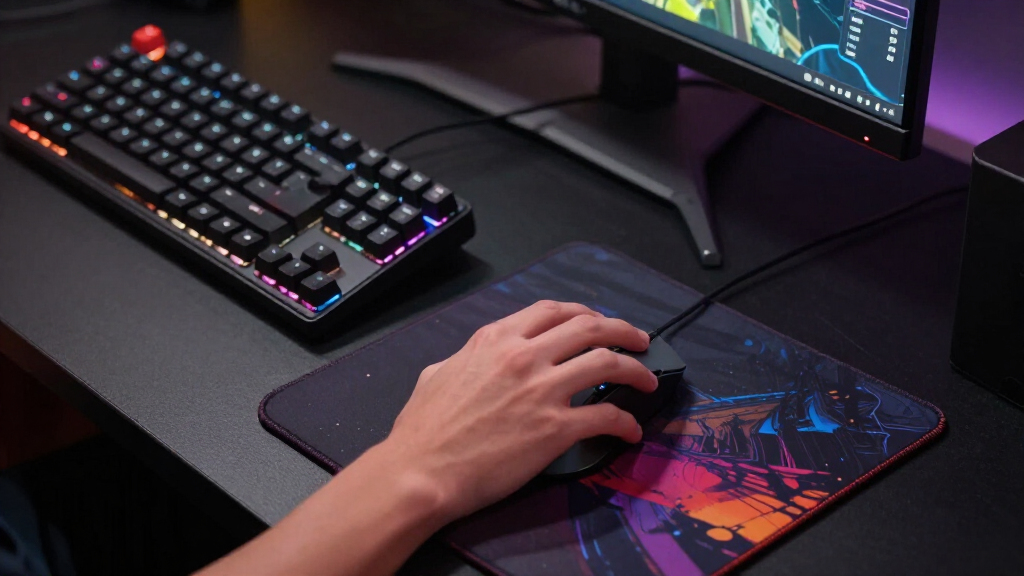
Our evaluation focused on performance, build quality, usability, and value. We prioritized mice with reliable sensors, comfortable ergonomics, and customizable features that enhance gameplay. Wireless performance was scrutinized for lag and battery life, while wired options were assessed for durability and precision. We also considered user feedback and reputation to identify models suitable for different gaming styles and budgets. The ranking reflects a balance of these factors, highlighting models that stand out in their categories while accounting for tradeoffs like weight, price, and feature set.Factors to Consider When Choosing Best Gaming Mice
Choosing the best gaming mouse involves understanding several key factors that impact your gaming experience. While high DPI and polling rate matter for precision, comfort and grip style influence long-term usability. Additional features like programmable buttons and RGB lighting can enhance customization but may also increase complexity or cost. It’s important to consider your primary game genres and personal preferences when selecting a mouse, as a model perfect for FPS may not suit MMO gaming. Being aware of common pitfalls, such as overpaying for unnecessary features or ignoring ergonomics, can help you make a smarter purchase.Performance and Sensor Accuracy
At the core, a gaming mouse’s sensor accuracy and tracking speed determine how well your movements translate to the screen. Look for high DPI (dots per inch) and polling rate for fast, precise responses, especially if you play competitive shooters. However, more DPI isn’t always better—consider how it feels in your hand and whether the sensor maintains accuracy at lower settings. Some budget mice may have sensors that drift or lose tracking, hampering your gameplay. Prioritize models with well-reviewed sensors proven in real-world use to avoid frustrating inaccuracies.
Ergonomics and Grip Style
A mouse’s shape and size significantly influence comfort during long gaming sessions. Whether you prefer palm, claw, or fingertip grip, choose a model that supports your style naturally. Ergonomic design reduces fatigue and prevents strain injuries. Remember that a lightweight mouse offers agility, but some gamers prefer a heavier model for stability. Trying different shapes and weights, if possible, helps identify what feels best, especially for extended play. Avoid mice that are too bulky or small for your hand, which can cause discomfort or reduce control.
Customization and Features
Programmable buttons, adjustable DPI settings, and customizable RGB lighting can tailor your gaming experience. These features are especially useful for MMO or MOBA players who rely on quick access to commands. However, more features often mean higher cost and complexity. Consider whether you’ll actually use all the programmable buttons or if simpler models suffice. Mechanical switches and adjustable weights also add to customization but may increase the mouse’s price or weight. Balance your need for personalization with ease of use and budget constraints.
Wireless vs. Wired
Wireless mice have advanced significantly, offering comparable performance to wired options, but battery life remains vital. If you play for hours, look for models with long-lasting batteries or quick charging. Wired mice eliminate concerns over latency and battery life, often providing a slight edge in responsiveness. However, cable management can be a hassle or limit movement. Consider your gaming environment and preferences—wireless is more flexible, but wired might suit competitive scenarios better due to minimal lag.
Price and Value
Gaming mice range from budget-friendly to premium models. Cheaper mice may lack advanced features but can still perform well for casual gaming. Mid-range options often strike a good balance, offering high-quality sensors and decent build without the hefty price tag. Premium mice deliver top-tier features, durability, and customization, ideal for enthusiasts or professional players. Be cautious about paying for features you won’t use—sometimes, a simpler, well-built mouse offers better value. Consider your gaming needs and budget carefully to avoid overspending on unnecessary extras.
Frequently Asked Questions
Does wireless gaming mice have any lag compared to wired?
Modern wireless gaming mice have closed the gap significantly, offering latency levels that are virtually indistinguishable from wired mice in most scenarios. High-end wireless models feature advanced tech that minimizes lag, making them suitable for competitive play. However, some budget or older wireless mice may still experience slight delays, which could impact fast-paced games. For most players, the convenience of wireless outweighs the minimal lag, but if you demand absolute responsiveness, a wired mouse remains a safe choice.
How important is DPI when choosing a gaming mouse?
DPI measures how far your cursor moves on the screen relative to your hand movement. While higher DPI can enable faster cursor movement, it doesn’t automatically mean better precision. The key is finding a mouse with a sensor that maintains accuracy at your preferred DPI settings. Many professional gamers prefer customizable DPI levels to switch quickly during gameplay. Overemphasizing DPI can lead to unnecessary spending; focus instead on sensor quality and how the mouse feels at your preferred settings.
Should I get a mouse with lots of programmable buttons?
Programmable buttons are highly beneficial for MMO and MOBA players who rely on quick access to multiple commands. However, for FPS or casual gamers, fewer buttons may suffice and keep the mouse less cluttered. Having too many programmable buttons can also complicate setup and accidental presses. Consider your typical game genre and whether you need advanced customization or prefer a simpler, more ergonomic design. The right choice balances functionality with ease of use based on your gaming style.
Is a heavier mouse better for accuracy?
Heavier mice can offer more stability and control in some situations, which benefits precision in certain game types. However, lighter mice are favored by many esports players for faster, more agile movements. Ultimately, comfort and personal preference matter most. Trying different weights helps determine what feels natural for your gameplay. Overly heavy mice may cause fatigue over extended sessions, while very light mice might feel too insubstantial for some users. The best choice aligns with your gaming style and ergonomic comfort.
Do RGB lighting features impact performance?
RGB lighting is primarily a visual feature that adds aesthetic appeal, with no impact on core performance. Some high-end mice allow customization of lighting effects, but this often comes at an extra cost. If aesthetics are a priority, RGB can enhance your setup, but if you’re on a tight budget or seek maximum performance, focus on sensor quality and ergonomics instead. Lighting features can sometimes slightly increase power consumption in wireless mice, but this rarely affects battery life significantly.
Conclusion
For gamers seeking the best overall experience, the Logitech G PRO X Superlight 2 offers a perfect blend of lightweight design, precision, and reliability. Serious enthusiasts looking for extensive customization and premium features should consider the Razer Basilisk V3 Pro.
If budget is a concern, the Logitech G305 Lightspeed provides excellent performance at a lower price point, making it ideal for casual and new players.
Finally, those with specific gaming needs—such as MMO players—may prefer models like the ASUS ROG Spatha X for its programmable buttons and ergonomic design. Your choice should align with your gaming style, ergonomic preferences, and how much you’re willing to invest in your setup.