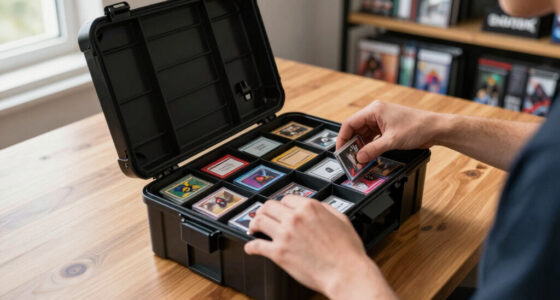
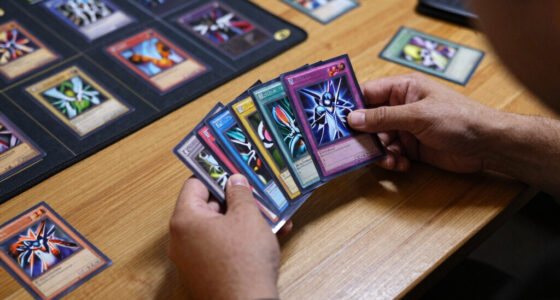
The best gaming accessories add useful control or comfort without cluttering your setup. I rank the Logitech G502 HERO as the best overall pick for its programmable controls and adjustable weight, while the Redragon M810 PRO stands out for wireless play and the Govee RGBIC Gaming Light Bars for room lighting. The main tradeoffs are wired reliability versus wireless freedom, practical upgrades versus decorative extras, and desk space versus added features. A mouse can change how you play, while a stand or light bar is more about keeping your setup organized and comfortable. Read on for the full breakdown and help matching each option to your needs.

Play games on Amazon Luna for your game nights, included with Prime
- A rotating selection of games, no download needed
- Play on TV, laptop or phone
- Fast, free delivery for your gear, too
Complete the kit



Key Takeaways
- The G502 HERO is the most versatile control upgrade in this group, but its wired connection and gaming-mouse shape are not right for every player.
- The Redragon M810 PRO is the wireless alternative; choose it when cable freedom matters more than the G502’s wired simplicity.
- Desk accessories solve different problems: the KDD charging stand combines storage and charging, while the UPERGO adds a wood finish and a storage base.
- Large mouse pads trade portability for coverage. The Blade Hawks provides room for broad mouse movement, while the Gimars adds wireless charging rather than prioritizing desk coverage.
- Specialty controls and lighting need a clear purpose. The VSD macro pad and Govee light bars can expand a setup, but they make less sense than core control accessories for a minimal or beginner desk.


| gaming accessorie | Lighting |
|---|---|
| Logitech G502 HERO Wired Gamin | Customizable RGB LIGHTSYNC |
| Call of Duty Monkeybomb Phone | — |
| KontrolFreek Precision Rings | — |
| Razer Tartarus V2 Left-Handed | Razer Chroma RGB, 16.8 million color options |
| Redragon M810 PRO Wireless RGB | RGB |
| KDD Headset Stand with Chargin | 9 modes with memory function |
| Gimars RGB Gaming Mouse Pad wi | 10 modes: 7 static and 3 dynamic |
| KDD RGB Headset Stand with 9 L | 9 RGB modes with memory function |
| VSD M18 Programmable Macro Pad | RGB surround light ring |
| Govee RGBIC Gaming Light Bars | — |
| Velenti Gamer Chair Phone Stan | — |
| UPERGO Walnut Headphone Stand | — |
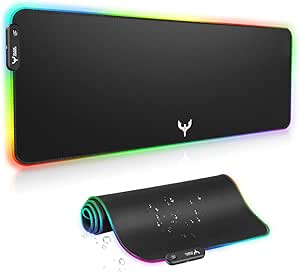
| Blade Hawks RGB Gaming Mouse P | 14 modes (7 static, 7 dynamic) with memory function |
More Details on Our Top Picks
Logitech G502 HERO Wired Gaming Mouse
I’d put the Logitech G502 HERO first for players who want a configurable mouse with plenty of direct controls. Its 11 programmable buttons can keep abilities, macros, and common commands close at hand, while the adjustable weights let you tune the feel instead of accepting a fixed balance. The HERO sensor reaches 25,600 DPI, giving players a broad sensitivity range to customize.
Compared with the Redragon M810 PRO, the G502 offers more buttons and a higher maximum sensitivity, but it gives up wireless freedom. That wired connection also makes it a less flexible desk companion, and the right-handed shape rules it out for left-handed players. I’d choose it over a simple mouse accessory when in-game control is the priority; skip it if a light, wireless setup matters more.
Pros:- 11 programmable buttons provide extensive access to game commands and macros.
- HERO optical sensor supports sensitivity settings from 200 to 25,600 DPI.
- Up to five included 3.6 g weights allow adjustment of balance and feel.
- Dual-mode scroll wheel supports both controlled scrolling and fast navigation.
Cons:- Wired connectivity restricts movement compared with the wireless Redragon M810 PRO.
- Right-handed design is a poor fit for left-handed users.
- LIGHTSYNC customization requires Logitech Gaming Software.
Best for: Right-handed PC and Mac players who want many programmable controls and adjustable mouse weight for games with frequent ability or macro use.
Not ideal for: Left-handed gamers or players who prioritize wireless movement and a lighter, less configurable mouse.
- Connectivity:Wired
- Sensor:Optical HERO
- Sensitivity range:200–25,600 DPI
- Programmable buttons:11
- Scroll wheel:Dual-mode hyper-fast scroll
- Weight system:Up to five 3.6 g weights
- Lighting:Customizable RGB LIGHTSYNC
- Hand orientation:Right-handed
- Compatibility:PC and Mac
Our verdict“Choose the G502 HERO if you want a highly configurable right-handed wired mouse, and choose the Redragon M810 PRO instead if wireless play matters more.”
Call of Duty Monkeybomb Phone and Controller Holder
The Call of Duty Monkeybomb Holder serves a different purpose from the mice and control accessories in this roundup: it gives a controller or phone a dedicated tabletop resting place while adding a recognizable game character to the setup. Its weighted base and 1.3-pound build are useful for keeping the display steady, and its listed device compatibility includes PlayStation and Xbox controllers, phones, remotes, and e-readers.
Unlike the KontrolFreek Precision Rings, which change how a controller feels during play, this is a display and storage accessory rather than an aiming upgrade. That makes it a better pick for fans who want their gaming space to show some personality, but less useful if desk space is scarce or you need a functional input enhancement. Fit may also vary by controller, so I wouldn’t choose it without room for a tabletop stand.
Pros:- Officially licensed Monkey Bomb character design adds a distinctive gaming display piece.
- Can hold compatible controllers, smartphones, remotes, and e-readers.
- Weighted 1.3 lb base helps keep the tabletop holder stable.
- 8.5-inch height makes the figure visible on a desk or shelf.
Cons:- Requires dedicated tabletop or shelf space.
- Controller fit may vary because compatibility is described broadly.
- Provides storage and display rather than a direct gameplay control benefit.
Best for: Call of Duty fans who want a character-themed desk display that can hold a controller, phone, or remote between sessions.
Not ideal for: Players with limited desk or shelf space, or buyers seeking an accessory that changes controller performance during gameplay.
- Material:PVC
- Height:8.5 in
- Dimensions:5.43 x 5.71 x 9.25 in
- Weight:1.3 lb
- Mounting type:Tabletop
- Compatible devices:PlayStation and Xbox controllers, smartphones, TV remotes, e-book readers
- Character:Monkey Bomb
- Color:Multicolor
Our verdict“Pick the Monkeybomb holder if you want a stable, character-themed place for gaming gear between sessions, not a performance-focused controller add-on.”
KontrolFreek Precision Rings – Aim Assist Motion Control for PS4, PS5, Xbox, Switch & Scuf Controllers (Black/Purple/Green, 6-Pack)
For controller players who tend to push past a target, KontrolFreek Precision Rings add resistance to the thumbstick to make aim movements feel more controlled. The pack includes soft, medium, and hard strengths, so I’d start with a lighter option and adjust rather than committing to one resistance level. Compatibility spans several PlayStation, Xbox, Switch Pro, and Scuf controllers, making the set more adaptable than an accessory built around a single console.
Compared with the Razer Tartarus V2, these rings keep the familiar controller layout instead of adding a separate bank of programmable keys. That suits players who want a small aiming adjustment, not a new control system. The tradeoff is that added resistance takes practice and may feel restrictive at first; the rubber can also wear with extended use. I’d skip them if your aim already feels comfortable or you dislike changing thumbstick feel.
Pros:- Three resistance levels let players compare soft, medium, and hard feel.
- Adds thumbstick resistance to help moderate aiming movement.
- Listed compatibility includes major PlayStation, Xbox, Switch Pro, and Scuf controllers.
- Moisture-wicking material is designed to resist oils and dampen stick noise.
Cons:- The added resistance can take time to adapt to.
- Rubber material may wear down with extended use.
- Changes thumbstick feel but does not add buttons or other controls.
Best for: Console and controller players who overshoot targets and want to experiment with different levels of thumbstick resistance.
Not ideal for: Players who prefer an unmodified stick feel, want added programmable buttons, or do not want an adjustment period.
- Brand:KontrolFreek
- Model number:4005-MIX
- Unit count:6
- Material:Rubber
- Resistance levels:Soft, medium, hard
- Compatibility:PS4, PS5, Xbox One, Xbox Series X/S, Switch Pro, Scuf controllers
- Colors:Black, purple, and green
Our verdict“Choose the Precision Rings if you want to tune controller stick resistance for more measured aiming, and skip them if you prefer the original stick response.”
Razer Tartarus V2 Left-Handed Gaming Keypad
The Razer Tartarus V2 is the most specialized control option here: its 32 programmable Mecha-Membrane keys give PC and Mac players a separate bank for mapped commands, while the 8-way thumbpad can handle movement without relying on a full keyboard. An adjustable palm rest adds support during extended sessions, and the three-way scroll wheel offers another input within reach. This layout can suit games that benefit from extensive hotkeys, though it asks players to learn a dedicated keypad.
Compared with the Logitech G502 HERO, the Tartarus offers far more mapped keys but takes up more of the control setup and is built for left-handed use. It’s also wired and depends on Razer Synapse for full macro configuration. I’d choose the G502 for a straightforward mouse upgrade; the Tartarus makes more sense for players who want a separate, customizable command surface.
Pros:- 32 programmable keys support extensive command and macro mapping.
- 8-way thumbpad offers a compact movement control option.
- Mecha-Membrane keys provide tactile feedback with a softer profile than mechanical switches.
- Adjustable palm rest and Chroma RGB lighting allow comfort and appearance customization.
Cons:- Left-handed design limits its fit for right-handed gamers.
- Full macro configuration requires Razer Synapse software.
- Corded USB-A connection offers less setup flexibility than wireless gear.
Best for: Left-handed PC or Mac players who want a dedicated keypad for hotkeys, macros, and thumb-controlled movement.
Not ideal for: Right-handed players, people who want a simple plug-and-play accessory, or gamers who prefer wireless controls.
- Key count:32
- Switch type:Mecha-Membrane
- Hand orientation:Left
- Connectivity:USB-A, corded
- Thumb control:8-way directional thumbpad
- Scroll wheel:3-way
- Lighting:Razer Chroma RGB, 16.8 million color options
- Dimensions:6.02 x 2.36 x 0.8 in
- Compatibility:PC and Mac
Our verdict“Choose the Tartarus V2 if you want a left-handed, programmable command keypad; choose the G502 HERO if a more familiar mouse-based control upgrade suits you better.”
Redragon M810 PRO Wireless RGB Gaming Mouse
The Redragon M810 PRO is the wireless alternative for players who want to remove the mouse cable without giving up programmable controls. Its 2.4GHz connection, 1000Hz polling rate, and PAW3325 optical sensor suit a gaming setup that needs responsive input, while eight buttons cover common commands and macros. The rechargeable battery is listed for up to 45 hours in eco mode, which can reduce charging interruptions when lighting or use demands are kept modest.
Against the Logitech G502 HERO, the M810 PRO trades two programmable buttons and a higher maximum DPI for wireless operation. Its listed 250 g weight is a substantial tradeoff for players who prefer a lighter mouse, and the right-handed design plus Windows-focused compatibility narrows its audience. I’d pick it when a cable-free setup matters more than fine weight tuning or broad platform support.
Pros:- 2.4GHz wireless connection avoids a mouse cable across the desk.
- PAW3325 optical sensor supports up to 10,000 DPI with a 1000Hz polling rate.
- Eight programmable buttons support game commands and macros.
- Battery life is listed at up to 45 hours in eco mode.
Cons:- At 250 g, the mouse may feel heavy during extended play.
- Right-handed design excludes left-handed users.
- Listed compatibility focuses on Windows systems, unlike the PC-and-Mac G502 HERO.
Best for: Right-handed Windows players who want a wireless gaming mouse with programmable buttons and a rechargeable battery.
Not ideal for: Left-handed users, players who prefer lighter mice, or Mac users seeking stated platform compatibility.
- Connectivity:2.4GHz wireless, USB-C
- Sensor:PAW3325 Optical Pixart
- Maximum sensitivity:10,000 DPI
- Polling rate:1000Hz
- Programmable buttons:8
- Battery life:Up to 45 hours
- Weight:250 g
- Compatibility:Windows 7/8/10, PC, laptop, tablet
- Lighting:RGB
Our verdict“Choose the M810 PRO if wireless freedom and programmable controls outweigh its heavy build and narrower compatibility.”
KDD Headset Stand with Charging Station and Controller Holder
The KDD KDD-766 combines headset and controller storage with charging, making it a stronger fit for crowded console setups than the simpler KDD RGB Headset Stand. Its detachable holders can accommodate up to four controllers or a mix of controllers and headphones, while the two USB-A ports and one USB-C port add convenient power at the storage spot. Nine lighting modes with memory provide desk ambience, though the main benefit is keeping gear organized and within reach. The tradeoff is a plastic build that feels less substantial than a metal stand, and charging requires a separate power source. The USB-C port also is not compatible with iPhone charging, so buyers should check their device needs before treating it as a universal charging hub.
Pros:- Stores up to four controllers or a combination of controllers and headphones.
- Includes two USB-A ports and one USB-C port for powering devices while stored.
- Nine LED modes include a memory function for retaining the selected setting.
- Protective, stable base with rubber pads helps limit slipping and desk scratches.
Cons:- Plastic construction feels less premium than metal alternatives.
- Charging functionality requires a separate power source.
- USB-C port is not compatible with iPhone charging.
Best for: Console players with several controllers and a headset who want one tabletop station for storage, lighting, and basic device charging.
Not ideal for: Buyers seeking a premium metal stand or a dependable USB-C iPhone charging solution; this model is plastic and its USB-C port is not compatible with iPhone charging.
- Brand:KDD
- Model:KDD-766
- Dimensions:11.42 x 7.4 x 2.94 inches
- Material:Plastic
- Charging ports:2 USB-A, 1 USB-C
- Lighting:9 modes with memory function
- Mounting type:Tabletop
- Compatible devices:Headphones, controllers, smartphones, tablets, and Switch
Our verdict“Choose the KDD KDD-766 if you want multi-controller storage and built-in charging in one organizer, but skip it if premium materials or iPhone USB-C charging are priorities.”
Gimars RGB Gaming Mouse Pad with 15W Wireless Charging
The Gimars RGB Gaming Mouse Pad earns its place by combining a broad keyboard-and-mouse surface with a 15W Qi charging platform, rather than adding another separate desk accessory. At 31.5 by 11.8 inches, it gives more room for a full keyboard and mouse than a standard pad, while its raised charging area helps position a compatible phone. Compared with the similarly sized Blade Hawks RGB Gaming Mouse Pad, the Gimars adds wireless charging; that extra function is useful only if Qi charging matters to your setup. Its water-resistant micro-textured fabric and non-slip rubber base support everyday play, but the required fast-charging adapter is not included. Buyers should also expect to flatten possible curling after unpacking and use a compatible adapter to reach maximum charging speeds.
Pros:- Large 800 x 300 mm surface accommodates a keyboard and mouse together.
- Built-in 15W Qi charging platform has an elevated area for device alignment.
- Water-resistant micro-textured fabric is designed for smooth tracking and easier cleanup.
- Non-slip natural rubber base and RGB lighting with memory support a stable, customizable setup.
Cons:- Fast-charging power adapter is not included.
- Maximum charging rates require a compatible 9V/2A or 5V/2A adapter.
- The pad may arrive curled and need time or weight to flatten.
Best for: PC gamers who want one extended surface for keyboard and mouse plus a dedicated, well-aligned Qi charging spot for a compatible phone.
Not ideal for: Players who do not use Qi charging, have limited desk space, or want a pad that works at its maximum wireless charging rate without sourcing a compatible adapter.
- Brand:Gimars
- Model:G-RGB-W03
- Dimensions:31.5 x 11.8 x 0.16 inches (800 x 300 x 4 mm)
- Wireless charging:15W Qi
- Lighting:10 modes: 7 static and 3 dynamic
- Interface:USB Type-C
- Materials:Micro-textured fabric and natural rubber base
- Compatibility:Qi-enabled devices
- Warranty:1 year
Our verdict“Pick the Gimars if Qi charging and an extended play surface belong on the same desk; choose a simpler large pad if you do not need wireless charging.”
KDD RGB Headset Stand with 9 Light Modes – Rotatable Headphone Stand and Detachable Controller Hook (Black)
For players who want a tidier desk without adding a charging hub, the KDD KDD-728B is the more focused choice than the multi-port KDD KDD-766. Its rotatable headphone holder and detachable controller hook keep everyday gear together, while nine RGB modes with memory let the lighting stay consistent between sessions. The pedestal base has rubber pads to reduce slipping and protect the desk, and assembly is a straightforward three-part process. This stand takes up a simpler role than the KDD charging station, but it gives up that model’s USB ports and stated capacity of up to four controllers. It is also a single-level plastic stand, so buyers who need adjustable height or a more substantial material should look elsewhere.
Pros:- Rotatable headphone holder and detachable controller hook offer flexible placement.
- Nine RGB modes include a memory function.
- Rubber-padded pedestal base helps prevent slipping and protect the desk.
- Three-part assembly is designed to take under a minute.
Cons:- Does not include charging ports like the KDD KDD-766.
- Single-level design offers no height adjustment for different headset sizes.
- Plastic construction may not suit buyers seeking a more substantial stand.
Best for: Console or PC gamers with a headset and a small number of controllers who want a compact, easy-to-assemble stand with customizable lighting.
Not ideal for: Players who need charging ports, adjustable stand height, or storage for a large controller collection; this model is a basic one-level organizer.
- Brand:KDD
- Model:KDD-728B
- Part number:KDD-728
- Color:Black
- Material:Plastic
- Base type:Pedestal
- Lighting:9 RGB modes with memory function
- Weight:0.53 kg
- Levels:1
Our verdict“Choose this KDD stand for straightforward headset-and-controller storage with RGB lighting, but get the KDD KDD-766 if charging and higher-capacity organization matter more.”
VSD M18 Programmable Macro Pad with 15 LCD Keys and RGB Light Ring
The VSD M18 is the most task-focused accessory in this group: its 15 customizable LCD keys and three physical buttons can put game commands, streaming controls, and work shortcuts within a single tap. Unlike the Razer Tartarus V2 Left-Handed Gaming Keypad, which is built around a dedicated gaming keypad layout, the M18’s visual keys make each assigned action easier to identify and it can also serve non-gaming apps. Support for multi-step macros and tools such as OBS, Streamlabs, and Adobe products gives it a broader desktop role than a basic controller or headset stand. The tradeoffs are a required USB connection and no native plug-and-play Linux support. Custom RGB tones also require a firmware upgrade, so this is better for buyers willing to configure their setup than those seeking a ready-to-go accessory.
Pros:- 15 customizable LCD keys display static images or animated GIFs.
- Supports single-tap actions and multi-step macro sequences.
- Works with Windows and macOS and supports software including OBS, Streamlabs, and Adobe products.
- Three physical buttons, an RGB light ring, and built-in utility plugins add control options.
Cons:- No native plug-and-play support for Linux.
- Requires a USB-C connection and is not wireless.
- Custom RGB tones require a device firmware upgrade.
Best for: Streamers and PC players on Windows 11 or macOS 11.0+ who want visible, programmable shortcuts for games, broadcasts, and desktop applications.
Not ideal for: Linux users, wireless-accessory seekers, and buyers who want simple plug-and-play controls without software setup or firmware changes.
- Brand and model:VSD M18
- Key count:18 total: 15 LCD keys and 3 physical buttons
- Connectivity:USB-C
- Compatibility:Windows 11+ and macOS 11.0+
- Display formats:JPG, PNG, and GIF
- Lighting:RGB surround light ring
- Power:USB powered
- Hand orientation:Ambidextrous
- Color:Black
Our verdict“Choose the VSD M18 if configurable visual shortcuts can simplify gaming or streaming tasks, but skip it if you need wireless use or native Linux support.”
Govee RGBIC Gaming Light Bars H6047 with Smart Controller and Wi‑Fi Smart LED
The Govee RGBIC Gaming Light Bars are the pick here for players who want to change the feel of their gaming space rather than add storage or controls. Independent RGBIC color zones create more varied effects than a single-color light source, and the smart desktop dial makes everyday brightness and mode adjustments easier than relying on voice commands alone. With more than 60 scene modes, music sync, and integration with Razer Synapse 3, the bars offer broader lighting customization than the RGB effects on the KDD stands. That flexibility comes with a more involved setup: the product uses Bluetooth and Wi‑Fi, and app or voice controls may add steps for buyers who prefer simple hardware. It is an indoor-only, corded option and lacks camera or screen color-picking features.
Pros:- RGBIC technology supports independent color zones for layered lighting effects.
- Integrates with Razer Synapse 3, Alexa, and Google Assistant.
- Smart desktop dial offers hands-on adjustment of brightness, modes, and colors.
- More than 60 scene modes plus music sync provide a range of ambient effects.
Cons:- Bluetooth and Wi‑Fi requirements can complicate initial setup.
- Not water resistant and intended for dry indoor placement.
- Does not include a camera or screen color-picking feature.
Best for: Gamers building an RGB-lit desk or room who want independently colored zones, music-reactive effects, and smart-home or Razer Synapse integration.
Not ideal for: Players who want a no-network lighting accessory, need screen-matched colors from a camera, or plan to use lights in damp or outdoor areas.
- Brand and model:Govee H6047
- Light source:LED
- Lighting technology:RGBIC with 16.8 million colors
- Power source:Corded electric
- Wattage:3 watts
- Connectivity:Bluetooth and Wi‑Fi
- Control methods:App, push button, remote, and voice
- Features:Music sync, scene modes, and smart desktop dial
- Usage:Indoor; not water resistant
Our verdict“Choose the Govee bars for flexible, connected ambient lighting, but look elsewhere if you want screen-reactive color matching or a simpler offline setup.”
Velenti Gamer Chair Phone Stand – Phone Holder for Smartphones and Kindles up to 19 cm Tall
The Velenti turns a simple desk phone holder into a gaming-chair-shaped accent, making it a good fit for players who want a small accessory to match their setup. It holds smartphones and Kindle devices up to 19 cm tall, keeping a screen visible without taking up the space of a larger organizer like the UPERGO walnut stand. Its lightweight, biodegradable construction is easy to place on a desk, though the tradeoff is less heft than a weighted stand. The fixed viewing angle also means it won’t suit everyone’s seating position, and thick devices may not fit securely. I’d choose it for a phone or e-reader that needs a dedicated spot; for broad device storage or a more adjustable setup, this is a limited choice.
Pros:- Distinctive gamer-chair shape adds a themed touch to a desk.
- Fits smartphones and Kindle devices up to 19 cm tall.
- Compact tabletop design takes up little desk space.
- Made from biodegradable material.
Cons:- Fixed angle limits adjustment for different seating positions.
- May not hold very thick devices securely.
- Clip can be less stable on extremely smooth surfaces.
Best for: Gamers who want a compact, gaming-themed tabletop holder for a smartphone or Kindle up to 19 cm tall.
Not ideal for: Players with thick phone cases, a need to adjust viewing angles, or a preference for a heavier, more stable stand.
- Form factor:Tower
- Compatible devices:Desktop, smartphones
- Mounting type:Tabletop
- Color:Black
- Item weight:0.08 kg
- Maximum device height:19 cm
Our verdict“Choose the Velenti for a small, themed phone or e-reader holder, but skip it if adjustability or extra stability matters more.”
UPERGO Walnut Headphone Stand with Controller Holder & Storage Base
The UPERGO is the most furniture-like organizer in this group: solid walnut, a weighted base, and room for both over-ear headphones and a gaming controller. Its hidden tray gives small items such as cables and earpads a place to go, a more storage-focused approach than the compact Velenti phone stand. Anti-slip pads help keep the base from sliding or marking the desk, while tool-free assembly avoids a fiddly setup. The tradeoffs are its larger footprint and narrower fit: it is designed for over-ear headphones, not smaller in-ear or on-ear models. Wood also calls for more care than a plastic accessory. I’d pick it for a tidy, coordinated gaming or office desk; players who mainly want RGB lighting or charging should compare it with the KDD Headset Stand with Charging Station.
Pros:- Solid walnut construction gives the desk organizer a durable, natural finish.
- Holds over-ear headphones and a compatible gaming controller at once.
- Hidden base tray stores small accessories out of sight.
- Weighted base and silicone pads help reduce sliding and protect the desk.
Cons:- Designed for over-ear headphones, so smaller styles may not fit well.
- Wood finish may need more care than plastic alternatives.
- Its storage-focused footprint is less suitable for very crowded desks.
Best for: Gamers and hybrid-work desk users who want one stable, wood-finished stand for over-ear headphones, a controller, and small accessories.
Not ideal for: Players with in-ear or on-ear headphones, limited desk space, or a preference for a charging stand or low-maintenance plastic.
- Brand:UPERGO
- Model:VD-4S
- Material:Solid walnut wood
- Dimensions:4.72 x 8.27 x 6.3 inches
- Mounting type:Tabletop
- Compatible devices:Headphones, Xbox Controller, PS5 Controller, Switch Controller
- Assembly:Tool-free snap-together
- Warranty:1-year manufacturer warranty
Our verdict“Pick the UPERGO if you want a stable walnut organizer for over-ear headphones and a controller, not a compact charging or lighting stand.”
Blade Hawks RGB Gaming Mouse Pad – Extra Large (31.5″ x 12″) – Black
The Blade Hawks stands apart from the desk holders in this roundup by changing the play surface itself: its 31.5 x 12-inch area can fit a keyboard and mouse, with room left for a phone or tablet. That makes it a practical choice for players who want a unified, grippy setup rather than another standalone accessory like the UPERGO headphone stand. The micro-textured waterproof cloth offers a broad tracking surface, while the natural rubber base helps keep the pad in place. Fourteen RGB modes and a memory function add customizable lighting, but the LEDs need a USB connection, so placement depends on a nearby port. A single-button control may also feel basic beside a more feature-rich lighting setup such as the Govee RGBIC Gaming Light Bars. Choose it for coverage and an illuminated desk; skip it if you need a smaller, unpowered mat.
Pros:- Large surface fits a keyboard and mouse with room for additional peripherals.
- Waterproof micro-textured cloth supports smooth tracking and easier cleanup.
- Natural rubber base helps hold the pad steady during play.
- Fourteen lighting modes include a memory function for the last setting.
Cons:- USB power ties lighting placement to a nearby computer or USB port.
- Single-button lighting control may be less intuitive than separate controls.
- Its 31.5 x 12-inch footprint can crowd smaller desks.
Best for: PC gamers who want one illuminated surface under a full-size keyboard and mouse, with space for a small extra device.
Not ideal for: Players with limited desk space, no convenient USB port, or no interest in RGB lighting.
- Brand:Blade Hawks
- Model number:BX04
- Dimensions:800 x 300 mm (31.5 x 12 inches)
- Size:XX-Large
- Thickness:4 mm
- Surface material:Waterproof micro-textured cloth
- Base material:Natural rubber, anti-slip
- Lighting:14 modes (7 static, 7 dynamic) with memory function
- Power:USB-powered, plug and play
Our verdict“Choose the Blade Hawks for broad, RGB-lit keyboard-and-mouse coverage, but opt for a smaller unpowered pad if desk space or USB access is limited.”
How We Picked
I compared the 13 options by the problem each accessory solves: control, input customization, charging, storage, lighting, or desk coverage. My ranking favors products with a clear gaming benefit, useful adjustability or versatility, and a form factor that suits a recognizable buyer. I also weighed setup demands, compatibility cues in the product descriptions, and likely desk footprint, since an accessory can add friction when it takes up space or depends on a specific platform.
The order reflects how broadly useful each pick is, not which one has the most features. The G502 HERO ranks first as a flexible, direct input upgrade; the Redragon M810 PRO follows for players who prefer wireless use. Specialized choices such as the VSD macro pad and RGB lighting bars rank lower because they suit narrower needs, while stands, charging surfaces, and mouse pads are judged on whether their convenience or coverage justifies the space they occupy. I treat visual effects as a preference, not a substitute for practical function.
Factors to Consider When Choosing Best Gaming Accessories
Choosing gaming accessories is easier when I start with a problem rather than a feature list. A better mouse, a more organized desk, and room lighting each improve a different part of a setup, so adding all three at once can create clutter without improving play. These broader checks help separate a useful upgrade from an accessory that only looks appealing.
Start With the Bottleneck in Your Setup
Identify what currently interrupts play or makes a session less comfortable before shopping. If your mouse feels limiting, a stand or RGB pad will not fix the main problem. If your controls already suit you but cables and devices pile up, storage or charging may have more everyday value. A simple way to prioritize is to notice what you adjust, move, or search for during a typical session. Avoid buying accessories because they are popular as a category; the value depends on whether they address a repeated annoyance. This approach also helps prevent a desk full of overlapping gadgets.
Check Platform and Control Compatibility
Accessories that connect to a controller, run macros, or rely on software can have platform limits that are easy to overlook. Confirm the device works with your console or computer, and check whether setup requires drivers, an app, or a particular connection. A physical controller add-on may feel different from a software-based control feature, even when both promise more precision. For multi-platform households, favor accessories that can move between devices without complicated reconfiguration. If a feature depends on compatibility you cannot verify, treat it as a risk rather than a guaranteed benefit. This matters most for keypads, macro controls, and controller-focused add-ons.
Balance Desk Footprint Against Convenience
Measure the space you actually have, including room for mouse movement and access to your keyboard. Large pads can create a continuous surface but may compete with a laptop, drinks, or a compact keyboard. A headset stand or phone holder saves time only if it does not block a monitor, controls, or a frequently used charging port. Charging features can reduce cable sprawl, yet they may require a particular placement or device alignment. Before choosing a multi-function accessory, ask whether you will use every added function or only the one that drew your attention. A smaller, single-purpose item can be the better fit for a crowded desk.
Pay for Performance Before Decorative Features
Lighting can make a setup more personal, but it does not improve mouse control or input comfort by itself. If your budget is limited, prioritize the accessory that changes how you play or reduces a daily inconvenience. RGB lighting and illuminated pads make more sense after core needs are covered, especially if you enjoy matching effects across a room. Smart lighting can also bring app and network setup into the process, which may feel like needless work if you only want a simple glow. Think about whether you want a visual effect you will actively configure or a practical device you can leave in place. This distinction keeps style upgrades from displacing more useful purchases.
Choose Wireless Freedom or Wired Simplicity Deliberately
A wireless accessory can reduce cable drag and make a desk easier to rearrange, but it adds charging or battery management to the routine. A wired device avoids that upkeep and stays connected, though its cable can limit placement or feel intrusive. Decide which inconvenience bothers you more rather than assuming wireless is always an upgrade. For frequently moved gear, cable-free use may be worth the extra maintenance. For a fixed setup, a wired option can be simpler and more predictable. This tradeoff applies beyond mice: charging stands and wireless charging surfaces also change how devices need to be placed and powered.
Frequently Asked Questions
Which accessory should I buy first if I am new to PC gaming?
I would start with an accessory that improves a control you use in every session, rather than a decorative add-on. For many new PC players, that means a mouse suited to their grip and preferred sensitivity; the G502 HERO is the most flexible pick in this roundup, while the M810 PRO is the alternative if you want wireless use. Check that the shape and button layout feel manageable before treating extra controls as a benefit. A keypad or macro pad can wait until you know which actions you want to customize. That keeps your first upgrade focused and easier to evaluate.
Is a wireless gaming mouse worth choosing over a wired one?
It depends on whether cable freedom solves a real problem in your setup. The M810 PRO offers a wireless route, while the G502 HERO avoids battery upkeep with a wired connection. Neither connection type automatically makes a mouse a better fit; comfort, controls, and how you position your desk matter too. Consider how often you play away from a fixed desk and whether charging another device will annoy you. If your setup stays in one place, wired simplicity may be preferable; if cable drag bothers you, wireless convenience may justify the maintenance.
Do RGB gaming accessories improve gameplay?
RGB lighting is mainly a visual and atmosphere choice, not a direct gameplay upgrade. The Govee light bars can change the look of a room, and illuminated pads add color at desk level, but neither replaces a more useful control or comfort improvement. Smart lighting can also involve extra setup, so check whether you want adjustable effects or would rather have a simple accessory that works without ongoing configuration. If visual customization is part of the enjoyment of your setup, lighting can be worthwhile. If you want a measurable control benefit, prioritize a mouse or input accessory first.
Should I choose a headset stand with charging or a simple storage stand?
Choose a charging model when you regularly charge compatible devices at your desk and can keep the stand near the needed power connection. A stand with charging and controller storage combines several jobs, but it can add setup requirements and take up more space than a simple holder. The UPERGO focuses on storage with a wood finish, which may suit someone who wants organization without making charging the main feature. Think about whether you need charging for your actual devices, not just whether the feature is available. If the answer is no, a simpler stand may be easier to place and use.
Will a large gaming mouse pad fit a small desk?
Measure the usable desk surface before choosing a large pad, including the space needed for your keyboard and other devices. The Blade Hawks is designed to cover a broad area, which can help players who make wide mouse movements but may crowd a compact setup. A smaller surface with a specific extra feature, such as the Gimars pad’s wireless charging, presents a different space-versus-function tradeoff. Check not only the pad’s listed dimensions but also where the cable or charging area will sit. If the pad forces you to move your keyboard or lose access to everyday items, its coverage may not be worth the compromise.
Conclusion
For a broadly useful control upgrade, I recommend the Logitech G502 HERO as the best overall; choose the Redragon M810 PRO instead if wireless freedom is your priority. The G502 is also the strongest beginner pick for someone who wants a mouse with programmable controls, while newcomers who prefer fewer cables may find the Redragon more appealing. For a practical desk upgrade, the KDD Headset Stand with Charging Station is the best value-style choice when you will use both its storage and charging functions; skip the extra features if you only need a place to hang headphones. The UPERGO Walnut Headphone Stand is my premium-style pick for buyers who value a coordinated wood finish and storage base over lighting. For specific needs, pick the Blade Hawks for broad mouse coverage, the VSD M18 for customizable macro controls, or the Govee light bars for room ambiance. The best choice is the one that fixes your most persistent setup problem without adding clutter or upkeep you do not want.