
Finding the best gaming peripherals in 2026 involves balancing performance, comfort, and value. The Razer Viper V3 Pro stands out as the overall top pick thanks to its lightweight design and high-precision sensor. For those prioritizing versatility, the Logitech G502 X Plus offers a feature-rich experience with customizable buttons and wireless convenience. Meanwhile, headsets like the Logitech G Astro A50 excel for immersive audio across multiple platforms. The main tradeoffs in this category often involve choosing between premium features and affordability, or between wired reliability and wireless freedom. Continue reading for a detailed breakdown of these options and more to find your perfect gaming setup.

Get games and gaming gear delivered free — and shop member deals
- Fast, free delivery on millions of items
- Access to Prime Big Deal Days deals on October 6–7
- Prime Video, Amazon Music and more included
Key Takeaways
- The top gaming peripherals balance performance with comfort, especially for long gaming sessions.
- Wireless options have become more reliable but often come at a higher price and slight latency tradeoffs.
- Customizability, like programmable buttons or macros, remains a key feature for competitive gamers.
- Headset quality varies greatly, with high-end models offering immersive sound and noise isolation.
- Overall value often depends on bundling peripherals, with combos offering savings but sometimes sacrificing individual component quality.


More Details on Our Top Picks
Razer Viper V3 Pro Wireless Esports Gaming Mouse
The Razer Viper V3 Pro stands out for its ultra-lightweight 54g build, making it ideal for rapid, precise movements that esports professionals demand. Its advanced optical sensor and 8000 Hz polling rate minimize latency, rivaling wired options like the Logitech G502 Hero, but without the tether. The long battery life of up to 95 hours supports extended gaming sessions, though it requires a clear line of sight for optimal wireless performance, which could be a drawback for cluttered setups. While its high-tech features benefit competitive players, casual users might find the complexity unnecessary. Best for high-level competitive gamers who prioritize speed and accuracy, but not recommended for those seeking a simple plug-and-play experience.
Pros:- Ultra-lightweight design enhances rapid, precise movements
- High polling rate ensures minimal latency in fast-paced games
- Long battery life supports hours of uninterrupted play
- Reliable wireless connection in interference-heavy environments
Cons:- Requires unobstructed line of sight for maximum performance
- High-tech features may be overwhelming for casual users
Best for: Esports professionals and gamers who need ultra-responsive wireless performance
Not ideal for: Casual gamers or users with cluttered gaming setups who prefer simple, reliable wired mice
- Weight:54g
- Sensor:Focus Pro 35K Optical Sensor Gen-2
- Polling Rate:8000 Hz
- Battery Life:Up to 95 hours
- Switches:Gen-3 Optical Switches
- Buttons:8 Programmable Buttons
Our verdict“This mouse is perfect for competitive gamers who need speed and precision without the hassle of a wired connection.”
Razer Tartarus V2 Gaming Keypad with Mecha Membrane Switches, 32 Programmable Keys, Chroma RGB Lighting, and Customizable Macros
The Razer Tartarus V2 offers a compelling combination of tactile feedback and extensive customization, making it well-suited for gamers who want more control than a standard keyboard provides. Its mecha-membrane switches deliver tactile response similar to mechanical switches, but some enthusiasts might prefer true mechanical keys like those on the Logitech G502 Hero for durability. The 32 programmable keys and 8-way thumbpad enable complex macros and quick access to commands, though the reliance on software for full customization can be a hurdle for some. The Chroma RGB lighting adds a personal touch, but might be less impactful for users who prioritize performance over aesthetics. Best for gamers seeking a highly customizable, tactile control device, but not ideal for those who prefer mechanical switches or minimalistic setups.
Pros:- Tactile feedback similar to mechanical switches
- Fully programmable keys for custom macros
- Extensive RGB personalization options
- Ergonomic thumbpad for improved control
Cons:- Mecha-membrane switches may not satisfy mechanical switch purists
- Limited to gaming and creative workflows, not general typing
- Price and complexity might be high for casual users
Best for: Gamers who want a tactile, programmable control device for complex macros and commands
Not ideal for: Casual players or those preferring mechanical switches with a more straightforward setup
- Switch Type:Mecha Membrane
- Number of Keys:32
- Backlighting:Chroma RGB
- Additional Controls:8-way thumbpad
- Programmable Keys:Yes
- Compatibility:Gaming and creative workflows
Our verdict“This keypad is ideal for gamers who want tactile feedback and deep customization, especially for complex macros.”
The Logitech G502 Hero is a versatile choice for gamers seeking accuracy and control, thanks to its 25,600 DPI HERO sensor that tracks with precision across all surfaces. Its 11 programmable buttons and RGB LIGHTSYNC lighting allow deep customization, making it a strong alternative to wireless options like the Razer Viper V3 Pro for those who prioritize stable, uninterrupted connectivity. The adjustable weights add a level of personalization that wired mice typically lack, but the cable can restrict movement and may be inconvenient for some players. Its extensive customization might be overwhelming for casual users, yet it provides enough features for serious gamers. Best for players who prioritize precision and customization over wireless convenience, but less suited for those preferring a cable-free setup.
Pros:- High-precision sensor for accurate tracking
- Customizable buttons and RGB lighting
- Adjustable weights for tailored feel
- Durable mechanical switch buttons
Cons:- Wired connection limits mobility
- Complex customization could be overwhelming for some
Best for: Gamers who need precision and extensive customization in a wired format
Not ideal for: Players who prefer wireless freedom or are sensitive to cable clutter
- Sensor:HERO 25K
- DPI:25,600
- Buttons:11 programmable
- Lighting:RGB LIGHTSYNC
- Weights:Up to five 3.6 g weights
- Compatibility:PC/Mac
Our verdict“This wired mouse excels for gamers who want top-tier accuracy and extensive controls, sacrificing wireless convenience.”
Razer Tartarus Pro Gaming Keypad with Analog-Optical Switches, 32 Programmable Keys, RGB Lighting, and Macro Functionality
The Razer Tartarus Pro introduces pressure-sensitive analog optical switches, offering nuanced control that rivals analog sticks for certain gameplay styles. Its 32 programmable keys and macro capabilities make it suitable for players executing intricate commands or creative workflows, similar to the versatility of the Logitech G502 Hero but in a keypad form. The inclusion of Razer Hypershift allows for layered macros, though its high price and software reliance could deter casual users. The RGB lighting customization adds flair, but might be secondary to serious gamers who need precise control. Best for competitive gamers and streamers who demand nuanced input and macro flexibility, but not ideal for budget-conscious or casual players.
Pros:- Pressure-sensitive switches for nuanced control
- Fully programmable keys and macros
- Extensive RGB customization
- Supports complex macros with Razer Hypershift
Cons:- High price point for some users
- Complex features may have a learning curve
- Requires software for full customization
Best for: Gamers who want analog-like control and macro depth for complex gameplay
Not ideal for: Casual gamers or those seeking a simple, plug-and-play keypad
- Switch Type:Analog-Optical
- Number of Keys:32
- Backlit:RGB
- Special Features:Programmable macros, thumbpad, Razer Chroma
Our verdict“This keypad is best suited for players needing nuanced control and macro depth for competitive or creative use.”
Razer BlackShark V2 X Gaming Headset with 7.1 Surround Sound, 50mm Drivers, and Noise Isolation
The Razer BlackShark V2 X offers immersive 7.1 surround sound with large 50mm drivers, creating an engaging audio environment for gaming. Its passive noise isolation helps players stay immersed without external distractions, a significant advantage over headsets lacking effective noise control. Lightweight at 240g and equipped with breathable ear cushions, it stays comfortable during long sessions. Compared to wireless headsets like the Logitech G Astro A50, it relies on a wired connection, which might limit mobility. The surround sound feature on Windows requires software setup, which could be an inconvenience. Nonetheless, for budget-conscious gamers seeking immersive sound without sacrificing comfort, this headset delivers compelling value. Best for gamers who prioritize immersive audio and comfort, but less suitable for those needing wireless freedom or plug-and-play simplicity.
Pros:- Immersive 7.1 surround sound with clear audio
- Lightweight and comfortable for long wear
- Effective passive noise isolation
- Compatible across multiple platforms
Cons:- Requires software for surround sound on Windows
- Full Xbox One compatibility needs an stereo adapter
Best for: Players who want immersive sound and passive noise isolation for extended gaming sessions
Not ideal for: Casual gamers or those preferring wireless headsets with fewer setup requirements
- Sound Technology:7.1 Surround Sound
- Drivers:50mm
- Noise Cancellation:Passive noise isolation
- Microphone:HyperClear Cardioid
- Weight:240g
- Platform Compatibility:PC, Mac, PS4, PS5, Switch, Xbox One
Our verdict“This headset is ideal for gamers seeking immersive audio and comfort at an affordable price point.”
Logitech G PRO X2 SUPERSTRIKE Wireless Gaming Mouse
This mouse stands out for its highly customizable triggers and immersive haptic feedback, making it an excellent choice for competitive gamers. Unlike the Razer Viper V3 Pro, which emphasizes ultra-lightweight design, the G PRO X2 focuses on long battery life and high-precision tracking, critical in fast-paced matches. The tradeoff is that its advanced features require Logitech G HUB software, and the premium price might deter casual users. Its HERO 2 sensor and LIGHTSPEED wireless ensure accurate, responsive gameplay, while the long-lasting battery supports extended sessions without interruptions.
Pros:- Highly customizable with adjustable triggers and haptic feedback
- Lightweight design for effortless maneuvering
- Long battery life supporting extended gaming sessions
- High-precision HERO 2 sensor for accurate tracking
Cons:- Advanced features require Logitech G HUB software
- POWERPLAY wireless charging sold separately
- Premium price may be a barrier for some users
Best for: Esports professionals and serious gamers who need top-tier wireless performance and customization.
Not ideal for: Casual gamers or those on a tighter budget, since its premium price and software dependency may be off-putting.
- Weight:61g
- Connectivity:Wireless, USB-C
- Polling Rate:<8K Hz
- DPI:Up to 44,000
- Battery Life:60-90 hours
- Sensor:HERO 2
- Compatibility:PC and Mac
Our verdict“This mouse is best suited for competitive gamers who prioritize customization, accuracy, and wireless freedom despite its higher cost.”
SteelSeries Apex 7 Mechanical Gaming Keyboard – OLED Smart Display – RGB Backlit (Blue Switch)
This keyboard excels for gamers who want instant access to in-game info via its OLED display, setting it apart from the MSI Forge GK110, which lacks such integrated tech. The durable aircraft-grade aluminum construction and highly responsive blue switches make it ideal for both fast-paced gaming and detailed typing. However, the blue switches can be too clicky for some users, and the premium build comes with a higher price tag. Its customizable RGB lighting enhances aesthetic appeal, and the ergonomic wrist rest adds comfort during long sessions, making it a versatile choice for serious gamers and streamers alike.
Pros:- Integrated OLED display for quick access to game and system info
- Highly customizable RGB lighting
- Aircraft-grade aluminum build offers durability
- Comfortable magnetic wrist rest
Cons:- Blue switches may be too loud and clicky
- Premium price could be prohibitive for casual users
Best for: Gamers who value in-game data at a glance and prefer tactile feedback for precise typing and gaming.
Not ideal for: Players seeking a quieter keyboard or a more budget-friendly mechanical option, as the blue switches and premium features come at a cost.
- Display:OLED smart display
- Switch Type:Blue switches
- Backlighting:RGB
- Material:Aircraft-grade aluminum
- Wrist Rest:Magnetic, ergonomic
Our verdict“This keyboard is ideal for gamers who want quick info access and tactile feedback, and are willing to invest in durability and features.”
MSI Forge GK110 Combo US – Gaming RGB Keyboard & Mouse Set, 26-Key Anti-Ghosting, 12800 DPI Optical Sensor
Compared to the MSI Vigor GK30, which offers a membrane keyboard, the Forge GK110 provides responsive, quiet keystrokes with a high-precision sensor for accurate tracking. The set’s 26-key anti-ghosting supports complex gaming maneuvers, while the customizable RGB lighting adds flair. Its limited number of keys might restrict advanced macro use, and it only connects via USB, lacking wireless options. Nevertheless, for gamers seeking solid performance and vibrant aesthetics at an affordable price, this combo offers significant value without sacrificing core gaming needs.
Pros:- Responsive, quiet keystrokes suitable for gaming and productivity
- High-precision 12,800 DPI optical sensor
- Customizable RGB lighting
- Durable switches rated for over 20 million clicks
Cons:- Limited to USB connectivity, no wireless option
- Only 26 keys, which may limit macro flexibility
- Lack of detailed software customization info
Best for: Budget-conscious gamers who want a reliable RGB keyboard and mouse combo for casual and competitive play.
Not ideal for: Players who need a fully mechanical keyboard or extensive macro keys, as the 26-key setup can limit functionality.
- Connectivity Technology:USB
- Number of Keys:26
- Color:Multiple colors
- Operating System:Windows 10
- Additional Features:Volume Scroll Wheel, Anti-Ghosting
Our verdict“This set offers dependable performance and vibrant lighting for gamers on a budget who don’t need extensive macro support.”
MSI Vigor GK30 Gaming Keyboard & GM11 Gaming Mouse Combo
This combo is a practical choice for newcomers or gamers who prefer durability and straightforward features. The GK30 keyboard’s water-repellent and splash-proof design adds peace of mind, especially for casual setups. Its membrane keys may lack the tactile feel of mechanical switches like the Blue Switches on the SteelSeries Apex 7, but they still deliver reliable performance. The GM11 mouse with a 5000 DPI sensor offers decent precision, though it may not satisfy high-end gamers. Overall, this set balances affordability, durability, and basic customization, but may fall short for gamers craving mechanical switches or advanced features.
Pros:- Water-repellent and splash-proof design enhances durability
- 6-zone RGB lighting with multiple effects
- High-quality switches with long lifespan
- Affordable price point
Cons:- Membrane keyboard lacks tactile feedback
- Limited DPI options at 5000 DPI
- Design may not appeal to users seeking fully mechanical keyboards
Best for: Beginners and gamers seeking a durable, splash-proof setup without a high price tag.
Not ideal for: Enthusiasts who want mechanical switches or higher DPI customization for competitive play, as this setup focuses on basic features.
- Keyboard Type:Membrane
- RGB Lighting:6-zone with 8 effects
- Water Resistance:Water-repellent & splash-proof
- DPI:5000
- Switch Lifespan:10+ million clicks
- Mouse Design:Asymmetric ergonomic
Our verdict“This combo offers a durable, water-resistant entry-level solution for new gamers or those on a budget who want basic RGB flair.”
SteelSeries Apex Pro TKL Gen 3 Mechanical Gaming Keyboard with OmniPoint 3.0 Switches
This premium tenkeyless keyboard makes a compelling case for competitive gamers who want maximum responsiveness and customization. Its OmniPoint 3.0 Hall Effect switches offer 40 adjustable actuation points, allowing for tailored response times, unlike the fixed actuation of most mechanical keyboards like the Apex 7. The OLED display enables quick setting adjustments, which can be a game-changer during tournaments. However, the high price point and complex feature set may be intimidating for casual players. The tenkeyless design is perfect for space-conscious setups, but it sacrifices a numeric keypad, which can be a downside for some.
Pros:- Adjustable actuation with 40 levels for tailored response
- Rapid trigger with 20x faster actuation
- OLED display for instant setting management
- Highly durable PBT keycaps
Cons:- Premium price may be out of reach for many
- Tenkeyless design lacks a numeric keypad
- Features may require a learning curve
Best for: High-level esports players and enthusiasts who want precise, customizable response settings in a compact form factor.
Not ideal for: Casual gamers or those new to mechanical keyboards, due to the steep learning curve and cost.
- Switch Type:OmniPoint 3.0 Hall Effect
- Key Switch Speed:20x faster actuation
- Adjustable Actuation:Yes, 40 levels
- Protection Mode:Yes
- Display:OLED smart display
- Connectivity:USB-C
Our verdict“This keyboard is ideal for competitive gamers seeking ultimate responsiveness and customization in a compact, high-end design.”
Logitech G Astro A50 Multi-Platform Wireless Gaming Headset with Base Station for PS5, Xbox, PC
The Logitech G Astro A50 stands out for its seamless multi-platform compatibility, making switching between PS5, Xbox, and PC effortless—a feature that sets it apart from the Razer BlackShark V2 X, which is limited to single-platform use. Its immersive 24-bit audio quality, powered by high-end PRO-G graphene drivers, provides a richer soundscape than many wired headsets, though this premium quality comes at a higher price point and requires a base station for charging. The 24-hour battery life ensures long gaming sessions without interruptions, but the complexity of software customization via G HUB and G App may overwhelm some users. This headset is ideal for dedicated gamers who want premium, adaptable audio without fussing over wires.
Pros:- Multi-platform connectivity with simple switching
- Exceptional immersive audio with customizable settings
- Long-lasting 24-hour battery life
Cons:- Premium price may be prohibitive for some users
- Requires base station for charging which adds to setup complexity
- Software customization can be complex for some users
Best for: Gamers who need high-quality audio across multiple platforms and value long battery life
Not ideal for: Budget-conscious players or those seeking a simple plug-and-play headset without additional software
- Connectivity:Wireless (2.4GHz & Bluetooth)
- Platform Compatibility:PS5, Xbox, PC/Mac, Nintendo Switch
- Battery Life:24 hours
- Audio Drivers:40mm PRO-G graphene
- Mic:48 kHz full-bandwidth boom mic
- Charging:Base Station magnetic dock
- Control Software:G HUB and G App
Our verdict“This headset makes the most sense for gamers demanding top-tier multi-platform audio and comfort, despite its higher cost and setup complexity.”
Redragon S101M-KS Wireless Gaming Keyboard and Mouse Combo
The Redragon S101M-KS combo offers a versatile tri-mode connectivity system—wired, Bluetooth, and 2.4G—that’s rare at this price, making it ideal for gamers who switch devices often. Its customizable RGB backlighting and programmable keys provide a level of personalization that outperforms many budget options like the MSI Vigor GK30 combo, which offers fewer features at a similar price. The high-precision 4800 DPI mouse, with adjustable settings, ensures accurate control, while the splash-resistant build adds durability. However, full customization requires downloading software, and battery life can dip with RGB lighting enabled, which might be a concern for power users. This combo is perfect for gamers seeking flexibility and strong performance on a budget.
Pros:- Tri-mode connectivity for maximum versatility
- Customizable RGB lighting and programmable keys
- High-precision 4800 DPI mouse with splash resistance
Cons:- Full customization needs software download
- RGB lighting reduces battery life
- Some might prefer wired for lower latency
Best for: Multidevice gamers who want a feature-rich, affordable wireless keyboard and mouse set
Not ideal for: Players who prefer wired setups for minimal latency or minimal software dependency
- Connectivity:Tri-mode (wired, Bluetooth, 2.4G)
- Backlight:RGB with 8 patterns
- Battery Life:Up to 300 hours (RGB off)
- DPI:800/1200/1600/3200/4800
- Cable Length:6 feet
- Compatibility:Windows, PC, laptop
Our verdict“This combo offers excellent value with multi-device flexibility, making it a smart choice for multi-platform gamers on a budget.”
The Logitech G305 Lightspeed is a standout for its combination of high-end performance and portability, featuring the HERO 12K sensor that surpasses the basic sensors found in many affordable mice, including the MSI Forge GK110. Its ultra-fast 1 ms wireless response ensures minimal lag during competitive play, and the 250-hour battery life on a single AA battery reduces the need for frequent replacements. Its lightweight design at just 3.4 oz makes it easy to maneuver, but the reliance on a single AA battery may be a downside for some who prefer rechargeable options. The limited 6 programmable buttons might also leave some power users wanting more. This mouse is ideal for gamers who prioritize high precision and portability without sacrificing wireless performance.
Pros:- High-precision HERO 12K sensor for accuracy
- Ultra-fast 1 ms wireless response
- Lightweight at 3.4 oz for easy handling
- Long battery life of 250 hours
Cons:- Requires one AA battery, which may need replacement
- Limited to 6 programmable buttons
- No wired option for fallback
Best for: Competitive gamers who need a lightweight, reliable wireless mouse with long battery life
Not ideal for: Players seeking extensive programmable buttons or wired-only setups
- Sensor:HERO 12K
- DPI:12,000
- Battery Life:250 hours
- Weight:3.4 oz (99 grams)
- Wireless Technology:Lightspeed
- Number of Buttons:6
Our verdict“This mouse is perfect for competitive gaming on the go, offering high precision and long-lasting battery life in a compact form.”
Razer Basilisk V3 Customizable Ergonomic Gaming Mouse
The Razer Basilisk V3 offers extensive customization with 11 programmable buttons and a 26K DPI optical sensor, making it a top choice for gamers who enjoy tailoring their controls—much like the Logitech G502 X Plus, which adds RGB lighting and a rechargeable feature but with fewer buttons. Its ergonomic shape suits long gaming sessions, and the fast optical switches respond instantly, ideal for competitive play. However, the setup can be somewhat complex and may require software tuning, and its large size might not suit smaller hands. The premium price reflects its feature set, but some users might prefer a simpler, more straightforward mouse. This model is best for gamers who value detailed customization and precise tracking over simplicity.
Pros:- 11 programmable buttons for tailored controls
- High-precision 26K DPI optical sensor
- Responsive optical switches for fast actuation
- Customizable Chroma RGB lighting
Cons:- Complex software setup needed
- Premium price point
- Large size may not fit smaller hands comfortably
Best for: Players who want a highly customizable, ergonomic mouse for competitive and daily gaming
Not ideal for: Casual gamers or those with smaller hands seeking a straightforward, inexpensive mouse
- DPI:26,000
- Buttons:11 programmable
- Lighting:Chroma RGB
- Switches:Optical Gen 2
- Scroll Wheel:HyperScroll tilt wheel
- Color:Classic Black
Our verdict“This mouse suits gamers who prioritize extensive customization and precise tracking, despite its higher cost and larger size.”
Logitech G502 X Plus Wireless Gaming Mouse
The Logitech G502 X Plus offers a confluence of advanced features like the hybrid LIGHTFORCE switches and a HERO 25K sensor, making it a clear upgrade from the G305 for serious gamers. Its 13 programmable buttons and dual-mode scroll wheel enhance customization, while the RGB lighting with dynamic effects adds flair. The rechargeable PowerPlay system supports wireless charging, offering uninterrupted gameplay, but it’s a separate accessory that adds to the overall cost. The high price reflects its premium build and feature set, which might be overkill for casual players. Its fast, reliable LIGHTSPEED wireless ensures minimal latency, comparable to wired performance. This mouse is best suited for gamers who want top-tier wireless performance combined with extensive customization.
Pros:- High-precision HERO 25K sensor
- Customizable RGB lighting with dynamic effects
- Fast, reliable LIGHTSPEED wireless connectivity
- Rechargeable via PowerPlay wireless charging
Cons:- PowerPlay system sold separately
- Higher price point for premium features
- Complex setup for some users
Best for: High-end gamers seeking a feature-rich, wireless mouse with rechargeable convenience
Not ideal for: Budget-conscious players or those who prefer wired-only setups without added expenses
- Switch Type:LIGHTFORCE hybrid optical-mechanical
- Lighting:LIGHTSYNC RGB
- Buttons:13
- Scroll Wheel:Dual-mode
- Battery Life:Up to 130 hours
- Connectivity:LIGHTSPEED wireless, USB-C
- Sensor:HERO 25K
Our verdict“This mouse is tailored for enthusiasts who demand high performance, customization, and wireless convenience at a premium price.”
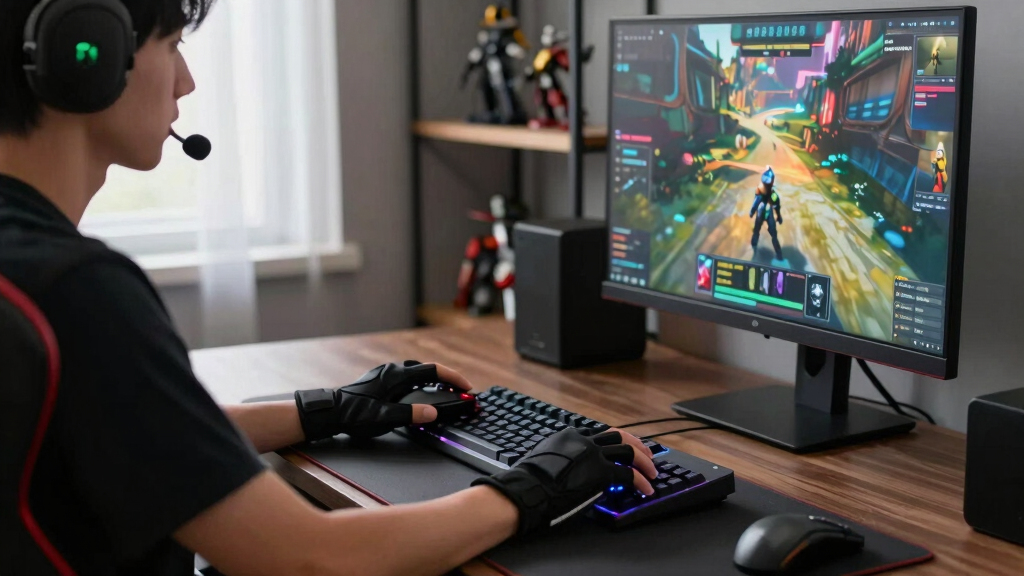
How We Picked
Products were selected based on a combination of performance metrics, build quality, usability, and value. We prioritized peripherals that excel in their primary roles—whether precision, comfort, or versatility—while also considering durability and user feedback. The ranking reflects a balance between high-end features and accessibility, ensuring options suit different budgets and gaming styles. We also evaluated ease of setup, customization options, and cross-platform compatibility, giving preference to peripherals that provide a seamless gaming experience across various scenarios.Factors to Consider When Choosing Best Gaming Peripherals
When choosing the best gaming peripherals, several factors influence how well a product will serve your needs. Beyond raw specifications, it’s important to consider how a peripheral feels during extended use, its compatibility with your setup, and whether the features match your gaming style. Making informed decisions involves weighing these broader elements against your budget to find peripherals that truly enhance your gaming experience.Performance and Accuracy
Look for peripherals with high-precision sensors, low latency, and customizable DPI settings, especially if you play competitive or fast-paced games. Accuracy can make a significant difference in gameplay, so prioritize models with proven sensor technologies and minimal input lag. Remember, a high DPI is useful only if the sensor maintains accuracy at those levels, so check for reviews on real-world responsiveness.
Comfort and Ergonomics
Extended gaming sessions demand peripherals that fit well and prevent fatigue. Ergonomic design, adjustable weights, and customizable grips contribute to comfort. Don’t overlook the importance of a well-padded headset or a keyboard with a key layout that suits your hand size and typing style. Poor ergonomics can lead to discomfort over time, impacting your focus and performance.
Build Quality and Durability
Peripherals that withstand heavy use are essential for long-term satisfaction. Look for sturdy materials, reinforced cables, and high-quality switches—especially in keyboards and mice. Cheaper options might seem appealing initially but often wear out faster, leading to frustrated replacements. Investing in durable peripherals can save money and ensure consistent performance over years of gaming.
Wireless vs. Wired
Wireless peripherals offer greater flexibility and less clutter, but often come at a premium and with slight latency. Wired devices typically provide more reliable connections and faster response times, which can be critical for competitive gaming. Consider your setup and preferences—if latency is a concern, wired might be the better choice, whereas casual gamers can enjoy the convenience of wireless options.
Customizability and Features
Features like programmable keys, macro support, RGB lighting, and software customization can enhance your gaming experience. However, more features often mean a steeper learning curve or increased complexity. Decide which features matter most—if you rely on macros for efficiency or prefer aesthetic lighting, prioritize peripherals that offer those options without overwhelming you with unnecessary extras.
Frequently Asked Questions
How do I know if a wireless gaming mouse is as responsive as a wired one?
Modern wireless gaming mice have significantly reduced latency thanks to advanced Bluetooth and proprietary wireless tech. Many top-tier models now match or even surpass wired counterparts in responsiveness, making them suitable for competitive gaming. However, it’s wise to check user reviews and manufacturer specs for latency figures and test if possible, to ensure the wireless option meets your performance needs.
Are expensive gaming peripherals worth the extra cost?
Higher-priced peripherals often offer better build quality, more advanced features, and enhanced comfort, which can translate into improved gaming performance and longevity. For competitive players or those who spend many hours gaming, investing in premium peripherals can be worthwhile. However, casual gamers might find mid-range options perfectly adequate, especially if they don’t require all the bells and whistles.
Should I prioritize RGB lighting or performance when choosing peripherals?
While RGB lighting enhances aesthetics and personalizes your setup, it generally doesn’t impact performance. For most gamers, focusing on sensor accuracy, responsiveness, and comfort yields better gaming results. If aesthetics motivate you or match your overall setup, RGB features can be a bonus, but they shouldn’t override core performance factors.
What is the best way to test a gaming headset before buying?
Trying out a headset in person allows you to assess comfort, sound quality, and noise isolation. If testing in-store isn’t possible, look for detailed reviews that include sound profiles and comfort descriptions. Pay attention to frequency response, mic quality, and how well it fits your head and ears, especially if you wear glasses or have specific comfort needs.
How important is software customization for gaming peripherals?
Software customization enables you to fine-tune settings such as DPI, macro assignments, and lighting effects, which can improve your efficiency and aesthetic appeal. For competitive gamers, this flexibility is often essential to optimize performance. Casual players might prefer peripherals with simple, plug-and-play operation, making extensive software unnecessary. Consider how much control you want over your peripherals before choosing based on customization features.
Conclusion
For general gamers seeking a reliable all-rounder, the Logitech G502 X Plus offers excellent performance and versatility. Beginners or casual players will appreciate the user-friendly features of the MSI Vigor GK30 Combo for straightforward gaming. Competitive players should consider the Razer Viper V3 Pro or Logitech G502 X Plus for precision and responsiveness. Those looking for premium experiences with immersive audio and high customization will find the Logitech G Astro A50 and SteelSeries Apex 7 compelling. Finally, budget-conscious gamers can find solid value in bundles like the Redragon S101M-KS without sacrificing core performance. Your ideal setup depends on your gaming style, comfort preferences, and budget, but this list provides options for every type of gamer in 2026.
Fall Picks
fall essentials
As an affiliate, we earn on qualifying purchases.