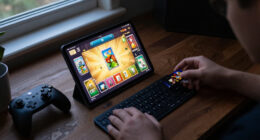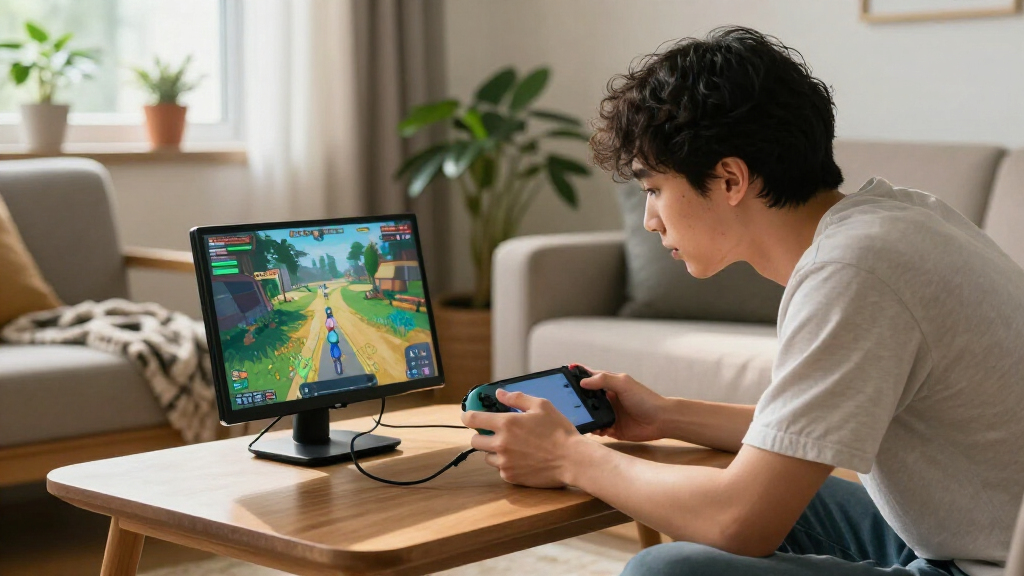
For most players, I’d start with the UPERFECT 16-Inch 2.5K 144Hz: its sharper resolution and fast refresh rate make it the strongest all-around fit for portable gaming. The Acer Nitro 15.6-Inch 165Hz is a standout for players who put smooth motion first, while the UPERFECT 18.5-Inch 120Hz offers a larger play area without moving to a desktop-sized screen. The main tradeoffs are screen size, resolution, refresh rate, and how easy the monitor is to carry and connect. A faster or sharper display can demand more from your gaming device, and larger screens are less convenient to pack. Read on for the full breakdown of all 15 portable gaming monitors and which one fits your setup.

Play games on Amazon Luna for your game nights, included with Prime
- A rotating selection of games, no download needed
- Play on TV, laptop or phone
- Fast, free delivery for your gear, too
Complete the kit



Key Takeaways
- The 16-inch 2.5K 144Hz models stand out for detail and speed: UPERFECT and VisionOwl combine higher resolution with a fast refresh rate, but the connected device must support the resolution and refresh rate you want.
- A 165Hz panel is the lineup’s speed-first choice: Acer Nitro’s 15.6-inch FHD option prioritizes fluid motion over the extra detail offered by the 2.5K picks.
- The larger 18.5-inch monitors trade packability for a roomier view: UPERFECT and EVICIV offer 120Hz, making them a middle ground between small 15.6-inch screens and the much larger 23.8-inch UPERFECT.
- 144Hz is not exclusive to premium-resolution screens: several FHD or 1920 × 1200 models offer high refresh rates, so buyers can prioritize motion without choosing 2.5K.
- 60Hz options suit basic play, not every gaming setup: the Yxk 15.6-inch, ForHelp, KYY, WGK, and MNN models place more emphasis on straightforward portable display use than high-refresh gaming.
| UPERFECT 18.5-Inch 120Hz Portable Monitor |  | Best for a Larger Gaming Screen | Screen size: 18.5 inches | Display and resolution: IPS LCD, 1920 × 1080 | Refresh rate: 120Hz | VIEW LATEST PRICE | See Our Full Breakdown |
| InnoView 16-Inch Portable Monitor, 1920 × 1200, 144 Hz |  | Best for High-Refresh 16:10 Gaming | Screen size: 16 inches | Resolution and aspect ratio: 1920 × 1200, 16:10 | Panel: IPS LCD, matte | VIEW LATEST PRICE | See Our Full Breakdown |
| ARZOPA Z1FC 16.1-Inch 144Hz Portable Gaming Monitor |  | Best for Straightforward 144Hz Gaming | Screen size: 16.1 inches | Resolution and aspect ratio: 1920 × 1080, 16:9 | Refresh rate: 144Hz | VIEW LATEST PRICE | See Our Full Breakdown |
| Yxk Y1562 15.6-Inch Portable IPS Monitor, 1080p, 60Hz |  | Best for Casual Console Gaming | Screen size: 15.6 inches | Resolution: 1920 × 1080 | Refresh rate: 60Hz | VIEW LATEST PRICE | See Our Full Breakdown |
| ForHelp 15.6-inch Portable Monitor, 1080P FHD IPS Display with USB-C and HDMI, Ultra-Thin Aluminum Alloy Body with Smart Cover |  | Best for a Ready-to-Pack Setup | Screen size: 15.6 inches | Resolution and aspect ratio: 1920 × 1080, 16:9 | Refresh rate: 60Hz | VIEW LATEST PRICE | See Our Full Breakdown |
| UPERFECT 16-Inch Portable QLED Gaming Monitor, 2.5K, 144Hz |  | Best for High-Detail Gaming | Screen size: 16 inches | Display: QLED | Resolution: 2560 × 1600 | VIEW LATEST PRICE | See Our Full Breakdown |
| UPERFECT 23.8-Inch 144Hz QLED Portable Monitor |  | Best for a Large Portable Gaming Setup | Screen size: 23.8 inches | Display: QLED | Resolution: 1920 × 1080 | VIEW LATEST PRICE | See Our Full Breakdown |
| WGK 15.6-Inch 1080p FHD Portable Monitor with Stand and Speakers |  | Best for Simple Console and Laptop Setups | Screen size: 15.6 inches | Display type: LCD IPS | Resolution: 1920 × 1080 | VIEW LATEST PRICE | See Our Full Breakdown |
| EVICIV 18.5-Inch 120Hz Portable IPS Monitor |  | Best Balance of Screen Size and Carry Weight | Screen size: 18.5 inches | Display type: IPS | Resolution: 1920 × 1080 | VIEW LATEST PRICE | See Our Full Breakdown |
| Acer Nitro PG161W Portable Gaming Monitor 16-inch 1920 × 1200 144Hz |  | Best Lightweight Gaming Pick | Screen size: 16 inches | Panel type: IPS | Resolution: 1920 × 1200 | VIEW LATEST PRICE | See Our Full Breakdown |
| KYY 15.6-Inch 1080p Portable Monitor with Smart Cover | 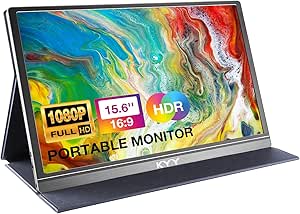 | Best Value for Basic Console and Laptop Gaming | Screen size: 15.6 inches | Resolution: 1920 × 1080 | Refresh rate: 60Hz | VIEW LATEST PRICE | See Our Full Breakdown |
| VisionOwl 16-Inch 2.5K QHD Portable Monitor, 144Hz, 16:10 |  | Best for High-Resolution Portable Gaming | Screen size: 16 inches | Resolution: 2560 × 1600 | Refresh rate: 144Hz | VIEW LATEST PRICE | See Our Full Breakdown |
| Yxk 16.1-Inch Portable Gaming Monitor, 1920 × 1200, 144 Hz, IPS, USB-C and Mini HDMI |  | Best High-Refresh Full HD Value | Screen size: 16.1 inches | Resolution: 1920 × 1200 | Refresh rate: 144Hz | VIEW LATEST PRICE | See Our Full Breakdown |
| MNN 15.6-Inch FHD Portable Monitor |  | Best for Simple Everyday Setup | Screen size: 15.6 inches | Resolution: 1920 × 1080 | Refresh rate: 60Hz | VIEW LATEST PRICE | See Our Full Breakdown |
| Acer Nitro 15.6-Inch FHD IPS 165Hz Portable Gaming Monitor |  | Best for Competitive Gaming | Screen size: 15.6 inches | Resolution: 1920 × 1080 | Refresh rate: 165Hz | VIEW LATEST PRICE | See Our Full Breakdown |
| portable gaming monitor | Screen size | Refresh rate | Weight | Brightness |
|---|---|---|---|---|
| UPERFECT 18.5-Inch 120Hz Porta | 18.5 inches | 120Hz | 2.3 lbs (2 kg, as listed) | 350 nits |
| InnoView 16-Inch Portable Moni | 16 inches | 144Hz via USB-C; up to 120Hz via HDMI | About 1.7 pounds | — |
| ARZOPA Z1FC 16.1-Inch 144Hz Po | 16.1 inches | 144Hz | 1.42 kg | — |
| Yxk Y1562 15.6-Inch Portable I | 15.6 inches | 60Hz | 1.43 lbs | 250 cd/m² |
| ForHelp 15.6-inch Portable Mon | 15.6 inches | 60Hz | — | 300 nits |
| UPERFECT 16-Inch Portable QLED | 16 inches | 144Hz | 1,200 g | 400 cd/m² |
| UPERFECT 23.8-Inch 144Hz QLED | 23.8 inches | 144Hz | 1,919 g (stated as 5.37 lb) | 450 cd/m² |
| WGK 15.6-Inch 1080p FHD Portab | 15.6 inches | — | 2.7 lb | — |
| EVICIV 18.5-Inch 120Hz Portabl | 18.5 inches | 120Hz | 1.8 lb | 350 cd/m² |
| Acer Nitro PG161W Portable Gam | 16 inches | 144Hz | 1.7 lb | 250 nits |
| KYY 15.6-Inch 1080p Portable M | 15.6 inches | 60Hz | 1.7 lb | 300 cd/m² |
| VisionOwl 16-Inch 2.5K QHD Por | 16 inches | 144Hz | — | 470 nits |
| Yxk 16.1-Inch Portable Gaming | 16.1 inches | 144Hz | — | — |
| MNN 15.6-Inch FHD Portable Mon | 15.6 inches | 60Hz | 1.5 lb | 300 nits |
| Acer Nitro 15.6-Inch FHD IPS 1 | 15.6 inches | 165Hz | 2.73 lb | 250 nits |
More Details on Our Top Picks
UPERFECT 18.5-Inch 120Hz Portable Monitor
The 18.5-inch display gives this UPERFECT more room for console or laptop gaming than the smaller ARZOPA Z1FC, while its 120Hz refresh rate keeps motion smoother than the 60Hz Yxk Y1562. That makes it a strong fit when screen size matters more than having the highest refresh rate in this group. The IPS panel, matte finish, and built-in stand support flexible use at a temporary desk, and VESA compatibility offers another way to mount it. USB-C and Mini HDMI cover common portable setups. The tradeoff is bulk: at 18.5 inches, it is less convenient to pack than 15- or 16-inch options. Full brightness on the larger panel may also call for external power, and the advertised refresh rate depends on the connected device and cable.
Pros:- 18.5-inch screen provides more viewing area than the 15.6- and 16.1-inch options here.
- 120Hz refresh rate supports smoother motion than the 60Hz Yxk Y1562 and ForHelp displays.
- Built-in stand and 75 × 75 mm VESA mounting offer flexible placement.
- USB-C, Mini HDMI, dual speakers, and a matte anti-glare finish suit portable gaming setups.
Cons:- Larger dimensions make it less packable than the smaller monitors in this roundup.
- Full brightness on the larger screen may require external power.
- Reaching the stated refresh rate depends on the connected device and cable.
Best for: Console and laptop gamers who want a roomier portable screen for a travel setup or shared desk.
Not ideal for: Backpackers prioritizing the smallest, lightest display, or players who need the highest available refresh rate.
- Screen size:18.5 inches
- Display and resolution:IPS LCD, 1920 × 1080
- Refresh rate:120Hz
- Color coverage:125% sRGB
- Brightness:350 nits
- Connectivity:USB-C, Mini HDMI, 3.5mm audio jack
- Mounting:75 × 75 mm VESA
- Weight:2.3 lbs (2 kg, as listed)
Our verdict“Choose this UPERFECT if you want a larger portable gaming display and can trade some packability for screen space.”
InnoView 16-Inch Portable Monitor, 1920 × 1200, 144 Hz
The InnoView pairs 144Hz over USB-C with a 1920 × 1200, 16:10 panel, giving it a distinctive balance of smooth gameplay and extra vertical space. Compared with the 16:9 ARZOPA Z1FC, the taller image can show more of a game interface or provide more room for general use; HDMI users, however, are limited to 120Hz. FreeSync adds adaptive sync support that the ARZOPA lacks, making this the more feature-complete pick for compatible setups. At about 1.7 pounds, it is also easier to carry than the larger UPERFECT 18.5-inch monitor. The main compromises are a stated color gamut of 45, which may not suit buyers focused on vivid color, and the missing power adapter. Check that your device and cable support the connection mode you plan to use.
Pros:- 144Hz refresh over USB-C pairs with FreeSync for compatible gaming devices.
- 1920 × 1200 resolution and 16:10 aspect ratio provide more vertical screen space than 16:9 options.
- At about 1.7 pounds, it is lighter than the 18.5-inch UPERFECT.
- Dual USB-C ports, HDMI, matte IPS panel, and an included protective sleeve support mobile setups.
Cons:- HDMI input supports up to 120Hz rather than the 144Hz available over USB-C.
- Power adapter is not included.
- Listed color gamut of 45 may disappoint buyers seeking broader color coverage.
Best for: PC and handheld gamers with USB-C video output who want high refresh, adaptive sync, and a taller 16:10 screen.
Not ideal for: Gamers who rely on HDMI for the full refresh rate, need a supplied power adapter, or prioritize wide color coverage.
- Screen size:16 inches
- Resolution and aspect ratio:1920 × 1200, 16:10
- Panel:IPS LCD, matte
- Refresh rate:144Hz via USB-C; up to 120Hz via HDMI
- Adaptive sync:FreeSync
- Connectivity:Dual USB-C, HDMI, 3.5mm audio
- Weight:About 1.7 pounds
- Included accessory:Protective sleeve
Our verdict“Pick the InnoView for a lightweight 16:10 gaming screen if your device supports USB-C video and you can supply a power adapter.”
ARZOPA Z1FC 16.1-Inch 144Hz Portable Gaming Monitor
The ARZOPA Z1FC offers a clear gaming-first setup: a 16.1-inch 1080p IPS panel, 144Hz refresh rate, and a built-in adjustable kickstand. Compared with the InnoView, it keeps the familiar 16:9 format but gives up both the taller 16:10 workspace and FreeSync. That makes it a simpler fit for players who want fast refresh without needing adaptive sync or extra vertical pixels. Its USB-C and Mini HDMI inputs support a range of compatible computers and consoles, while the stand can be adjusted for horizontal or vertical viewing. The stated 1ms response time and 106% sRGB gamut add to its appeal, but the lack of adaptive sync is a real limitation for variable frame rates. At 1.42 kg, it is also heavier than the 1.7-pound InnoView.
Pros:- 144Hz refresh rate supports smoother motion than the 60Hz Yxk Y1562 and ForHelp.
- Built-in adjustable kickstand supports horizontal and vertical viewing.
- USB-C and Mini HDMI provide connections for compatible computers and consoles.
- 106% sRGB color gamut and matte IPS panel offer broad viewing angles.
Cons:- No adaptive sync or FreeSync, unlike the InnoView.
- 16:9 Full HD provides less vertical screen area than the InnoView’s 16:10 panel.
- At 1.42 kg, it weighs more than the InnoView’s approximately 1.7-pound listing.
Best for: Gamers who want a 16:9 portable 144Hz display with a built-in stand and do not require adaptive sync.
Not ideal for: Players seeking FreeSync, a 16:10 screen, or the lightest monitor for frequent travel.
- Screen size:16.1 inches
- Resolution and aspect ratio:1920 × 1080, 16:9
- Refresh rate:144Hz
- Panel:IPS LCD, matte
- Color gamut:106% sRGB
- Response time:1ms
- Ports:2 USB-C, 1 Mini HDMI
- Weight:1.42 kg
Our verdict“Choose the ARZOPA if you want 144Hz in a straightforward 16:9 portable monitor and can do without adaptive sync.”
Yxk Y1562 15.6-Inch Portable IPS Monitor, 1080p, 60Hz
The Yxk Y1562 is the more basic choice for gamers who value a 15.6-inch Full HD screen and simple portability over high-refresh play. Its 60Hz ceiling puts it behind the 120Hz UPERFECT and 144Hz ARZOPA for fast-moving games, but that can be an acceptable trade for casual play, menus, streaming, or a second screen on the road. The slim 1.43-pound body, matte finish, built-in speakers, and USB-C plus Mini HDMI connections make it easy to fit into a compact setup. HDR support is included, though the listed 250 cd/m² brightness and 72% color gamut set modest expectations for the image. Compared with the similarly sized ForHelp, this model lists a slightly lighter weight and built-in speakers, while both remain 60Hz displays.
Pros:- Light 1.43-pound body and 0.31-inch listed thickness suit travel.
- Full HD matte IPS screen has wide 178-degree viewing angles.
- USB-C and Mini HDMI support compatible computers, phones, and consoles.
- Built-in speakers avoid the need for separate audio gear in a simple setup.
Cons:- 60Hz refresh rate is less fluid than the 120Hz UPERFECT and 144Hz ARZOPA.
- USB-C video requires Thunderbolt 3/4 or USB-C DP Alt Mode support.
- 250 cd/m² brightness and 72% color gamut are modest for bright or color-focused use.
Best for: Casual console players and travelers who want a compact Full HD screen for slower-paced games, streaming, or general use.
Not ideal for: Competitive gamers who want high refresh rates, or users whose USB-C device lacks Thunderbolt 3/4 or DP Alt Mode.
- Screen size:15.6 inches
- Resolution:1920 × 1080
- Refresh rate:60Hz
- Panel and finish:IPS LCD, matte
- Brightness:250 cd/m²
- Color gamut:72%
- Ports:2 USB-C, 1 Mini HDMI
- Weight:1.43 lbs
Our verdict“Pick the Yxk Y1562 for portable casual gaming and everyday display use, not for high-refresh gameplay.”
ForHelp 15.6-inch Portable Monitor, 1080P FHD IPS Display with USB-C and HDMI, Ultra-Thin Aluminum Alloy Body with Smart Cover
ForHelp earns its place as a travel-friendly option through its aluminum-alloy body and included magnetic smart cover, which doubles as a protective case and stand. It shares the Yxk Y1562’s 15.6-inch, 1080p, 60Hz format, so neither is the right pick for players chasing high-refresh motion. ForHelp instead emphasizes a slim, self-contained kit: the listed cables and cover reduce the extra pieces needed for a basic laptop or console setup. Its 300-nit brightness is higher on paper than the Yxk’s 250 cd/m², though the cover offers limited stand-angle adjustment. Single-cable USB-C video also depends on Thunderbolt 3/4 or DP Alt Mode support. Compared with the faster ARZOPA, this is a portability-and-accessories choice, not a gaming-performance upgrade.
Pros:- Aluminum-alloy body is slim and weighs 1.52 pounds.
- Magnetic smart cover protects the screen and doubles as a stand.
- Included cables help make a portable setup easier to assemble.
- USB-C and Mini HDMI support compatible laptops, consoles, and phones.
Cons:- 60Hz refresh rate falls behind the 120Hz and 144Hz gaming options in this roundup.
- USB-C video requires Thunderbolt 3/4 or USB-C DP Alt Mode support.
- Smart-cover stand offers limited viewing-angle adjustment.
Best for: Travelers and casual console or laptop gamers who want a protective cover, included cables, and a slim Full HD second screen.
Not ideal for: Competitive players who need refresh rates above 60Hz, or users seeking a stand with several viewing-angle adjustments.
- Screen size:15.6 inches
- Resolution and aspect ratio:1920 × 1080, 16:9
- Refresh rate:60Hz
- Panel:IPS LCD, matte
- Brightness:300 nits
- Connectivity:2 USB-C, 1 Mini HDMI
- Weight and thickness:1.52 lbs, 0.3 inches
- Included accessories:Magnetic smart cover and cables
Our verdict“Choose ForHelp if a protective cover and included cables matter more than high-refresh gaming or flexible stand positioning.”
UPERFECT 16-Inch Portable QLED Gaming Monitor, 2.5K, 144Hz
I’d choose this UPERFECT when sharp detail and vivid color matter as much as refresh rate. Its 2560 × 1600 QLED panel gives games more pixel density than the Acer Nitro PG161W’s 1920 × 1200 screen, while 144Hz and FreeSync suit fast-paced play. The 100% DCI-P3 coverage and 400-nit brightness also make it a stronger fit for colorful games and media than a basic portable display. A built-in kickstand, VESA support, and sleeve make setup and packing more manageable.
The tradeoff is portability: at 1,200 g, it weighs substantially more than the Acer, and the 16-inch screen still limits how immersive it feels compared with the 18.5-inch EVICIV. Connections include mini HDMI and USB-C, so buyers should check their cable setup before traveling. I’d favor this for a compact gaming station, not the lightest possible carry.
Pros:- 2560 × 1600 resolution provides more detail than the Full HD EVICIV.
- 144Hz refresh rate, 0.1ms response time, and FreeSync are suited to responsive gameplay.
- QLED panel with 100% DCI-P3 coverage and 400-nit brightness supports vivid, bright images.
- Built-in kickstand, 75mm VESA compatibility, and included sleeve offer flexible setup and carrying options.
Cons:- At 1,200 g, it is heavier than the Acer Nitro PG161W and less appealing for frequent travel.
- The 16-inch screen offers less viewing area than the 18.5-inch EVICIV.
- Mini HDMI may require a compatible cable or adapter.
Best for: Portable PC and console gamers who want higher-than-Full-HD detail, a fast refresh rate, and vivid colors in a 16-inch setup.
Not ideal for: Frequent travelers prioritizing minimal weight, or players who want a larger screen or a standard-size HDMI connection.
- Screen size:16 inches
- Display:QLED
- Resolution:2560 × 1600
- Refresh rate:144Hz
- Response time:0.1ms
- Brightness:400 cd/m²
- Adaptive sync:FreeSync
- Weight:1,200 g
Our verdict“Choose this UPERFECT if you want a high-detail, colorful 144Hz display and can accept extra weight for a 16-inch portable monitor.”
UPERFECT 23.8-Inch 144Hz QLED Portable Monitor
This UPERFECT takes a different approach from the compact 16-inch models: its 23.8-inch screen gives games and split-screen work much more room, while the 144Hz QLED panel keeps motion smooth. That larger canvas is a clear advantage over the Acer Nitro PG161W when the monitor will sit on a desk or serve as a temporary second display. Its 450-nit brightness and matte finish are useful in brighter rooms, and HDMI plus USB-C connectivity supports a straightforward connection to compatible devices.
Portability is relative here. At a stated 5.37 pounds, it is much heavier than the 1.8-pound EVICIV, so I’d treat it as a monitor that can be moved occasionally, not one to carry every day. Its 5ms response time is also slower than the gaming-focused 16-inch UPERFECT’s stated 0.1ms. The stand may be stressed at steep downward angles, narrowing placement options.
Pros:- 23.8-inch screen provides considerably more viewing area than the 16-inch UPERFECT and Acer Nitro.
- 144Hz refresh rate supports smooth motion for gaming.
- QLED panel, 450-nit brightness, and matte finish suit colorful play in brighter spaces.
- HDMI and USB-C connectivity plus an included stand make setup flexible.
Cons:- At a stated 5.37 pounds, it is far heavier than the EVICIV 18.5-inch monitor.
- Its 5ms response time is slower than the 0.1ms stated for the 16-inch UPERFECT.
- The stand may be stressed by steep downward angles.
Best for: Gamers and remote workers who travel between rooms or locations by car and want a near-desktop-size screen with a high refresh rate.
Not ideal for: Backpack commuters and frequent flyers who need a light monitor, or competitive players prioritizing the fastest stated response time.
- Screen size:23.8 inches
- Display:QLED
- Resolution:1920 × 1080
- Refresh rate:144Hz
- Response time:5ms
- Brightness:450 cd/m²
- Color gamut:145% sRGB
- Weight:1,919 g (stated as 5.37 lb)
Our verdict“Pick this model if screen size matters more than backpack-friendly weight and you want a large, fast display that can be moved between setups.”
WGK 15.6-Inch 1080p FHD Portable Monitor with Stand and Speakers
I’d shortlist the WGK for buyers who want a straightforward Full HD screen for a console, laptop, or phone rather than a high-refresh gaming panel. Its 15.6-inch IPS display, built-in adjustable stand, and speakers keep a basic setup self-contained, while USB-C and Mini HDMI cover common portable-device connections. It also supports copy, extended, and second-screen modes, making it more versatile for everyday work than a monitor focused mainly on gaming speed.
Compared with the 144Hz Acer Nitro PG161W and the 120Hz EVICIV, this WGK has no stated high refresh rate, so I wouldn’t pick it for fast competitive games. Its 2.7-pound weight is also less convenient to carry than the EVICIV, and the product data warns that some computers may not provide enough power through their connection. That can mean packing an extra power supply, which undercuts the appeal of a simple travel setup.
Pros:- 15.6-inch Full HD IPS screen offers broad viewing angles for gaming and shared viewing.
- Built-in adjustable stand and speakers reduce the need for separate accessories.
- USB-C and Mini HDMI support connections to compatible laptops, phones, and consoles.
- Copy, extended, and second-screen modes support work as well as entertainment.
Cons:- No high refresh rate is specified, unlike the 120Hz EVICIV and 144Hz Acer Nitro.
- At 2.7 pounds, it is heavier than the EVICIV 18.5-inch option.
- Some computers may require an external 5V/2A power supply.
Best for: Console owners, students, and laptop users who want an affordable-in-features Full HD second screen with a stand and built-in speakers.
Not ideal for: Competitive gamers seeking a high refresh rate, or travelers who need a lightweight monitor that runs without a separate power supply.
- Screen size:15.6 inches
- Display type:LCD IPS
- Resolution:1920 × 1080
- Viewing angle:178 degrees
- Display features:HDR, low blue light
- Connectivity:USB-C, Mini HDMI
- Weight:2.7 lb
- Mounting:Adjustable stand, VESA mountable
Our verdict“Choose the WGK for a simple Full HD travel display with its own stand and speakers, not for high-refresh gaming.”
EVICIV 18.5-Inch 120Hz Portable IPS Monitor
The EVICIV stands out for combining an 18.5-inch screen with a stated weight of just 1.8 pounds. That gives it more room for games than the Acer Nitro PG161W or 16-inch UPERFECT without the bulk of the 23.8-inch UPERFECT. Its 120Hz refresh rate and FreeSync make it better suited to gaming than standard 60Hz portable screens, while the 360° adjustable stand and VESA support allow more placement options than a fixed-cover design. A travel sleeve is included for packing.
The compromise is resolution: 1920 × 1080 across 18.5 inches won’t look as dense as the 2.5K UPERFECT’s smaller panel. Its 120Hz ceiling also trails the 144Hz models, including the Acer Nitro and both UPERFECT gaming picks. One Mini HDMI port is the only listed video input, so buyers who prefer full-size HDMI should check compatibility before choosing it.
Pros:- 18.5-inch screen offers more room than the 16-inch Acer Nitro and UPERFECT.
- Stated 1.8-pound weight keeps it lighter than the larger UPERFECT 23.8-inch model.
- 120Hz refresh rate and FreeSync support smoother gameplay than a standard 60Hz screen.
- 360° adjustable stand, VESA mounting, and included travel sleeve aid setup and transport.
Cons:- Full HD resolution is less sharp per inch than the 2.5K UPERFECT 16-inch display.
- 120Hz refresh rate is below the 144Hz Acer Nitro and UPERFECT models.
- The single listed Mini HDMI input may require a cable or adapter that fits the setup.
Best for: Gamers who want a larger-than-16-inch portable screen for travel or flexible desk use without carrying a heavy monitor.
Not ideal for: Players who want 144Hz, higher pixel density, or a full-size HDMI input for a simple cable connection.
- Screen size:18.5 inches
- Display type:IPS
- Resolution:1920 × 1080
- Refresh rate:120Hz
- Response time:1ms
- Brightness:350 cd/m²
- Adaptive sync:FreeSync
- Weight:1.8 lb
Our verdict“Choose the EVICIV if you want a light, roomier portable gaming screen and can trade 144Hz and higher resolution for its larger panel.”
Acer Nitro PG161W Portable Gaming Monitor 16-inch 1920 × 1200 144Hz
I’d put the Acer Nitro PG161W near the top for buyers who carry their monitor often: at 1.7 pounds, it is the lightest of these five options, and its slim 16-inch body is easier to pack than the 1,200 g UPERFECT. The 144Hz IPS panel, AMD FreeSync, and 16:10 WUXGA resolution make it a well-rounded choice for portable PC gaming; the extra vertical space over Full HD 16:9 can also help with work and general browsing. Two USB-C ports carry power, data, and DisplayPort, alongside HDMI.
Its main compromise is 250-nit brightness, which may be limiting in bright rooms or outdoors. The UPERFECT 16-inch QLED is the stronger choice for higher resolution, richer stated color coverage, and brightness, while the EVICIV gives you a larger screen. The Acer instead prioritizes low carry weight and flexible USB-C connections, with a stated 4ms response time rather than the UPERFECT’s 0.1ms.
Pros:- At 1.7 pounds, it is lighter than the other four monitors in this group.
- 144Hz refresh rate and AMD FreeSync support smooth, tear-resistant gameplay.
- 1920 × 1200 resolution and 16:10 aspect ratio provide more vertical workspace than Full HD 16:9.
- Two USB-C ports support power, data, and DisplayPort, with HDMI available as another input.
Cons:- 250-nit brightness is lower than the 350- and 450-nit figures listed for other options here.
- The 4ms response time is slower than the 0.1ms stated for the UPERFECT 16-inch QLED.
- Its 16-inch screen is smaller than the EVICIV and 23.8-inch UPERFECT.
Best for: Laptop and handheld gamers who travel frequently and want a light 144Hz monitor with USB-C video and power support.
Not ideal for: Players using the monitor in bright outdoor settings or buyers prioritizing QLED color, 2.5K resolution, or a larger display.
- Screen size:16 inches
- Panel type:IPS
- Resolution:1920 × 1200
- Aspect ratio:16:10
- Refresh rate:144Hz
- Response time:4ms G-to-G
- Brightness:250 nits
- Weight:1.7 lb
- Ports:2 × USB-C, 1 × HDMI 1.4
Our verdict“Choose the Acer Nitro if low carry weight and 144Hz gaming matter more than peak brightness, QLED color, or screen size.”
KYY 15.6-Inch 1080p Portable Monitor with Smart Cover
The KYY is a straightforward travel screen for buyers who want Full HD gaming without carrying a larger, heavier display. Its 15.6-inch IPS panel, matte finish, and wide viewing angles suit casual play on a laptop or console, while USB-C and mini-HDMI give you connection options for different devices. The included cover protects the screen and props it up, though its two angle grooves offer less positioning flexibility than the adjustable kickstand on the Yxk 16.1-Inch Portable Gaming Monitor.
Its 60Hz refresh rate is the main limit for gaming: motion will not look as fluid as on the Yxk or Acer Nitro 165Hz. The built-in speakers are handy when traveling light, but I would not choose this for fast-paced competitive play. Check USB-C video compatibility before relying on a single cable.
Pros:- Matte 15.6-inch IPS screen with 178-degree viewing angles
- USB-C and mini-HDMI support connections to compatible laptops and consoles
- PU leather cover protects the screen and doubles as a stand
- Built-in stereo speakers and HDR support
Cons:- 60Hz refresh rate is less suited to fast-motion gaming than the Yxk or Acer Nitro
- Cover has only two viewing-angle grooves
- Single-cable USB-C video requires a compatible device
Best for: Casual console and laptop players who want an affordable-to-carry Full HD screen with a protective cover and flexible inputs.
Not ideal for: Competitive players seeking high refresh rates, or anyone who needs a stand with several adjustable viewing angles.
- Screen size:15.6 inches
- Resolution:1920 × 1080
- Refresh rate:60Hz
- Panel:IPS LCD
- Aspect ratio:16:9
- Brightness:300 cd/m²
- Connectivity:2 full-function USB-C, mini-HDMI, 3.5mm audio
- Weight:1.7 lb
Our verdict“Choose the KYY for casual travel gaming and simple setup, but pick the Acer Nitro or Yxk if smoother high-refresh gameplay matters more.”
VisionOwl 16-Inch 2.5K QHD Portable Monitor, 144Hz, 16:10
The VisionOwl offers the strongest blend of detail and motion performance in this group: its 2560 × 1600 resolution gives games and desktop content more definition than the Full HD KYY or Acer Nitro, while 144Hz supports smoother movement than either 60Hz option. The 16:10 panel also adds vertical room, useful for game menus, chat, and work between sessions. At 470 nits, its matte display is better equipped for bright rooms than the Acer Nitro’s 250-nit panel.
That sharper, brighter image comes with a compatibility check: one-cable video and power require Thunderbolt 3/4 or DisplayPort Alt Mode. The built-in kickstand, VESA holes, and included travel kit make setup adaptable, but the VisionOwl is less plug-and-play for devices without suitable USB-C video output. I would choose it over the Yxk when resolution matters; the Yxk is the simpler Full HD alternative.
Pros:- 2560 × 1600 resolution combines with 144Hz for detailed, fluid gameplay
- 470-nit matte IPS panel is brighter than the Acer Nitro’s listed 250 nits
- 16:10 format adds vertical room for games and multitasking
- Kickstand, VESA mounting holes, and travel accessories are included
Cons:- One-cable USB-C setup depends on Thunderbolt or DisplayPort Alt Mode support
- 16:10 content may not fill the screen like a standard 16:9 panel
- Listed weight varies slightly between product information and description
Best for: Players with a compatible laptop or handheld who want a sharper 16:10 image, high refresh rate, and enough brightness for varied rooms.
Not ideal for: Buyers whose devices lack USB-C video output and who want a simple one-cable setup, or players who prefer a standard 16:9 display.
- Screen size:16 inches
- Resolution:2560 × 1600
- Refresh rate:144Hz
- Aspect ratio:16:10
- Panel:IPS LCD
- Brightness:470 nits
- Color gamut:110% sRGB
- Connectivity:2 USB-C, 1 standard HDMI
- Mounting:Built-in kickstand and VESA holes
Our verdict“Pick the VisionOwl if your device supports its USB-C video connection and you want more resolution and brightness than the Full HD alternatives.”
Yxk 16.1-Inch Portable Gaming Monitor, 1920 × 1200, 144 Hz, IPS, USB-C and Mini HDMI
The Yxk targets players who want 144Hz gameplay without moving up to the VisionOwl’s sharper, more demanding 2.5K resolution. Its 1920 × 1200 IPS panel gives a little more vertical space than the KYY’s 16:9 Full HD screen, and the adjustable built-in kickstand is more adaptable than the KYY’s two-position cover stand. USB-C and mini-HDMI make it practical for compatible laptops and consoles, while the matte screen helps limit reflections during travel.
This is a sensible middle ground for smoother gaming, but the product data does not list brightness, speaker output, or complete dimensions, making it harder to judge how it will fit a particular setup. The Acer Nitro also offers a high refresh rate and adaptive sync, so it may suit players who prioritize tear reduction. The Yxk’s listed 2ms response time and HDR support add appeal, though device video compatibility still needs checking.
Pros:- 144Hz refresh rate supports smoother motion than the 60Hz KYY and MNN
- 1920 × 1200 resolution and 16:10 aspect ratio provide extra vertical space
- Adjustable built-in kickstand suits varied travel setups
- USB-C and mini-HDMI provide connection options for compatible devices
Cons:- Device video-output compatibility should be checked before connecting
- Listed dimensions appear incomplete, limiting portability comparisons
- Brightness is not provided in the supplied product specifications
Best for: Laptop and console players who want a portable 144Hz display with a 16:10 image and an adjustable built-in stand.
Not ideal for: Buyers who need verified brightness and dimensions before purchase, or those seeking the higher resolution and brightness listed for the VisionOwl.
- Screen size:16.1 inches
- Resolution:1920 × 1200
- Refresh rate:144Hz
- Aspect ratio:16:10
- Panel:IPS
- Response time:2ms
- Connectivity:USB-C and mini-HDMI
- Features:HDR, adjustable kickstand, dual speakers
- Warranty:2 years
Our verdict“Choose the Yxk for a portable 144Hz screen and flexible stand without needing the VisionOwl’s higher resolution.”
MNN 15.6-Inch FHD Portable Monitor
The MNN is a practical pick for players who value familiar connections and flexible screen modes over high-refresh gaming. Its 15.6-inch 1080p IPS panel runs at 60Hz, much like the KYY, but the listed HDMI port and two full-featured USB-C ports make it a useful companion for compatible devices and secondary-screen tasks. Copy, extended, and portrait modes add flexibility when it is not being used for games. The included smart cover protects the display and serves as a stand.
Compared with the KYY, the MNN lists a 5ms response time and several display modes, but neither model is aimed at players who want the fluid motion of the Yxk’s 144Hz panel. The cover is convenient, though the supplied dimensions look unusually large for a portable 15.6-inch screen, so I would verify the actual fit before planning frequent travel. One-cable USB-C also depends on device support for video output.
Pros:- Full HD IPS display with a 178-degree viewing angle
- Two full-featured USB-C ports and a listed HDMI connection
- Copy, extended, second-screen, and portrait modes support varied uses
- Protective smart cover doubles as a stand
Cons:- 60Hz refresh rate trails the Yxk and Acer Nitro for fast-motion play
- Single-cable USB-C video requires Thunderbolt 3.0 or USB 3.1 DP Alt Mode support
- Listed dimensions are unusually large for a portable monitor and may be inaccurate
Best for: Casual players who also need a portable second screen for work, portrait use, or console gaming through HDMI.
Not ideal for: Competitive gamers seeking high refresh rates, or frequent travelers who cannot confirm the monitor’s actual packed dimensions.
- Screen size:15.6 inches
- Resolution:1920 × 1080
- Refresh rate:60Hz
- Panel:IPS LCD
- Brightness:300 nits
- Response time:5ms
- Ports:2 full-featured USB-C, 1 HDMI
- Weight:1.5 lb
- Display modes:Copy, extended, second screen, portrait
Our verdict“Choose the MNN for casual gaming plus flexible everyday screen modes, but look to the Yxk or Acer Nitro for faster gameplay.”
Acer Nitro 15.6-Inch FHD IPS 165Hz Portable Gaming Monitor
The Acer Nitro is the clearest choice here for players who put high-refresh gaming first. Its 165Hz panel refreshes faster than the VisionOwl and Yxk at 144Hz, and AMD FreeSync can help reduce tearing when frame rates fluctuate. The 15.6-inch Full HD IPS format keeps the image resolution modest compared with the VisionOwl’s 2.5K screen, which can be a sensible match for portable gaming devices that benefit from a lighter graphics load. USB-C and mini-HDMI offer useful connection options.
There are real tradeoffs: the listed 250-nit brightness is lower than the VisionOwl’s 470 nits, and its 2.73-pound weight is heavier than the other monitors here with listed weights. The tilt stand and VESA mounting add setup choices, but the 1W speakers are basic. For fast play, it offers more gaming-focused features than the 60Hz KYY or MNN; for brighter, sharper visuals, the VisionOwl is the stronger alternative.
Pros:- 165Hz refresh rate is the highest listed among these five monitors
- AMD FreeSync helps reduce tearing when frame rates vary
- USB-C and mini-HDMI support a range of compatible gaming devices
- Tilt stand and VESA mounting provide setup flexibility
Cons:- 250-nit brightness is lower than the VisionOwl’s 470 nits
- At 2.73 lb, it is heavier than the KYY, MNN, and VisionOwl
- Built-in speakers are rated at only 1W each
Best for: Competitive-minded laptop and console players who prioritize refresh rate and adaptive sync over higher resolution or lighter carry weight.
Not ideal for: Travelers seeking the lightest screen, or players who often game in bright rooms and want a sharper, more detailed image.
- Screen size:15.6 inches
- Resolution:1920 × 1080
- Refresh rate:165Hz
- Panel:IPS LCD
- Response time:6ms G-to-G
- Brightness:250 nits
- Adaptive sync:AMD FreeSync
- Connectivity:2 USB-C, 2 mini-HDMI
- Weight:2.73 lb
Our verdict“Pick the Acer Nitro for the fastest listed refresh rate and FreeSync, but choose the VisionOwl for a brighter, higher-resolution screen.”
How We Picked
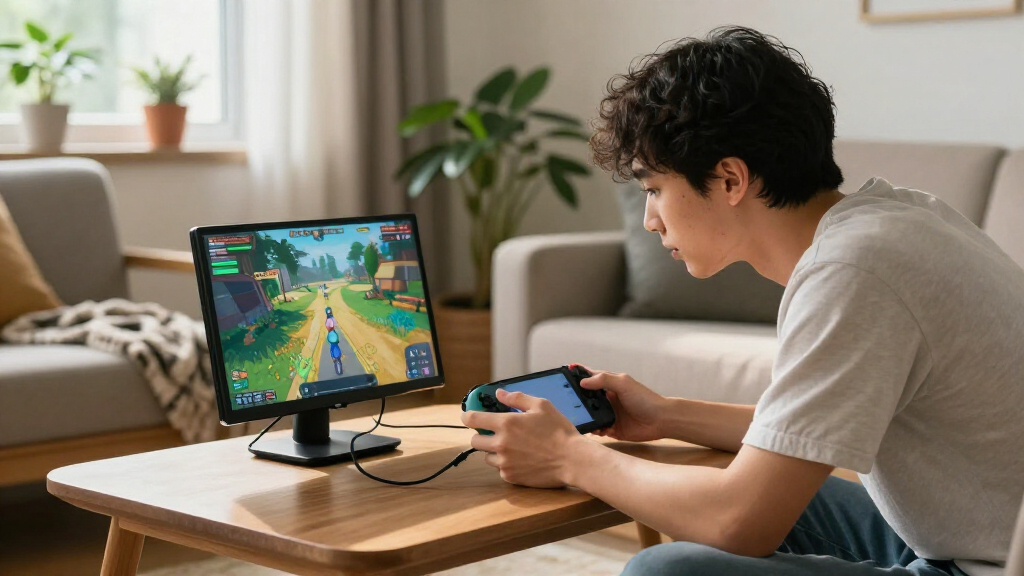
I ranked these portable gaming monitors by how well their stated specifications fit gaming away from a desk. The main factors were refresh rate, resolution, screen size, aspect ratio, and the practical balance between a display that feels responsive and one that remains easy to carry. I also weighed connection options and included accessories where specified, since a monitor can be fast on paper but inconvenient if it complicates a console, laptop, or handheld setup.
The ranking favors models that pair gaming-ready refresh rates with useful resolution and portable dimensions. That puts the UPERFECT 16-Inch 2.5K 144Hz first as a strong balance, with high-refresh FHD and 1920 × 1200 choices close behind for buyers who value speed or device compatibility more. Larger 120Hz models rank lower for portability, while 60Hz FHD screens are better suited to casual play and general use than to buyers seeking smooth high-refresh gaming. Product listings provide limited information about details such as stand stability, brightness, and power behavior, so I avoid treating those as proven advantages.
Factors to Consider When Choosing Portable Gaming Monitors
Choosing a portable gaming monitor is less about picking the biggest number and more about matching the screen to the device and places where you play. I’d check these points before deciding, especially if the monitor will serve more than one console, handheld, or computer.
Match Refresh Rate to Your Games and Device
A high refresh rate can make supported games look smoother, but the monitor cannot create frames your gaming device does not output. Check the device’s video output specifications and the game settings you expect to use before choosing a 144Hz or 165Hz screen. For fast competitive games, a high refresh rate may matter more than extra pixels; for slower games, the difference may be less useful. A common mistake is buying by the monitor’s maximum rate without checking which connection supports it. If your device is limited to 60Hz, a faster panel may still work, but you may not use its main advantage. Decide whether you are buying for your current setup or a future device.
Choose Resolution With Screen Size in Mind
Resolution affects fine detail, but the benefit depends on screen size, viewing distance, and the source device. On a compact 15- or 16-inch display, FHD can be a sensible choice that keeps demands on the graphics hardware more modest. A 2.5K screen can show more detail, but games may need more graphics power to run smoothly at that resolution. Check whether your device can output the monitor’s native resolution at the refresh rate you want; those two specifications do not always work together at their maximum. Do not pay for more pixels if your games or device will run at a lower setting anyway. For many portable setups, a well-matched FHD or 1920 × 1200 screen is the more practical choice.
Balance Screen Area Against Bag Space
A larger panel gives games more room and can feel less cramped when the monitor sits on a table. The tradeoff is straightforward: a monitor that takes up more space is less convenient to carry and set up in tight spaces. The 18.5-inch models in this lineup occupy a useful middle ground, while a 23.8-inch screen is closer to a portable desktop display than a grab-and-go travel companion. Before choosing, compare the monitor’s actual dimensions with your bag and think about where it will sit during play. A portable label does not guarantee that a display fits comfortably alongside a laptop and accessories. If you move between locations often, prioritize a size you will actually want to pack.
Check Every Connection in Your Setup
USB-C can simplify a setup when the connected device supports video over USB-C, but the connector alone does not guarantee that capability. Some devices may need HDMI or another video connection, and a monitor’s included ports may not match your preferred source without an adapter. Check both ends of the connection: the monitor’s inputs and the console, handheld, or computer’s video output. Also check how the monitor is powered and whether your planned setup can supply that power; product names alone do not answer that question. Buyers often focus on port type and miss the cable or power requirements. Confirming compatibility before purchase can prevent a screen that works with one device but not another.
Treat Portability as a Whole-Setup Question
The screen is only one part of what you carry. A cover, stand, cables, power supply, and any required adapter can change how compact the setup feels and how quickly it is ready to play. A smart cover may help protect the display and support it, but the listing does not by itself tell you how stable that support will be on every surface. Think about whether you play at a desk, on a small table, or in a space where a separate stand would be inconvenient. If you travel frequently, a slightly smaller screen with a simple setup may be more useful than a larger, faster one. Judge portability by the complete kit, not only the panel’s diagonal measurement.
Pay for the Feature You Will Actually Use
Higher refresh rates and sharper resolutions are useful only when they fit your games, device, and budget priorities. Paying more for 2.5K makes little sense if your hardware struggles to run games at that resolution, while choosing a 60Hz model may disappoint if smooth motion is a priority. Separate must-haves from bonuses: a supported refresh rate, a compatible input, and a comfortable size usually matter more than a spec you cannot use. If the monitor will double as a work display, resolution and aspect ratio may deserve more weight than peak refresh rate. If it is mainly for competitive play, the reverse may be true. The best value is the model whose strengths match your actual setup, not the one with the longest specification list.
Frequently Asked Questions
Will a 144Hz portable monitor work at 144Hz with my console or handheld?
Not automatically. The connected device, game, cable, and monitor input all need to support the desired resolution and refresh rate together. Check your device’s video output limits and the monitor’s connection specifications before buying. Some games may also have their own frame-rate caps, so a 144Hz screen does not guarantee every game will run at that rate. If your device tops out below 144Hz, choose based on the features you can use now rather than assuming the monitor will raise game performance.
Should I choose 2.5K or 144Hz for portable gaming?
Choose based on what you want to notice during play and what your hardware can drive. A 2.5K panel can show finer detail, but it can also ask more of the connected device. A high refresh rate is most useful when the device can output enough frames and your games benefit from smoother motion. Some models in this roundup combine 2.5K and 144Hz, but the combination does not mean every device can use both at their maximum settings. Check supported output modes before paying extra for either feature.
Is an 18.5-inch portable gaming monitor too large to travel with?
It depends on what you mean by travel and how much equipment you already carry. An 18.5-inch screen gives more viewing area than a 15- or 16-inch model, but takes up more room in a bag and can be less convenient in cramped spaces. It may suit trips where you have a table and want a larger image, while frequent commuters may prefer a smaller display. Compare the monitor’s physical dimensions, not just its diagonal measurement, with your bag and usual play area. Also factor in the stand, cover, and cables.
Can a portable gaming monitor run from one USB-C cable?
Sometimes, but the USB-C port on the source device must support video output, and the monitor must support the power and signal arrangement your setup requires. A USB-C connector by itself does not confirm video compatibility or single-cable operation. Check the monitor’s connection and power specifications alongside the laptop, handheld, or other device’s documentation. Some setups may still need a separate power source or HDMI connection. Confirm those details before relying on a one-cable arrangement for travel.
Is a 60Hz portable monitor a reasonable choice for gaming?
Yes, if you play casually, use games that do not benefit much from higher refresh rates, or want a screen mainly for general display tasks. A 60Hz model can be a practical fit when the connected device also outputs at 60Hz. It is a less suitable choice for players specifically seeking smoother motion or using a device that can take advantage of 120Hz, 144Hz, or 165Hz. The FHD 60Hz options in this roundup prioritize basic portable display use over high-refresh play. Check your gaming habits before deciding whether that tradeoff matters.
Conclusion
My best overall pick is the UPERFECT 16-Inch 2.5K 144Hz for buyers seeking a strong mix of detail, speed, and manageable size. For a best value direction, I’d look at the FHD or 1920 × 1200 high-refresh models, especially when 2.5K is not a priority; the exact choice should follow your device’s supported output. The best premium fit is the UPERFECT 23.8-Inch 144Hz QLED for buyers who want a much larger screen and can accept reduced packability. For beginners, a straightforward 15.6-inch FHD option such as the KYY or ForHelp is easier to justify when high refresh rates are not needed. For specific needs, choose the Acer Nitro 15.6-Inch 165Hz for speed, the UPERFECT or EVICIV 18.5-inch models for a larger travel display, or a 60Hz FHD screen for casual play and basic use. Match the monitor to your hardware and where you play, then prioritize only the features your setup can use.