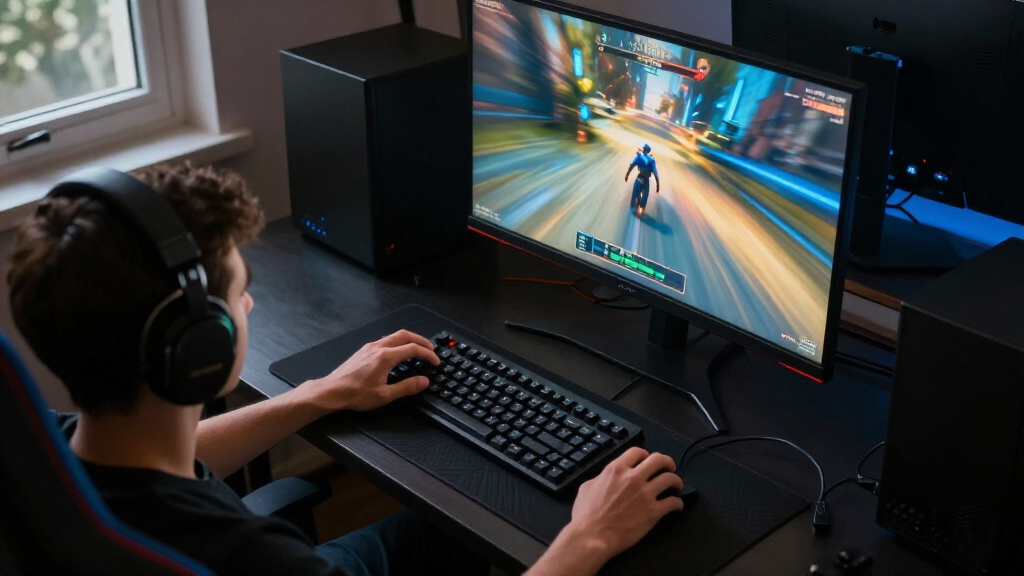

For competitive gaming, my best overall pick is the ASUS TUF Gaming VG259QMRL5A, pairing a 310Hz Full HD panel with a compact size suited to fast-paced play. The BenQ Zowie XL2566X+ pushes refresh rate to 400Hz for players who prioritize motion clarity, while the ASUS ROG Strix XG27ACDNG adds QHD resolution and QD-OLED contrast for a premium all-round experience. The main tradeoff is choosing between higher refresh rates at 1080p and sharper, more immersive QHD screens that may demand more from your graphics card. Panel type, screen size, and the frame rates your PC can actually produce matter just as much as the refresh-rate headline. Read on for my full comparison and advice on matching a monitor to your games, hardware, and play style.

Play games on Amazon Luna for your game nights, included with Prime
- A rotating selection of games, no download needed
- Play on TV, laptop or phone
- Fast, free delivery for your gear, too
Complete the kit



Key Takeaways
- Refresh rate and resolution pull in different directions: the BenQ Zowie XL2566X+ reaches 400Hz at 1080p, while QHD models such as the ASUS TUF VG27AQM5A trade some potential frame-rate headroom for more detail.
- The top speed picks target different players: the 310Hz ASUS TUF VG259QMRL5A offers a high-refresh Full HD route, while the BenQ Zowie XL2566X+ is the lineup’s specialist option for 400Hz play.
- OLED is the premium contrast choice, not the default competitive pick: the ASUS ROG Strix XG27ACDNG and Alienware AW2725DF combine QHD with QD-OLED, but call for a larger investment and more attention to long-term screen-care practices.
- QHD 300Hz models are the strongest middle ground: the ASUS TUF VG27AQM5A and LG UltraGear 27G640A-B pair higher resolution with a fast refresh rate, provided a PC can drive that combination.
- Not every 27-inch screen is a speed-first monitor: the curved Samsung Odyssey G55C and Samsung G51F suit different viewing priorities, while the 23.8- to 24.5-inch Full HD choices keep esports-focused setups compact.






| competitive gaming monitor | Screen size | Resolution | Refresh rate | Response time |
|---|---|---|---|---|
| ASUS TUF Gaming VG249QML5A 24 | 23.8 inches | 1920 × 1080 | 240Hz | 0.3ms minimum |
| ASUS TUF Gaming VG259QMRL5A 24 | 24.5 inches | 1920 × 1080 | 310Hz overclocked | 0.3ms minimum |
| AOC Q27G41ZE 27-inch QHD Gamin | 27 inches | 2560 × 1440 | 240Hz native; 260Hz overclocked | 0.3ms MPRT |
| ASUS TUF Gaming VG27AQM5A 27-I | 27 inches | 2560 × 1440 | 300Hz | 0.3ms minimum |
| Samsung 32-Inch Odyssey G55C Q | 32 inches | 2560 × 1440 | 165Hz | 1ms MPRT |
| ASUS ROG Strix XG27ACDNG 26.5- | 26.5 inches | 2560 × 1440 (QHD) | 360 Hz | 0.03 ms |
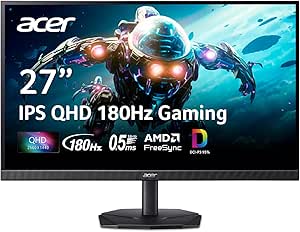
| Acer Nitro KG271U 27-Inch QHD | 27 inches | 2560 × 1440 (QHD) | Up to 180 Hz | Up to 0.5 ms GTG |
| LG UltraGear 27-inch QHD OLED | 27 inches | 2560 × 1440 (QHD) | Up to 240 Hz | 0.03 ms |
| ASUS TUF Gaming VG259QMR5A 25 | 24.5 inches | 1920 × 1080 (Full HD) | Up to 310 Hz | 0.3 ms GTG minimum |
| Dell 24 240Hz Gaming Monitor | 23.8 inches | 1920 × 1080 (Full HD) | 240 Hz | 0.5 ms stated; 5 ms also listed in product information |
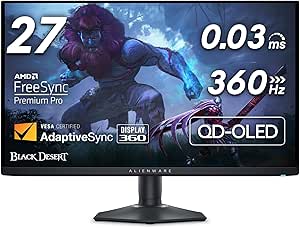
| Alienware AW2725DF 27-Inch QD- | 27 inches | 2560 × 1440 (QHD) | 360 Hz | 0.03 ms gray-to-gray minimum |
| BenQ Zowie XL2566X+ 24.1-Inch | 24.1 inches | 1920 × 1080 (FHD) | 400 Hz | 1 ms |
| Samsung 27-inch Odyssey G5 | 27 inches | 2560 × 1440 (QHD) | 180 Hz | 1 ms MPRT |
| LG UltraGear 27-inch QHD IPS 3 | 27 inches | 2560 × 1440 (QHD) | 300 Hz | 1 ms GtG |
| ASUS TUF VG279QM5A 27-Inch 108 | 27 inches | 1920 × 1080 (Full HD) | 240 Hz | 0.3 ms minimum |
More Details on Our Top Picks
ASUS TUF Gaming VG249QML5A 24 Inch 1080p 240Hz G-SYNC Gaming Monitor
I’d choose the VG249QML5A for competitive players who want a compact Full HD screen with a fast refresh rate but don’t need to chase the highest number in the lineup. Its 240Hz Fast IPS panel, variable refresh support, and ELMB Sync are aimed at keeping fast movement clear and reducing tearing. Compared with the VG259QMRL5A, it gives up the option of an overclocked 310Hz refresh rate, but its 240Hz ceiling is a more straightforward match for players who prioritize a responsive setup over squeezing out every available frame. The height-adjustable stand and mouse-based DisplayWidget Center controls also make day-to-day setup easier. The tradeoffs are the modest 1080p resolution and the fact that the 0.3ms figure is a minimum response-time claim, not a guarantee for every setting.
Pros:- 240Hz Fast IPS panel targets fluid motion for fast-paced play.
- FreeSync Premium and G-SYNC compatibility support variable refresh rates.
- ELMB Sync can combine motion-blur reduction with variable refresh.
- Height adjustment and DisplayWidget Center offer convenient setup and control.
Cons:- Full HD resolution provides less desktop and image detail than the QHD options in this roundup.
- Its 240Hz ceiling is lower than the VG259QMRL5A’s overclocked 310Hz mode.
- The stated 0.3ms response time is a minimum figure rather than a typical-use guarantee.
Best for: Competitive players who want a 24-inch-class 1080p display, 240Hz motion, and an adjustable stand without prioritizing an overclocked refresh rate.
Not ideal for: Players seeking sharper QHD detail or the highest possible refresh rate; the AOC Q27G41ZE offers QHD, while the VG259QMRL5A reaches 310Hz when overclocked.
- Screen size:23.8 inches
- Resolution:1920 × 1080
- Panel:Fast IPS
- Refresh rate:240Hz
- Response time:0.3ms minimum
- Adaptive sync:FreeSync Premium; G-SYNC compatible
- Color gamut:99% sRGB
- Ports:DisplayPort 1.4; HDMI
Our verdict“Choose this ASUS for a well-equipped 240Hz Full HD setup; pick the VG259QMRL5A if refresh rate matters more than keeping the setup simple.”
ASUS TUF Gaming VG259QMRL5A 24.5-Inch Full HD 310Hz Gaming Monitor
For players focused on competitive frame rates, the VG259QMRL5A stands out with an overclocked 310Hz mode and a 0.3ms minimum response-time claim. That gives it a speed-first role next to the VG249QML5A, which tops out at 240Hz but still covers the needs of many fast-paced setups. Its 24.5-inch Full HD Fast IPS format keeps the screen size manageable, while FreeSync Premium and G-SYNC compatibility help match refresh to changing frame rates. DisplayHDR 400 and 99% sRGB broaden its visual feature set, though they don’t change the core reason to buy it: high-refresh competitive play. The main compromise is resolution—unlike the QHD AOC Q27G41ZE, this ASUS shows less fine detail, and reaching 310Hz requires overclocking.
Pros:- Overclocked refresh rate reaches 310Hz for speed-focused play.
- Fast IPS panel and 0.3ms minimum response-time claim target responsive motion.
- FreeSync Premium and G-SYNC compatibility support adaptive refresh.
- Includes DisplayHDR 400, 99% sRGB coverage, and a height-adjustable stand.
Cons:- 310Hz is available through overclocking rather than the stated native refresh rate.
- Full HD is less detailed than the QHD AOC Q27G41ZE and ASUS VG27AQM5A.
- The high refresh ceiling is most useful only when the system can deliver very high frame rates.
Best for: Players with a PC capable of producing very high frame rates who prefer a compact Full HD screen and want to pursue refresh rates above 240Hz.
Not ideal for: Players who value sharper QHD detail or want a refresh rate that does not depend on overclocking; the AOC Q27G41ZE is a QHD alternative.
- Screen size:24.5 inches
- Resolution:1920 × 1080
- Panel:Fast IPS
- Refresh rate:310Hz overclocked
- Response time:0.3ms minimum
- Adaptive sync:FreeSync Premium; G-SYNC compatible
- HDR:VESA DisplayHDR 400
- Stand:Height adjustable
Our verdict“Pick this ASUS if your priority is pushing beyond 240Hz at Full HD and your PC can feed the screen enough frames.”
AOC Q27G41ZE 27-inch QHD Gaming Monitor
The AOC Q27G41ZE makes sense for players who want QHD detail without stepping down to a conventional mid-refresh screen. Its 27-inch IPS display runs at 240Hz natively and can reach 260Hz through overclocking, pairing a sharper 2560 × 1440 image with a competitive refresh rate. Compared with the Full HD ASUS VG249QML5A, the AOC gives games and desktop content more detail; compared with the ASUS VG27AQM5A, it has a lower refresh ceiling but still delivers a quick native 240Hz. Adaptive-Sync and G-SYNC compatibility support smoother frame delivery. The cost of that balance is a basic stand: it tilts, but does not offer the height adjustment listed for the ASUS models. 300-nit brightness is another limit for bright rooms or HDR-focused viewing.
Pros:- QHD resolution provides more image and desktop detail than the Full HD ASUS models.
- 240Hz native refresh rate supports fast competitive gameplay.
- Overclocking raises the refresh rate to 260Hz.
- Adaptive-Sync and NVIDIA G-SYNC compatibility support variable refresh.
Cons:- Stand adjustment is limited to tilt, unlike the height-adjustable ASUS VG27AQM5A.
- 300-nit brightness may be limiting in bright rooms.
- Its 260Hz overclocked ceiling is below the ASUS VG27AQM5A’s 300Hz.
Best for: Competitive players who want a 27-inch QHD screen at a high native refresh rate and can position the monitor using a tilt-only stand.
Not ideal for: Players who need height-adjustable ergonomics, stronger listed brightness, or a refresh rate above 260Hz; the ASUS VG27AQM5A reaches 300Hz.
- Screen size:27 inches
- Resolution:2560 × 1440
- Panel:IPS
- Refresh rate:240Hz native; 260Hz overclocked
- Response time:0.3ms MPRT
- Brightness:300 nits
- Adaptive sync:Adaptive-Sync; NVIDIA G-SYNC compatible
- Ports:1 × DisplayPort 1.4; 2 × HDMI 2.0; audio out
Our verdict“Choose the AOC for QHD detail at a strong native refresh rate if tilt-only positioning is enough for your desk.”
ASUS TUF Gaming VG27AQM5A 27-Inch QHD 300Hz Gaming Monitor
The VG27AQM5A is the speed-focused choice for players who want both QHD detail and a refresh rate above the AOC Q27G41ZE’s 240Hz native setting. Its 27-inch Fast IPS panel combines 2560 × 1440 resolution with 300Hz and ELMB Sync, giving fast action more fluidity while retaining the extra detail useful beyond esports. FreeSync Premium adaptive sync helps reduce tearing when frame rates vary, and the listed 95% DCI-P3 gamut points to richer color coverage than a narrow-gamut display. Compared with the 310Hz VG259QMRL5A, this ASUS trades some peak refresh for QHD resolution. Built-in speakers can cover basic audio needs, but the supplied details don’t establish speaker quality, and the listed connectivity does not specify port counts or versions.
Pros:- QHD resolution and 300Hz refresh rate combine detail with fast motion.
- Fast IPS panel and 0.3ms minimum response-time claim target responsive gameplay.
- ELMB Sync and FreeSync Premium address motion blur and variable frame rates.
- 95% DCI-P3 coverage, built-in speakers, and a three-year warranty add useful extras.
Cons:- The 300Hz ceiling is below the VG259QMRL5A’s overclocked 310Hz, though that model is Full HD.
- Listed connectivity omits port counts and versions, making setup planning less certain.
- Built-in speakers may not replace dedicated audio for players who need clear positional sound.
Best for: Competitive players who want a 27-inch QHD display with a 300Hz refresh rate and a single monitor for both fast games and detailed visuals.
Not ideal for: Players who want the highest listed refresh rate regardless of resolution, or need confirmed port details and a strong built-in audio setup.
- Screen size:27 inches
- Resolution:2560 × 1440
- Panel:Fast IPS
- Refresh rate:300Hz
- Response time:0.3ms minimum
- Color gamut:95% DCI-P3
- Adaptive sync:FreeSync Premium
- Built-in speakers:Yes
- Warranty:3 years
Our verdict“Choose this ASUS if you want QHD detail without giving up a 300Hz competitive refresh rate.”
Samsung 32-Inch Odyssey G55C QHD Curved Gaming Monitor
The Odyssey G55C serves a different competitive setup from the smaller, faster monitors here: it favors a large, enveloping view over maximum refresh rate. Its 32-inch QHD screen and 1000R curve fill more of a player’s field of view, while the 165Hz refresh rate still supports responsive play. Compared with the 27-inch AOC Q27G41ZE, the Samsung offers a larger curved image but gives up refresh headroom—240Hz native on the AOC can be preferable for players focused on rapid aim tracking. The Samsung’s higher listed 2500:1 contrast ratio and HDR10 support add visual depth, while AMD FreeSync helps manage tearing. Glossy finish can reflect room lighting, and the stand adjustment details supplied here are limited, so this is a less flexible fit for varied desk positions.
Pros:- 32-inch QHD display provides a large, detailed view.
- 1000R curvature creates a more enveloping screen shape.
- 165Hz refresh rate and AMD FreeSync support smoother gameplay.
- HDR10, Eye Saver Mode, and a listed 2500:1 contrast ratio add viewing features.
Cons:- 165Hz is lower than the 240Hz AOC Q27G41ZE and the 300Hz ASUS VG27AQM5A.
- Glossy finish can reflect lights and windows.
- Only one HDMI port is listed, limiting HDMI-connected devices.
Best for: Players who prefer a large, curved QHD screen for immersive competitive and general gaming and are comfortable with a 165Hz refresh rate.
Not ideal for: Esports-focused players prioritizing the highest refresh rates, or anyone gaming in a room with strong reflections; the AOC Q27G41ZE offers 240Hz and a matte finish.
- Screen size:32 inches
- Resolution:2560 × 1440
- Refresh rate:165Hz
- Response time:1ms MPRT
- Curvature:1000R
- Contrast ratio:2500:1
- Adaptive sync:AMD Radeon FreeSync
- HDR:HDR10
- HDMI ports:1
Our verdict“Pick the Odyssey G55C if you want a large, curved QHD gaming view and can accept a lower refresh rate than the speed-first alternatives.”
ASUS ROG Strix XG27ACDNG 26.5-Inch QHD QD-OLED Gaming Monitor
The ROG Strix XG27ACDNG pairs QHD detail with a 360Hz QD-OLED panel, making it a strong fit for players who want both rapid motion and rich contrast. Its 0.03 ms response time is suited to fast competitive play, while 99% DCI-P3 coverage also gives games vivid color. Compared with the LG UltraGear 27-inch QHD OLED 240Hz, this ASUS offers a higher refresh ceiling for players chasing every frame; the LG, in turn, provides a more adjustable stand and listed HDMI 2.1 connectivity. A custom heatsink and OLED Care+ address panel longevity, and the three-year warranty includes burn-in coverage. Still, those protections do not eliminate burn-in risk, and QHD at 360Hz asks for a powerful graphics card to make full use of the panel.
Pros:- QHD resolution combines detailed visuals with a 360Hz refresh rate.
- QD-OLED panel and 99% DCI-P3 coverage deliver high contrast and vivid color.
- 0.03 ms response time is suited to fast-moving competitive games.
- OLED Care+, a custom heatsink, and burn-in coverage in the three-year warranty offer added safeguards.
Cons:- OLED burn-in risk is reduced but not eliminated.
- A powerful PC is needed to drive demanding games at very high frame rates at QHD.
- Compared with the 240Hz LG OLED, it has a higher refresh rate but fewer listed stand adjustments and less detailed port information.
Best for: Competitive PC players with a high-end graphics card who want QHD sharpness, OLED contrast, and a 360Hz refresh rate in one display.
Not ideal for: Budget-conscious players or anyone who mostly plays static-content games and would rather avoid OLED burn-in concerns.
- Screen size:26.5 inches
- Display type:QD-OLED
- Resolution:2560 × 1440 (QHD)
- Refresh rate:360 Hz
- Response time:0.03 ms
- Color gamut:99% DCI-P3
- Ports:2 × HDMI, 2 × USB
- Warranty:3 years, including burn-in coverage
Our verdict“Choose this ASUS if you want QHD OLED contrast and a 360Hz ceiling, and can accept the panel-care tradeoffs.”
Acer Nitro KG271U 27-Inch QHD 180Hz IPS Gaming Monitor
The Acer Nitro KG271U is the straightforward pick for players who want a larger QHD screen without making extreme refresh rates the priority. Its 180Hz IPS panel and FreeSync support provide a smoother experience than a standard 60Hz display, while QHD resolution keeps distant details clearer than the 1080p ASUS TUF VG259QMR5A. The tradeoff is speed: that ASUS reaches 310Hz, making it more suitable for highly competitive players who prioritize frame rate over resolution. Acer’s 95% DCI-P3 coverage and HDR10 support broaden its appeal beyond esports, but the listed 250 cd/m² brightness may limit visibility in bright rooms, and HDR support alone does not promise especially impactful highlights. Built-in speakers are handy for basic audio, though they are not a substitute for a dedicated headset or speakers.
Pros:- QHD resolution provides more detail than the 1080p ASUS TUF VG259QMR5A.
- Up to 180Hz refresh rate and AMD FreeSync support smoother gameplay.
- 95% DCI-P3 color coverage and HDR10 support suit varied game content.
- Built-in speakers and matte finish offer convenient everyday use.
Cons:- Listed brightness of 250 cd/m² may be limiting in bright environments.
- 180Hz falls behind the 240Hz Dell SE2426HG and 310Hz ASUS TUF options for frame-rate-focused play.
- The number of HDMI and DisplayPort inputs is not specified.
Best for: Players moving up from 1080p who want QHD detail, an IPS panel, and a refresh rate suited to competitive gaming without chasing 300Hz-plus.
Not ideal for: Esports specialists prioritizing the highest refresh rates, or players gaming in bright rooms who need a brighter display.
- Screen size:27 inches
- Panel type:IPS
- Resolution:2560 × 1440 (QHD)
- Refresh rate:Up to 180 Hz
- Response time:Up to 0.5 ms GTG
- Adaptive sync:AMD FreeSync
- Brightness:250 cd/m²
- Connectivity:DisplayPort and HDMI
Our verdict“Pick the Acer for QHD detail and a capable IPS refresh rate, but choose a faster 1080p model if esports frame rate comes first.”
LG UltraGear 27-inch QHD OLED 240Hz Gaming Monitor
The LG UltraGear QHD OLED balances competitive speed with a broader PC-and-console setup. Its 240Hz refresh rate and 0.03 ms response time support responsive play, while OLED contrast and DisplayHDR True Black 400 add depth to darker scenes. Compared with the ASUS ROG Strix XG27ACDNG, this LG gives up 120Hz of refresh headroom but lists more connection options, including two HDMI 2.1 ports, plus height, tilt, swivel, and pivot adjustments. That makes it a more flexible choice for players switching between a PC and console, though the ASUS is the stronger match for those chasing the highest QHD refresh rate. The glossy screen can make reflections more apparent, and OLED image retention remains a consideration; pixel-care features help manage that risk rather than remove it.
Pros:- 240Hz refresh rate and 0.03 ms response time support rapid gameplay.
- OLED contrast and DisplayHDR True Black 400 provide strong dark-scene detail.
- G-SYNC Compatible and FreeSync Premium Pro support a range of gaming systems.
- Two HDMI 2.1 ports and a height-, tilt-, swivel-, and pivot-adjustable stand add flexibility.
Cons:- Its 240Hz ceiling is below the ASUS ROG Strix XG27ACDNG’s 360Hz.
- Glossy screen can show reflections in bright rooms.
- OLED image retention remains possible despite pixel-care features.
Best for: PC and console players who want QHD OLED contrast, a 240Hz ceiling, and versatile connections and stand adjustments.
Not ideal for: Esports players who specifically want 360Hz at QHD, or users who prefer a matte display in a brightly lit room.
- Screen size:27 inches
- Panel type:OLED
- Resolution:2560 × 1440 (QHD)
- Refresh rate:Up to 240 Hz
- Response time:0.03 ms
- Brightness:275 nits standard; up to 1300 nits peak
- Adaptive sync:NVIDIA G-SYNC Compatible; AMD FreeSync Premium Pro
- Ports:2 × HDMI 2.1, DisplayPort 1.4, 3 × USB 3.2, 3-pole headphone jack
- Stand adjustments:Height, tilt, swivel, and pivot
Our verdict“Choose the LG for a flexible QHD OLED setup across PC and console, unless your priority is the highest possible refresh rate.”
ASUS TUF Gaming VG259QMR5A 25 Inch 1080p 310Hz G-SYNC Gaming Monitor
The ASUS TUF Gaming VG259QMR5A puts fast competitive play ahead of resolution, with a 310Hz overclocked refresh rate and a 24.5-inch-class Full HD Fast IPS panel. That lower pixel load makes high frame rates more attainable than on the QHD ASUS ROG Strix XG27ACDNG, while FreeSync Premium and G-SYNC compatibility help reduce tearing. ELMB Sync can combine motion-blur reduction with variable refresh, a useful feature for players who value clear movement. Compared with the Dell SE2426HG, this model pushes refresh rate higher, but the Dell offers 240Hz and a similarly compact 1080p IPS format. The TUF’s 99% sRGB coverage also gives it some versatility beyond esports. Its main compromise is clarity: 1080p is less detailed than the QHD options, and the stated 0.3 ms response time is a minimum figure.
Pros:- Overclocked refresh rate reaches 310Hz for high-frame-rate competition.
- Fast IPS panel with a stated minimum 0.3 ms GTG response time.
- FreeSync Premium, G-SYNC compatibility, and ELMB Sync offer motion-management options.
- 99% sRGB coverage and DisplayWidget Center add color and control flexibility.
Cons:- Full HD is less detailed than the QHD Acer Nitro KG271U and OLED alternatives.
- The 310Hz ceiling is below the 360Hz ASUS ROG Strix XG27ACDNG, though that model is QHD OLED.
- The 0.3 ms response time is specified as a minimum, not a guarantee for every operating mode.
Best for: Competitive players focused on high frame rates in fast-paced games who have a PC that can deliver very high FPS at 1080p.
Not ideal for: Players who want QHD detail for mixed gaming and work, or who value image sharpness over maximum refresh rate.
- Screen size:24.5 inches
- Panel type:Fast IPS
- Resolution:1920 × 1080 (Full HD)
- Refresh rate:Up to 310 Hz
- Response time:0.3 ms GTG minimum
- Adaptive sync:AMD FreeSync Premium; G-SYNC Compatible
- Color gamut:99% sRGB
- Brightness:300 cd/m²
- Connectivity:DisplayPort and HDMI
Our verdict“Choose this TUF for high-refresh 1080p esports, and choose a QHD model if sharper detail matters more than frame-rate headroom.”
The Dell SE2426HG suits players who want a compact, uncomplicated 1080p monitor with a 240Hz IPS panel. Its 23.8-inch size keeps the screen easy to scan at close range, and FreeSync Premium plus HDMI VRR support smoother play across PC and console setups. Compared with the ASUS TUF VG259QMR5A, the Dell tops out at 240Hz rather than 310Hz, so it gives up some headroom for players chasing the highest frame rates. Its listed 0.5 ms response time and 99% sRGB coverage make it a capable everyday gaming display, while TÜV Rheinland 3-star eye comfort certification may appeal to players with long sessions. The tradeoffs are a lower refresh ceiling than the ASUS and a tilt-only stand; the supplied data also lists a 5 ms response-time field, so buyers should not assume the 0.5 ms claim applies in every mode.
Pros:- 240Hz refresh rate offers smooth motion for competitive gaming.
- Fast IPS panel, FreeSync Premium, and HDMI VRR support responsive, tear-reduced play.
- Two HDMI ports and DisplayPort 1.4 provide useful PC and console connectivity.
- 99% sRGB coverage and TÜV Rheinland 3-star eye comfort certification support everyday use.
Cons:- 240Hz is below the ASUS TUF VG259QMR5A’s 310Hz refresh rate.
- Full HD resolution has less detail than QHD options such as the Acer Nitro KG271U.
- Stand adjustment is limited to tilt, and supplied response-time specifications include both 0.5 ms and 5 ms figures.
Best for: Players who want a compact Full HD IPS monitor for competitive PC or console gaming and prefer a 240Hz screen over a larger QHD display.
Not ideal for: Players who want 300Hz-plus refresh rates, QHD resolution, or an ergonomic stand with height and swivel adjustments.
- Screen size:23.8 inches
- Panel type:IPS
- Resolution:1920 × 1080 (Full HD)
- Refresh rate:240 Hz
- Response time:0.5 ms stated; 5 ms also listed in product information
- Adaptive sync:AMD FreeSync Premium; HDMI VRR
- Color coverage:99% sRGB
- Ports:2 × HDMI, DisplayPort 1.4
- Stand adjustment:Tilt
Our verdict“Pick the Dell for compact 240Hz Full HD gaming and useful console connections, but look to the ASUS TUF for a higher refresh ceiling.”
Alienware AW2725DF 27-Inch QD-OLED Gaming Monitor, QHD 360Hz
The AW2725DF pairs a 360Hz refresh rate with QD-OLED’s near-instant pixel response, giving competitive players both fluid motion and deep blacks without sacrificing QHD detail. Compared with the LG UltraGear 27G640A-B, it offers a faster refresh rate and much stronger OLED contrast, while the LG provides IPS viewing characteristics and a broader practical connection set. The Alienware’s 99.3% DCI-P3 coverage and DisplayHDR True Black 400 also make it a better fit for players who care about vivid visuals between matches. The tradeoff is its QHD ceiling rather than 4K, and OLED remains a poor match for buyers who leave static interface elements onscreen for long stretches. Its three-year burn-in coverage helps address that concern, but does not make the panel’s care requirements disappear.
Pros:- 360Hz refresh rate and 0.03 ms minimum gray-to-gray response time suit fast competitive play.
- QD-OLED delivers deep blacks and broad DCI-P3 color coverage.
- FreeSync Premium Pro and VESA AdaptiveSync support variable refresh.
- Adjustable stand and three-year warranty that includes OLED burn-in coverage.
Cons:- QHD resolution is less detailed than 4K for players prioritizing maximum image sharpness.
- OLED panel care may not suit workloads with persistent static interface elements.
- Reaching the full 360Hz refresh rate requires a capable PC and suitable connection.
Best for: Competitive PC players with hardware capable of driving high frame rates at QHD who want OLED contrast and rich color as well as responsive motion.
Not ideal for: Players who prioritize 4K detail, need a display for long sessions with persistent static content, or cannot reach high frame rates at QHD.
- Screen size:27 inches
- Panel:QD-OLED
- Resolution:2560 × 1440 (QHD)
- Refresh rate:360 Hz
- Response time:0.03 ms gray-to-gray minimum
- Adaptive sync:AMD FreeSync Premium Pro; VESA AdaptiveSync
- HDR:VESA DisplayHDR True Black 400
- Ports:DisplayPort, HDMI, USB 3.2 Gen 1
- Warranty:Three-year Advanced Exchange Service with OLED burn-in coverage
Our verdict“Choose the AW2725DF if you want premium OLED contrast alongside a very high QHD refresh rate and have a PC powerful enough to use it.”
BenQ Zowie XL2566X+ 24.1-Inch 400Hz Fast TN Gaming Monitor
The XL2566X+ is built around a clear competitive priority: 400Hz motion and DyAc 2 blur reduction, rather than high resolution or cinematic contrast. Its 24.1-inch FHD screen keeps the action contained in a compact field of view, while the Fast TN panel and 1ms response time target players who value quick visual tracking. Compared with the Alienware AW2725DF, the Zowie gives up QHD detail, OLED blacks, and color richness in exchange for a higher refresh ceiling and a format aimed squarely at esports. FreeSync support adds variable-refresh flexibility, but the provided details do not list the broader adaptive-sync options found on some rivals. This is a specialized choice: its FHD resolution can help keep frame rates high, yet it looks less detailed than the Samsung Odyssey G5’s QHD panel, and TN viewing angles are more limited.
Pros:- 400Hz refresh rate provides the highest listed refresh rate in this batch.
- DyAc 2 is designed to reduce perceived motion blur.
- Fast TN panel and 1ms response time are geared toward quick motion.
- FreeSync support and HDMI, DisplayPort, and headphone connectivity.
Cons:- FHD resolution is less sharp than the QHD Alienware AW2725DF and Samsung Odyssey G5.
- TN viewing angles are more limited than IPS or OLED alternatives.
- The 400Hz ceiling is most useful to players whose PC can sustain very high frame rates.
Best for: Esports-focused players with a high-frame-rate PC who prefer a compact FHD display and prioritize motion clarity over resolution and rich contrast.
Not ideal for: Players who want QHD detail, strong color and viewing angles, or a monitor that doubles as an immersive general-purpose screen.
- Screen size:24.1 inches
- Panel:Fast TN LCD
- Resolution:1920 × 1080 (FHD)
- Refresh rate:400 Hz
- Response time:1 ms
- Motion feature:DyAc 2 blur reduction
- Adaptive sync:FreeSync
- Ports:HDMI, DisplayPort, headphone jack
- Warranty:3 years
Our verdict“Pick the XL2566X+ if your priority is esports motion clarity at very high frame rates and you are willing to trade away QHD sharpness and wider viewing angles.”
Samsung 27-inch Odyssey G5 (G51F) Series QHD Gaming Monitor
The Odyssey G5 makes a sensible step up for players who want more screen detail than FHD without pursuing extreme refresh rates. Its QHD VA panel gives games more pixel detail than the ASUS TUF VG279QM5A’s 1080p display, while 180Hz and FreeSync support keep motion smoother than a standard office monitor. Black Equalizer is a useful competitive-oriented control: lifting dark areas can make opponents easier to spot in shadowed scenes. Against the LG UltraGear 27G640A-B, though, the Samsung’s 180Hz ceiling is a clear compromise; the LG’s 300Hz refresh rate is better suited to high-speed play. The VA panel’s 3000:1 contrast can add depth to darker games, but it does not offer OLED-level blacks, and HDR10 support should not be mistaken for the stronger HDR performance of the Alienware AW2725DF. This is the more balanced, less speed-obsessed QHD option.
Pros:- QHD resolution gives noticeably more image detail than the FHD ASUS TUF VG279QM5A.
- 180Hz refresh rate and FreeSync support smooth competitive gameplay.
- Black Equalizer lets players adjust visibility in dark areas.
- Height-adjustable stand with tilt and pivot adjustments.
Cons:- 180Hz is slower than the 300Hz LG UltraGear 27G640A-B and 360Hz Alienware AW2725DF.
- VA LCD contrast and HDR10 support do not match the OLED Alienware’s black levels or HDR format.
- The 1ms response-time figure is listed as MPRT, not directly comparable to GtG figures.
Best for: Players moving from FHD to QHD who want sharper game detail, useful shadow controls, and a refresh rate above standard 144Hz-class displays.
Not ideal for: Esports players seeking the highest possible refresh rate, or buyers who want OLED-level contrast and HDR impact.
- Screen size:27 inches
- Panel:VA LCD
- Resolution:2560 × 1440 (QHD)
- Refresh rate:180 Hz
- Response time:1 ms MPRT
- Contrast ratio:3000:1
- HDR:HDR10
- Adaptive sync:AMD FreeSync
- Stand adjustments:Height, tilt, pivot
Our verdict“Choose the Odyssey G5 if you want QHD sharpness and useful shadow controls more than the highest refresh rate in the lineup.”
LG UltraGear 27-inch QHD IPS 300Hz Gaming Monitor (27G640A-B)
The LG UltraGear 27G640A-B is a strong middle ground for competitive players who want QHD resolution and 300Hz without moving to OLED. Its IPS panel, 1ms GtG response time, and support for both AMD FreeSync Premium and NVIDIA G-SYNC compatibility make it a flexible match for different gaming PCs. Compared with the Samsung Odyssey G5, it raises the refresh ceiling substantially while keeping the same 27-inch QHD class; compared with the Alienware AW2725DF, it gives up OLED contrast and 360Hz speed but avoids making OLED the centerpiece. The USB-C port adds a convenient connection, though its 15W power delivery is limited and should not be treated as laptop charging power for demanding systems. HDR10 and DisplayHDR 400 add compatibility, but the listed 400 cd/m² brightness and IPS contrast are not a substitute for OLED’s deeper blacks.
Pros:- 300Hz refresh rate and 1ms GtG response time combine speed with QHD detail.
- IPS panel covers up to 95% DCI-P3.
- AMD FreeSync Premium and NVIDIA G-SYNC compatibility support a range of GPUs.
- HDMI 2.1, DisplayPort, USB-C, and a fully adjustable stand.
Cons:- 15W USB-C power delivery is limited for charging laptops.
- The Alienware AW2725DF offers a higher 360Hz refresh rate and deeper OLED contrast.
- Using 300Hz requires a compatible graphics card and connection.
Best for: Competitive players who want a fast QHD IPS monitor, broad variable-refresh compatibility, and HDMI 2.1 alongside DisplayPort and USB-C.
Not ideal for: Players seeking OLED black levels, a refresh rate above 300Hz, or USB-C power delivery capable of charging a demanding laptop.
- Screen size:27 inches
- Panel:IPS
- Resolution:2560 × 1440 (QHD)
- Refresh rate:300 Hz
- Response time:1 ms GtG
- Brightness:400 cd/m²
- HDR:VESA DisplayHDR 400; HDR10
- Adaptive sync:AMD FreeSync Premium; NVIDIA G-SYNC compatible
- Ports:USB-C (15W power delivery), 2 × HDMI 2.1, DisplayPort 1.4
Our verdict“Choose the LG if you want a high-refresh QHD IPS screen with broad GPU compatibility and do not need OLED contrast or more than 300Hz.”
ASUS TUF VG279QM5A 27-Inch 1080p 240Hz Fast IPS Gaming Monitor
The ASUS TUF VG279QM5A is aimed at players who want a responsive IPS screen and can live without QHD resolution. Its 240Hz refresh rate, 0.3ms minimum response-time claim, and ELMB Sync provide a feature set focused on reducing blur and tearing, while FreeSync Premium and G-SYNC compatibility broaden GPU support. Compared with the Samsung Odyssey G5, this ASUS trades QHD sharpness and a higher-contrast VA panel for a faster refresh rate and IPS viewing angles. The LG UltraGear 27G640A-B is the more ambitious choice if your system can drive QHD at 300Hz; this TUF is simpler to pair with hardware targeting FHD frame rates. The main compromise is the 27-inch FHD resolution, which looks less detailed than QHD at this screen size. It also lacks the high-refresh headroom of the 300Hz LG and 400Hz BenQ.
Pros:- 240Hz refresh rate and 0.3ms minimum response-time specification target responsive play.
- Fast IPS panel offers 178-degree viewing angles.
- FreeSync Premium and G-SYNC compatibility support variable refresh across GPU types.
- ELMB Sync combines blur-reduction and adaptive-sync support.
Cons:- FHD resolution is less sharp than the QHD Samsung Odyssey G5 and LG UltraGear.
- 240Hz trails the 300Hz LG UltraGear and 400Hz BenQ Zowie for refresh headroom.
- The 0.3ms figure is a minimum response-time specification, not a guarantee of typical performance.
Best for: Players who prefer a 27-inch IPS screen, play at FHD, and want 240Hz motion with adaptive sync and blur-reduction features.
Not ideal for: Buyers who want sharper QHD detail, very high refresh rates beyond 240Hz, or an OLED display with deeper blacks.
- Screen size:27 inches
- Panel:Fast IPS
- Resolution:1920 × 1080 (Full HD)
- Refresh rate:240 Hz
- Response time:0.3 ms minimum
- Adaptive sync:AMD FreeSync Premium; G-SYNC compatible
- Motion feature:ELMB Sync
- Color gamut:99% sRGB
- Ports:DisplayPort 1.4, HDMI
Our verdict“Pick the ASUS TUF if you want an FHD IPS monitor with 240Hz and flexible sync, and would rather avoid the demands of QHD gaming.”
How We Picked
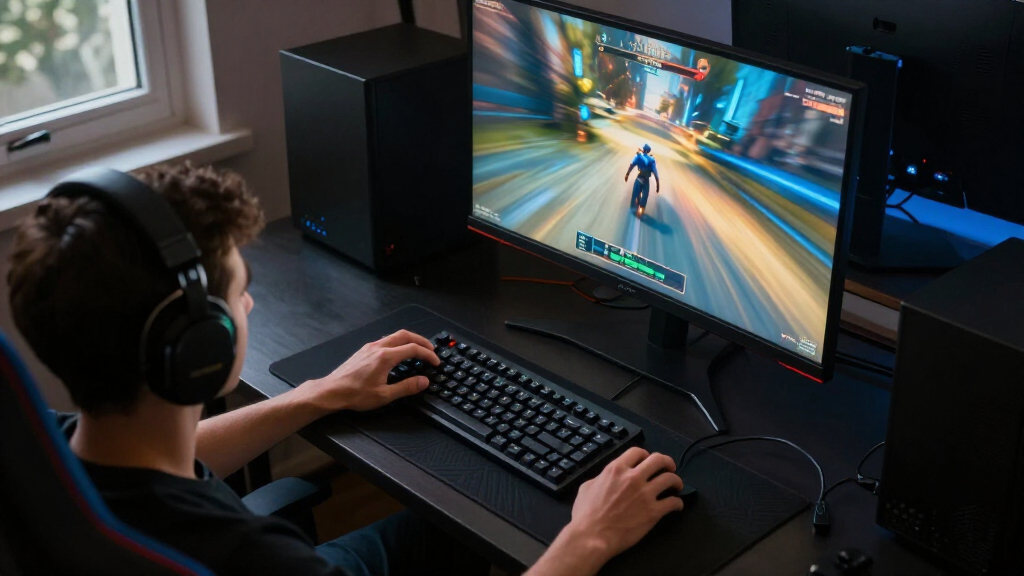
I ranked these competitive gaming monitors by the way their refresh rate, resolution, panel technology, and screen size serve fast play—not by one headline specification. High refresh rates can help motion look smoother, but only when a gaming PC can deliver enough frames; I weighed that practical match alongside whether Full HD or QHD makes more sense for the likely user. I also considered panel tradeoffs: OLED models offer strong contrast and rapid pixel response, while IPS and TN options can be more straightforward fits for focused, high-frame-rate setups.
The ranking favors options with a clear competitive use case, sensible performance-to-capability balance, and fewer compromises for their intended buyer. A 400Hz model earns distinction for specialist speed, but it does not automatically outrank QHD displays that better balance sharpness and responsiveness. I also considered usability factors such as screen size, stated adaptive-sync support, and whether a model’s specifications leave room for a buyer’s existing PC and play style. Since the supplied product details vary in depth, I avoid claiming unlisted response-time figures, ergonomic features, or direct test results.
Factors to Consider When Choosing Competitive Gaming Monitors
Choosing a competitive monitor is less about buying the biggest specification and more about avoiding a mismatch between display, PC, and game. These factors can help narrow the field before you focus on a particular model.
Match Refresh Rate to Your Actual Frame Rate
A monitor’s maximum refresh rate only helps when your system can feed it frames at a similar pace. Check performance in the games you play most, using demanding matches and realistic settings rather than a best-case benchmark. If your PC usually sits far below 300 frames per second, a 300Hz or 400Hz model may leave much of its speed unused. A lower refresh-rate display can be the better use of your budget when it lets you keep stable frame rates or improve other parts of your setup. Adaptive-sync support can help smooth changes in frame delivery, but check whether the monitor and graphics card support a compatible mode. Prioritize a refresh target your system can reach consistently, not just a maximum number on the product page.
Choose Full HD or QHD Around Your Games and GPU
Full HD is often a practical fit for esports-focused setups because it asks less of the graphics card and pairs naturally with compact 24- to 25-inch screens. QHD adds detail and workspace, which can help when a monitor also serves everyday desktop use or visually rich games. That resolution increase brings a performance cost: pushing QHD at very high refresh rates can demand substantially more graphics power. Buyers sometimes upgrade resolution and refresh rate at once, then find their PC cannot maintain the frame rates they expected. Decide which improvement matters more to you, then check game performance at that exact resolution. A single monitor can serve competitive and general use, but a compromise in either resolution or peak frame rate may be necessary.
Treat Panel Type as a Tradeoff, Not a Ranking
Panel technology shapes the image and the ownership experience, but it does not alone determine which monitor is best for competition. OLED and QD-OLED models in this lineup offer deep contrast and fast pixel response, making them appealing for buyers who want striking visuals alongside speed. IPS choices offer a different balance and appear across both Full HD and high-refresh QHD options. The BenQ Zowie XL2566X+ uses a Fast TN panel and stands out for its 400Hz target, a focused choice for players who value speed above display richness. OLED owners should read the manufacturer’s guidance on screen-care features and varied use, particularly if static interface elements stay onscreen for long sessions. Compare the specific panel model and its intended use rather than assuming one technology wins for every player.
Pick a Screen Size That Fits Your Viewing Distance
A 24- to 25-inch display can keep the full action within a compact field of view, which many players prefer at a desk. A 27-inch QHD screen gives more room and detail, but requires enough viewing distance to scan comfortably and enough GPU power to run at its native resolution. A 32-inch curved monitor changes the experience further, favoring a more enveloping view over the compact layout of esports-oriented screens. Do not select a larger size just because it sounds like an upgrade; desk depth, seating position, and the way you track action all affect comfort. If possible, measure your available space and compare it with the monitor’s full footprint, including its stand. Screen size should support your posture and play style rather than distract from them.
Check Adaptive Sync, Ports, and Connection Limits
Before choosing a monitor, confirm that its listed inputs can support your preferred resolution and refresh rate with your graphics card or console. A high refresh-rate display may require a specific connection and cable combination to reach its advertised mode. Adaptive-sync labels such as G-SYNC compatibility or FreeSync Premium can help when frame rates fluctuate, but their presence does not make every setup identical. Check which port you plan to use, whether the monitor supports the desired mode through that port, and whether any included cable meets the requirement. Console players should verify the console’s resolution and refresh-rate limits rather than paying for PC-focused headroom they cannot use. Port planning is easy to overlook and can turn a suitable monitor into a frustrating setup.
Spend More Only When the Upgrade Solves a Real Need
Premium OLED and high-refresh models make the most sense when you can name the benefit you want, such as richer contrast, QHD detail, or a refresh rate your PC can use. Paying for 360Hz or 400Hz is less persuasive if your games and hardware rarely approach those frame rates. Likewise, a basic Full HD screen may not satisfy someone who also wants crisp detail for creative work or general desktop use. Compare the whole setup: graphics card capacity, game settings, desk space, and how many hours you spend on non-gaming tasks. Newer or more expensive specifications do not guarantee a better fit for every competitive player. Put money toward the bottleneck you actually notice, whether that is image clarity, motion smoothness, or an underpowered PC.
Frequently Asked Questions
Should I choose a 400Hz Full HD monitor or a QHD 300Hz monitor?
Choose 400Hz Full HD if your main goal is maximizing refresh rate in competitive games and your PC can produce very high frame rates at 1080p. A QHD 300Hz display makes more sense if you also value sharper detail and use the monitor for visually demanding games or everyday work. The higher resolution can reduce achievable frame rates, so check your system’s performance at QHD before deciding. The BenQ Zowie XL2566X+ represents the specialized 400Hz direction, while the ASUS TUF VG27AQM5A and LG UltraGear 27G640A-B show the QHD 300Hz alternative. Neither route is an automatic upgrade over the other; your games, GPU, and priorities decide the better fit.
Is a 310Hz monitor worth choosing over a 240Hz one?
It can be worthwhile if you play fast competitive titles, your computer regularly produces frame rates above 240, and you want additional refresh-rate headroom. If your frame rate stays below that level, a 310Hz panel may not change the experience as much as a stronger GPU, more stable settings, or a better resolution match. This roundup includes 240Hz Full HD models from ASUS, Dell, and LG alongside 310Hz ASUS options, so there are choices at both levels and sizes. Compare the full package, including panel, resolution, adaptive-sync support, and screen dimensions. Do not treat the refresh-rate difference alone as a reason to replace a monitor that already fits your system.
Is OLED a good choice for a monitor used mainly for competitive games?
OLED can suit competitive play if you want rapid pixel response and deep contrast, and the QHD QD-OLED options here also offer high refresh rates. It is not automatically the best choice for every player: the ASUS ROG Strix XG27ACDNG and Alienware AW2725DF are premium alternatives to less complex Full HD and IPS options. Consider how often static interface elements remain on screen and follow the manufacturer’s care guidance for the specific model. Also check whether your PC can drive QHD at the frame rates you want, since panel speed cannot compensate for a system that struggles to render the game. If your priority is maximum refresh at 1080p, a dedicated high-Hz LCD may be a closer match.
Will a 27-inch QHD monitor give me an advantage over a 24-inch Full HD screen?
Not by itself. QHD at 27 inches gives more detail and screen space, but a 24-inch Full HD monitor can be easier to scan and less demanding on the graphics card. Competitive advantage depends more on your ability to track the action, maintain stable frame rates, and use a display that fits your viewing distance. The 27-inch QHD models in this roundup cover refresh rates from 180Hz to 300Hz, while compact Full HD options reach 310Hz or 400Hz. If you play mostly fast esports titles, the smaller screen may suit your focus; if you split time between competition and visually detailed games, QHD may be more appealing. Choose based on your habits rather than screen size alone.
What should I check before buying a high-refresh monitor for a console?
First, check the console’s supported resolutions and refresh rates, then confirm that the monitor accepts the mode you want through a compatible input. A PC-oriented 300Hz or 400Hz specification may offer little benefit if your console cannot output at that rate. Verify the monitor’s input list and any stated adaptive-sync support against your console, rather than assuming every feature works across devices. Consider whether the screen’s resolution and size fit your other uses, since a monitor chosen only for a headline refresh rate may be less versatile. If you also connect a gaming PC, account for both devices and confirm that the ports let you switch between them conveniently.
Conclusion
My best overall choice for a compact, high-refresh competitive setup is the ASUS TUF Gaming VG259QMRL5A, while the best value direction is a Full HD 240Hz option such as the ASUS TUF VG249QML5A or Dell SE2426HG when your system does not need 310Hz headroom. For a best premium pick, the Alienware AW2725DF combines QHD, QD-OLED, and 360Hz; choose the ASUS ROG Strix XG27ACDNG if its 26.5-inch QD-OLED format better suits your setup. A best for beginners option is the Acer Nitro KG271U, which offers QHD at 180Hz without making extreme refresh rate the whole purchase. For a specific speed-first need, the BenQ Zowie XL2566X+ is the lineup’s 400Hz specialist, while the ASUS TUF VG27AQM5A and LG UltraGear 27G640A-B suit players after QHD sharpness at 300Hz. Match that choice to your PC’s real frame rates and your preferred screen size, and you can narrow the field without paying for performance you will not use.
Halloween Picks
halloween
As an affiliate, we earn on qualifying purchases.