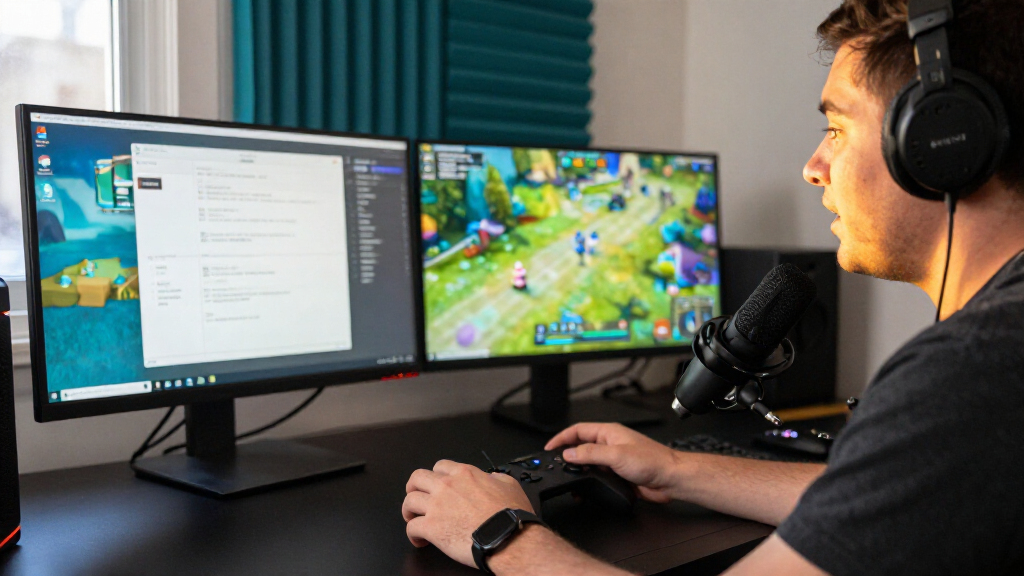
This checklist is for gaming creators building or refining a setup for recording, streaming, or making interactive entertainment content. It covers six gear slots: video capture, audio, positioning, lighting, camera, and background. Start with your biggest production gap and choose gear that fits the way you create.

Play games on Amazon Luna for your game nights, included with Prime
- A rotating selection of games, no download needed
- Play on TV, laptop or phone
- Fast, free delivery for your gear, too
Each section explains why the slot matters, what to check before buying, and who the named pick may suit. Use the guidance to compare the product’s listed features with your own equipment and workspace. Compatibility depends on your setup, so confirm connections, mounting options, and space requirements before you commit.
Work through the checklist in the order that supports your next improvement. A creator who needs console footage may prioritize capture, while someone focused on commentary may begin with audio. Check fit before features: make sure each item can work with your computer, camera, desk, and room.
USB capture card
A capture card is a key slot when your workflow includes bringing video from a gaming device into your recording or streaming setup. The Elgato 4K X HDMI 2.1 Capture Card is the named pick here; before choosing it, check that its connection and video capabilities match both your source device and the software you plan to use. Verify the entire video path, including the display, cables, and computer, rather than considering the card alone.
A common buying mistake is focusing on a headline capability without checking whether the rest of the setup can support it. Confirm the ports available on your gaming device and computer, and review the capture card’s requirements against your intended resolution and frame rate. Also consider where the card will sit and whether its cable routing will reach comfortably. If you plan to capture from more than one source, make sure your switching workflow is clear before buying. Match every connection and intended recording setting to the product’s specifications.
What to look for:
- Confirm the source device has a compatible HDMI output.
- Check computer ports and operating system requirements.
- Match supported resolution and frame rate to your workflow.
- Review software compatibility for recording or streaming.
- Measure cable reach and plan placement near your devices.
Elgato 4K X HDMI 2.1 Capture Card

Capture and stream gameplay at up to 4K144 or 1080p240 with HDMI 2.1 and VRR passthrough. The USB capture card offers low-latency recording and works with common streaming apps and HDMI devices, including consoles, computers, and iPhone 15.
Pros:
- Captures up to 4K at 144 fps or 1080p at 240 fps
- HDMI 2.1 with VRR passthrough
- Low-latency capture and lag-free passthrough
- Compatible with popular streaming apps and a range of HDMI devices
Cons:
- Requires a USB 3.2 Gen 2 port for full capture resolution
- Requires a compatible computer and graphics hardware
Best for: Creators adding HDMI video capture to a gaming workflow.
Not ideal for: Setups whose devices or recording needs do not match its specifications.
Bottom line: Choose it after confirming every device and recording setting in your video chain is supported.
Condenser microphone
Clear commentary can make gameplay easier to follow, so microphone choice deserves attention alongside video gear. The RØDE NT-USB+ Professional USB Condenser Microphone is the pick for this slot. Check its USB connection against your computer and recording software, then consider how you will position it while playing. Plan for your actual speaking position so the microphone can capture your voice without forcing an awkward posture or blocking your view.
A frequent mistake is buying a microphone without considering the room and desk around it. Think about where the keyboard, controller, and other sources of sound sit, and whether you can keep the microphone at a comfortable distance while recording. Check the included accessories and mounting requirements, especially if you intend to use a separate boom arm. Confirm that your chosen software recognizes the microphone and that you can select it as the input device. Check the connection and placement before deciding whether this pick fits your setup.
What to look for:
- Confirm USB connection compatibility with your computer.
- Check support in your recording or streaming software.
- Consider microphone position relative to your speaking posture.
- Review included accessories and any mounting needs.
- Plan placement around your keyboard, controller, and desk.
RØDE NT-USB+ Professional USB Condenser Microphone

The RØDE NT-USB+ is a USB-C condenser microphone for recording, podcasting, streaming, and calls on computers and mobile devices. It features a studio-grade capsule, a low-noise preamp, zero-latency headphone monitoring, and APHEX audio processing, and includes a detachable pop filter and desktop stand.
Pros:
- USB-C connectivity works with computers and mobile devices.
- Zero-latency headphone monitoring helps users hear themselves while recording.
- Includes a detachable pop filter and desktop stand.
- APHEX audio processing is available through RØDE Central software.
Cons:
- The listed frequency response is incomplete, with only a lower value provided.
- Requires a wired connection.
Best for: Creators who want a USB condenser microphone in their setup.
Not ideal for: Workflows that require a connection type or mounting arrangement it does not support.
Bottom line: Confirm software recognition, USB compatibility, and comfortable placement before choosing it.
Boom arm
A boom arm can help position a microphone where you need it while keeping the desk arrangement workable. The RØDE PSA1+ Professional Studio Boom Arm is the named pick for this slot. Before buying, check how it mounts to your desk and whether its reach lets you place the microphone near your speaking position. Desk fit comes first: edge shape, thickness, clearance, and nearby equipment can all affect mounting.
A common mistake is treating an arm as a universal fit without checking the desk or microphone. Verify the arm’s mounting method and supported microphone attachment against your specific desk and mic. Consider whether the arm can move around monitors, shelves, or other gear without obstructing your gameplay view. Also think about cable routing and how much movement you need between sessions. If the microphone is already mounted another way, decide whether an arm would improve your positioning enough to justify changing the setup. Check reach and clearance with your actual desk layout before selecting this pick.
What to look for:
- Measure desk thickness and check the clamp or mount requirements.
- Confirm microphone attachment compatibility.
- Check arm reach against your seated speaking position.
- Plan clearance around monitors, shelves, and other equipment.
- Consider how microphone cables will route along the arm.
RØDE PSA1+ Professional Studio Boom Arm

The RØDE PSA1+ is a professional studio boom arm designed for podcasters, streamers, and broadcasters. It features fully damped internal springs and a neoprene cover to ensure silent operation, along with integrated cable management and full 360-degree rotation for precise microphone placement.
Pros:
- Silent operation due to internal spring damping and neoprene cover
- Integrated cable management keeps setup tidy
- Full 360-degree rotation and extended reach for flexible positioning
- Highly rated by users for professional quality
Cons:
- Limited weight capacity (max 1.2kg) may not support heavier microphone setups
Best for: Creators who want an adjustable desk-mounted microphone position.
Not ideal for: Desks that cannot accommodate its mounting method or reach.
Bottom line: Measure the desk and confirm microphone fit, reach, and clearance before buying.
Ring light
Lighting can make a creator’s on-camera setup easier to arrange, and this checklist’s pick is the Neewer 18-inch Ring Light Kit with Stand and Phone Holder. Before choosing it, consider where the light and stand will fit relative to your desk, camera, and seated position. Check that the phone holder works with the device you intend to use and that the stand can be placed safely without crowding the room. Plan the whole footprint, not just the light’s diameter.
A common buying mistake is overlooking how the stand, phone, and camera fit together in a real recording space. Decide whether the phone holder is for your camera view, reference notes, or another purpose, then check that the arrangement supports that use. Review the kit’s listed controls and included components, and compare them with your lighting needs and available outlets. Think about whether the stand can be positioned without casting unwanted shadows from other equipment or blocking your display. Check stand placement and device fit before you order.
What to look for:
- Measure space for the 18-inch light and stand.
- Confirm the phone holder fits your intended device.
- Check listed controls and included kit components.
- Plan light placement relative to your camera and desk.
- Consider power access and space around other equipment.
Neewer 18-inch Ring Light Kit with Stand and Phone Holder

This professional 18-inch LED ring light kit includes a 55W 5600K light, adjustable stand, soft tube, filters, and smartphone holder, ideal for photography, videography, and studio work. The kit offers adjustable brightness, stable support, and compatibility with cameras and smartphones for various content creation needs.
Pros:
- Adjustable brightness with wide dimming range
- Includes comprehensive accessories for versatile use
- Stable and durable aluminum stand
- Compatible with various smartphones and cameras
Cons:
- Light stand may be unstable if raised too high
- Requires assembly and proper unfolding of stand
- Some users may find the setup instructions unclear
Best for: Creators who want a ring light, stand, and phone holder together.
Not ideal for: Small spaces that cannot fit the stand in a useful position.
Bottom line: Confirm the kit’s phone holder, power needs, and footprint suit your recording area.
Webcam
A webcam is useful when your content calls for a face camera alongside gameplay. The Logitech C922x HD Pro Webcam is listed with Full HD 1080p/30fps and 720p/60fps video; compare those modes with the settings you plan to use. Choose a mode your workflow supports, and check that your recording software and computer can handle the camera at that setting.
A common mistake is assuming that a webcam will fit any monitor or work equally well in every lighting condition. Review the mounting approach and your monitor’s shape, then consider whether you need a separate placement option. Check the camera’s connection and software compatibility, and test your planned framing from the distance where you sit. If you already use a dedicated camera, decide whether adding a webcam provides a practical benefit for your workflow. Check framing and connection before buying, and make sure the listed video modes align with the content you intend to record.
What to look for:
- Confirm the listed video modes meet your recording needs.
- Check computer connection and software compatibility.
- Verify the mount fits your monitor or planned placement.
- Test framing from your normal seated position.
- Consider whether existing camera gear already covers this role.
Logitech C922x HD Pro Webcam with Full HD 1080p/30fps and 720p/60fps Video, Ligh

The Logitech C922x HD Pro Webcam delivers crisp, detailed Full HD 1080p video at 30fps and 720p at 60fps, with automatic light correction and autofocus for clear images in various lighting conditions. It features stereo dual microphones for natural sound and is compatible with multiple video conferencing platforms and gaming consoles, making it ideal for streaming, conferencing, and content creati
Pros:
- High-quality Full HD 1080p video with smooth 60fps option
- Automatic light correction and autofocus for clear images
- Dual microphones provide natural sound quality
- Compatible with popular conferencing platforms and gaming consoles
Cons:
- No privacy shutter included
- Requires software installation for advanced features
- Some users may find the setup complex
Best for: Creators adding a webcam with listed 1080p/30fps and 720p/60fps modes.
Not ideal for: Workflows that require video modes or mounting options it does not offer.
Bottom line: Match the listed modes, mounting method, and software support to your recording setup.
Green screen
A green screen can provide a chroma key background option for creators who want to change or remove the visible backdrop in their content. The listed pick is the 7x7x7 ft Collapsible Green Screen – FloorFlex Chroma Key Background. Check the full product listing for its dimensions, setup method, and included components, then compare them with the space where you record. Measure your recording area with the screen positioned as intended, including room for your camera and lighting.
A common mistake is overlooking the floor space and distance needed to place both the creator and camera in front of a background. Confirm what the product’s three dimensions refer to and whether the collapsible design suits how often you set up or pack away. Review the listing for support or mounting requirements, and consider whether your lighting can illuminate the background evenly from your available positions. Check that your camera framing fits within the usable area. Confirm dimensions and setup details from the seller’s specifications before choosing this screen.
What to look for:
- Verify what each listed 7-foot dimension represents.
- Measure room for the screen, camera, and seated or standing position.
- Check setup, support, and storage requirements in the listing.
- Plan lighting placement for the background and subject.
- Confirm the usable area fits your planned camera framing.
7x7x7 ft Collapsible Green Screen – FloorFlex Chroma Key Background | CGS2100-FX

This professional collapsible green screen features a full-body chroma key surface with a floor extension, ideal for streaming, video production, and photography. Made from wrinkle-resistant, easy-to-clean fabric, it offers quick setup and convenient storage, making it suitable for various media applications.
Pros:
- Large size suitable for full-body shots
- Wrinkle-resistant and easy to clean fabric
- Quick setup with handles and support mechanism
- Portable with wheels and compact storage
Cons:
- May require space for full extension
- Durability depends on fabric quality over time
Best for: Creators who want a collapsible green screen for chroma key content.
Not ideal for: Recording spaces that cannot accommodate its listed dimensions and setup.
Bottom line: Check the screen’s actual dimensions and setup requirements against your room and camera framing.
For a budget-first buying order, start with the slot that addresses the most immediate gap in your content workflow. Confirm compatibility before purchasing, then add complementary pieces: a microphone may benefit from a boom arm, while a webcam or green screen may call for a lighting and space check. Buy for the next real improvement and avoid paying for features your setup cannot use.
Use the checklist as a final pass through your connections, fit, and recording space. Product names and listed features are a starting point; verify the current specifications for your devices and room before ordering. A few careful checks can make each addition easier to use, so build at a pace that works for you and keep creating. Your setup can grow one useful piece at a time.